A 60Hz iPad or MacBook is good enough, until motion becomes part of the job
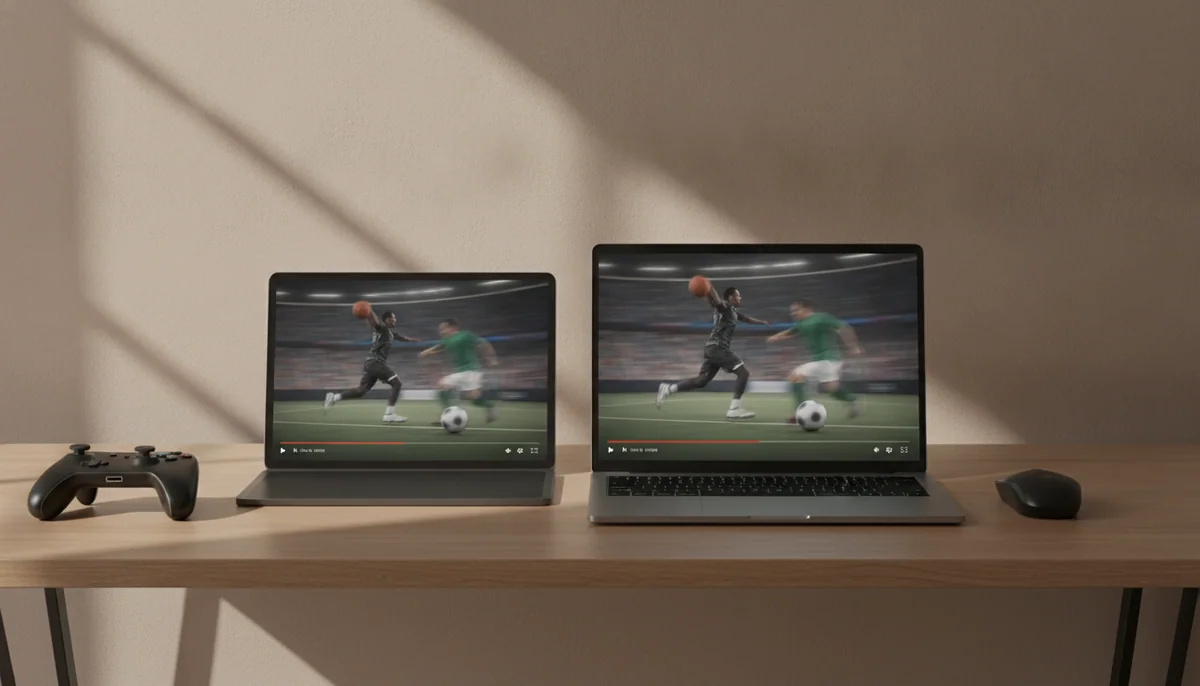
A 60Hz display is not broken, blurry or incapable of showing good color. It refreshes the picture sixty times each second, which is enough for writing, spreadsheets, web pages, films, video calls and the vast majority of ordinary computer work. Millions of perfectly competent screens have operated this way for years.
The uncomfortable part is that “good enough” no longer means “as good as Apple can make.” Current iPad Air and MacBook Air models pair fast M4 or M5 processors with 60Hz LCD panels, while the iPad Pro and MacBook Pro can refresh as high as 120Hz. The more expensive machines also bring better contrast and HDR hardware, so refresh rate is only one part of a broader display upgrade.
Specs & Screens would not reject an otherwise suitable Air merely because its specification says 60Hz. We would reject it when the buyer already notices choppy motion, draws with quick strokes, plays games that benefit from higher frame rates or expects a premium screen to look visibly premium. The deciding factor is not whether somebody else can see the difference; it is whether the difference appears in the work you plan to do.
Stay with 60Hz
Choose it for documents, research, email, streaming, classes, programming, general photo work and ordinary note-taking when an iPad Air or MacBook Air otherwise fits.
Pay for 120Hz
Choose it for fast Pencil work, motion-sensitive scrolling, high-frame-rate games, frequent animation, premium visual editing or a direct replacement for another high-refresh screen.
What changes when a screen refreshes twice as often
A 120Hz panel can present a new image every 8.3 milliseconds, while a 60Hz panel waits about 16.7 milliseconds between refreshes. That does not make the whole device twice as fast. It gives the interface twice as many opportunities to display motion, provided the software and processor are supplying frames quickly enough.
The difference appears most clearly while scrolling text, dragging windows, moving a cursor through animation or drawing a quick line with a stylus. At 120Hz, successive positions sit closer together, so motion looks more continuous. A static document, paused photograph or unmoving spreadsheet receives almost no benefit because there is little new visual information to show.
Apple’s ProMotion displays can vary their refresh behavior rather than remaining fixed at the maximum all the time. The important buyer-facing result is not the mechanism but the range: compatible content can look substantially smoother, while the display can reduce unnecessary refresh activity when the image is still.
| Activity | Is 60Hz enough? | What 120Hz changes |
|---|---|---|
| Writing and spreadsheets | Yes for nearly everyone | Smoother page movement, selection and window animation |
| Web browsing and reading | Yes, unless scrolling motion already bothers you | Text remains easier to follow during rapid scrolling |
| Films and television | Yes for conventional 24, 25 or 30fps video | Little benefit unless the source uses a higher frame rate |
| Handwriting and drawing | Usable, but sensitive artists may notice the delay | Ink appears to follow the Pencil more closely |
| Gaming | Fine for slower and casual games | Compatible games can display more frames with clearer motion |
| Photo editing | Yes for still-image color and detail work | Smoother panning, zooming and interface movement |
| Video editing | Yes for many timelines and ordinary playback | More fluid scrubbing and a better match for high-frame-rate footage |
The iPad makes 60Hz easier to notice
An iPad places the display directly beneath your finger or Pencil. Every swipe creates motion where you are looking, and every drawn mark invites comparison between the tool’s position and the digital ink behind it. That physical connection makes refresh rate more conspicuous than it is on a laptop controlled through a separate trackpad.
The 11-inch M4 iPad Air illustrates the compromise clearly. Its laminated Liquid Retina LCD is sharp and color-accurate, and testing found about 513 nits of maximum brightness with no detected PWM flicker. It remains limited to 60Hz, with measured pixel response that was not especially quick, so its powerful graphics hardware can produce frames the panel never displays.
That does not disqualify the 11-inch M4 iPad Air. It is the sensible choice for portable notes, illustration, documents and creative applications when the buyer can accept ordinary motion. Its honest drawback is that scrolling and Pencil feedback do not look as immediate as they do on the smaller iPad Pro, and competitive gaming cannot use the display beyond sixty visible frames per second.
The 13-inch M4 iPad Air applies the same limit to a much larger canvas. Its size is valuable for sheet music, full-page PDFs, split-screen research and broad drawing projects, but that large surface is awkward to hold and still refreshes at 60Hz. Buyers who primarily want workspace can rationally choose it; buyers expecting the large screen to deliver Pro-level motion, OLED blacks and HDR will be disappointed.
The Pro alternative is not merely an Air with a larger refresh-rate number. The 13-inch M5 iPad Pro combines adaptive refresh as high as 120Hz with tandem OLED, deep blacks and HDR peaks measured close to 1,600 nits. Its standard glossy glass can reflect bright rooms, its 13-inch body becomes tiring when held unsupported, and iPadOS still determines which professional workflows are possible.
Choose the 11-inch M5 iPad Pro when you want 120Hz OLED, Pencil Pro and Face ID in a genuinely handheld tablet, while accepting that ordinary browsing and streaming do not need its M5 performance. Choose the 13-inch M5 iPad Pro when the larger OLED canvas will spend most of its working life on a desk, stand or keyboard, and accept that its size, glossy glass and accessory-heavy setup weaken its portability.
A MacBook Air is easier to forgive
A laptop places distance between the input and the display. Your finger moves across a trackpad while the pointer and page move elsewhere, so the visual delay is less intimately exposed than digital ink appearing beneath an Apple Pencil. This is why a person who dislikes 60Hz on an iPad may still work comfortably on a 60Hz MacBook Air.
The 13-inch M5 MacBook Air is an excellent mobile work computer with a conservative screen. Its 13.6-inch panel is sharp, accurate and bright enough for normal indoor work, but it remains a 60Hz SDR IPS display without proper HDR, OLED or mini-LED contrast. The honest exchange is clear: you receive a light, silent laptop with strong battery life and polished controls, while the screen looks less ambitious than the processor and chassis around it.
That makes the 13-inch M5 MacBook Air an easy recommendation for writing, study, research, programming and travel when portability matters more than display spectacle. Do not choose it for high-refresh gaming, premium HDR viewing or a workflow in which smooth motion is itself a professional requirement.
The 15-inch M5 MacBook Air provides more room for spreadsheets, code, timelines and side-by-side documents, but it repeats the 60Hz IPS compromise across a larger surface and occupies more of a bag or table. Independent testing found a little more than 500 nits of brightness, broad P3 coverage and no detected PWM, yet its black levels and motion remain behind OLED, mini-LED and high-refresh competitors.
Neither Air becomes a bad productivity laptop because the display stops at 60Hz. The problem arises when a buyer pays for an Air while expecting the visual character of a Pro. The Air’s screen is designed to be competent, crisp and efficient; it is not the premium attraction of the machine.
The MacBook Pro earns its display premium more broadly
The 14-inch MacBook Pro combines adaptive refresh up to 120Hz with mini-LED backlighting, strong HDR brightness and useful professional ports. Its display improves scrolling and interface motion, but it also delivers deeper blacks and brighter highlights than the Air. The drawbacks include extra weight, a visible notch, possible local-dimming bloom and PWM flicker that may concern particularly sensitive buyers.
The 14-inch M5 MacBook Pro therefore makes sense when its display, active cooling, HDMI and SD card slot support real work, provided the exact model’s fixed 16GB of memory is sufficient. Buying it solely because 60Hz sounds old is harder to defend if the rest of its Pro hardware will remain unused.
The 16-inch M5 Pro MacBook Pro carries the same basic display advantages into a much larger workstation. Its 120Hz XDR panel, sustained processor performance and full port selection suit professional editing, development and production, but the computer weighs roughly 4.7 pounds before its large charger enters the bag. Independent evaluation also found mini-LED haloing, constant PWM and slow-looking transitions, so even Apple’s premium laptop display is not flawless.
Most people choosing between Air and Pro should not isolate refresh rate from the rest of the machine. The MacBook Air versus MacBook Pro comparison is really a choice among portability, cooling, ports, display quality and workload. A smooth screen is valuable, but it should not drag an office user into workstation hardware they neither need nor want to carry.
Your current screen predicts your reaction
A buyer moving from an older 60Hz laptop or basic iPad may find an Air entirely normal. A buyer who spends every day on a 120Hz phone, iPad Pro, gaming monitor or recent MacBook Pro is more likely to notice the step down immediately. Adaptation sometimes reduces the annoyance, but buying an expensive device on the hope that a visible downgrade will stop mattering is poor strategy.
The safest test is simple. Scroll dense text, move windows, switch between apps and, on an iPad, write quickly with the Pencil. Do this on the Air and Pro at the same brightness without placing them side by side for only a theatrical five seconds. Ten minutes of the motion you actually perform is more useful than a looping showroom video.
Also separate refresh rate from response time. A 120Hz panel can request new frames more often, but slow pixel transitions may still produce smearing or ghosting. Conversely, a responsive 60Hz screen can look clean within its sixty-frame ceiling. Refresh rate describes how often the panel can update, not how quickly every pixel completes the change.
Do not buy 120Hz for the wrong reason
Conventional films commonly arrive at 24 frames per second, while much television and online video uses 25, 30 or 60 frames per second. A 120Hz display can present those rates neatly, but it cannot invent genuine detail absent from the source. If your iPad or MacBook exists mostly for conventional video, contrast, brightness, black level, speakers and aspect ratio may matter more than maximum refresh.
The same caution applies to general speed. A 120Hz interface can feel more responsive because animation is smoother, yet it does not halve export time, expand memory or make an unsupported application appear. On the iPad, the operating system and available apps can restrict work long before display motion does. On the MacBook, memory, cooling and ports may be more important than refresh rate.
Battery life is not a simple argument against the faster panel either. Adaptive displays can reduce their refresh behavior when motion does not require the maximum, while brightness and workload often dominate power use. Choose from controlled battery evidence for the complete device rather than assuming that one display specification predicts endurance.
The final decision
For an iPad, pay more readily for 120Hz because touch and Pencil input expose the difference throughout the day. For a MacBook, accept 60Hz more readily when the Air’s lower weight, silence and mainstream performance are the priorities.
Walk away from 60Hz if you can already see it bothering you, if fast stylus work or gaming is central, or if display quality is the emotional reason for buying a premium device. Keep the money when your work is mostly static, your current 60Hz screen feels fine and the Pro upgrade would add weight or capabilities you do not need.
Frequently Asked Questions
Is 60Hz enough for everyday iPad use?
Yes, 60Hz is sufficient for browsing, streaming, reading, email and ordinary notes, although scrolling and fast Pencil strokes look less fluid than on a 120Hz iPad Pro.
Is 60Hz enough for a MacBook used for work?
Yes, it is adequate for writing, spreadsheets, programming, research and video calls when portability matters more than premium motion.
Will a 120Hz display make an iPad or MacBook twice as fast?
No, it can show motion updates twice as often as 60Hz, but application speed, rendering time and processor performance remain separate issues.
Does 120Hz improve Apple Pencil use?
Yes, the shorter interval between displayed frames makes fast handwriting and drawing appear to follow the Pencil more closely.
Do movies look better at 120Hz?
Not necessarily, because most conventional films contain far fewer than 120 frames per second and often benefit more from strong contrast, HDR and black levels.
Is a 60Hz iPad Air good for drawing?
Yes for many artists and note-takers, but buyers sensitive to visible Pencil lag should compare it directly with a 120Hz iPad Pro before purchasing.
Is a 60Hz MacBook Air good for gaming?
It can handle casual and selected demanding games, but the refresh ceiling, fanless throttling and limited macOS catalog make it a poor gaming-first choice.
Should I buy a MacBook Pro only to get 120Hz?
Usually not, unless smoother motion and the Pro’s stronger HDR display matter enough to justify its additional weight, cost and workstation hardware.
Can someone stop noticing the difference after moving from 120Hz to 60Hz?
Some people adapt while others remain distracted, so a direct trial using your normal scrolling, drawing or editing motions is more reliable than another buyer’s tolerance.
Does 120Hz always use much more battery?
No, actual endurance depends on adaptive refresh behavior, brightness, applications and processor load rather than the maximum refresh specification alone.