Apple’s 11-inch M4 iPad Air is a brilliant tablet trapped behind an ordinary screen
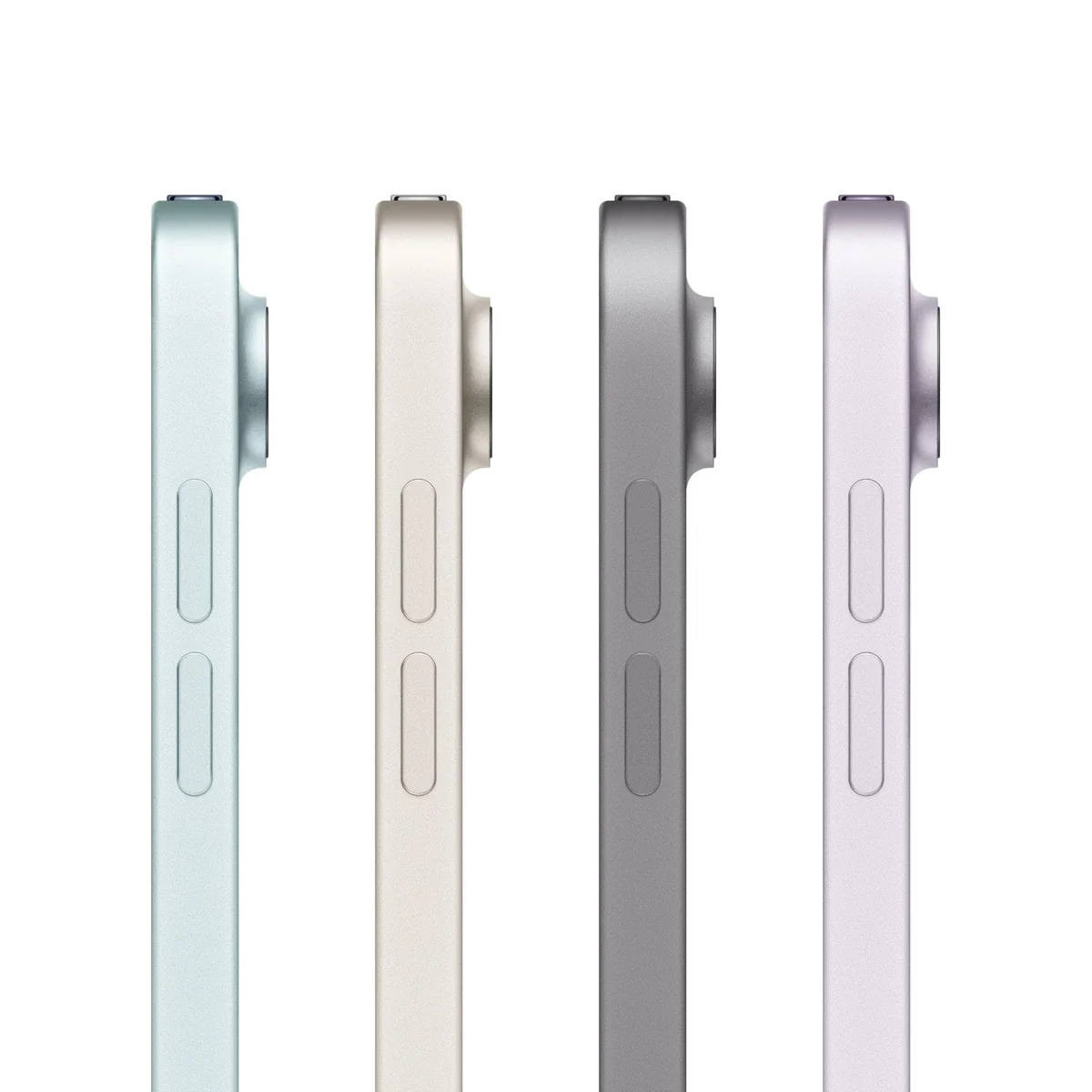
Buy the 11-inch M4 iPad Air if you can use its exceptional performance, Pencil support and handheld size, but skip it for routine streaming or as an uncompromised laptop replacement.
Based on published owner reports and 2 other sources. We have not tested this machine ourselves.
We earn a commission if you buy through our links, which does not affect what we say.
Read how this site works →
The final call
The 11-inch M4 iPad Air is the strongest choice in Apple’s tablet range for buyers who want serious creative performance without sacrificing handheld comfort. It has enough speed for workloads far beyond ordinary tablet use, a mature Pencil ecosystem and the right proportions for travel, reading and couch use.
Apple has nevertheless left obvious reasons to hesitate. A 60Hz LCD, modest base storage, slow charging, one port and expensive accessories make the Air feel selectively modern. Its hardware can challenge a laptop, but iPadOS and the compact workspace determine whether it can replace one.
Buy it if your plans include regular drawing, handwritten study, demanding games, substantial media work or several years of growth into heavier applications. Buy the 256GB version if large local files are already part of that plan. Choose the base iPad for routine consumption, the 13-inch Air for desk-bound multitasking, or a laptop when desktop software is non-negotiable.
The 11-inch M4 iPad Air has far more computing power than most tablet buyers need, which is both its triumph and its problem. Apple has put an M4 chip and 12GB of memory into a slim, one-pound device that remains comfortable in the hand, yet it has retained the familiar 60Hz LCD, 128GB base storage and restrained charging system. The engine has moved forward much faster than the rest of the machine.
That imbalance does not make this a bad iPad. It makes it a very specific one. The Air is the sensible performance model for artists, students, mobile editors and long-term buyers who can name the work that justifies an M-series chip. For browsing, video, email and straightforward notes, the less expensive 11-inch iPad with the A16 chip covers the essentials without charging you for a reservoir of performance you may never tap.
The reviewed configuration is the 2026 Wi-Fi model with 128GB of storage, not a cellular iPad. It supports Wi-Fi 7, but it does not provide mobile data simply because another Air configuration can. Its accessories are separate purchases, and 128GB leaves considerably less space for the owner once the operating system and built-in files are accounted for.
Buy it if
You want a powerful tablet that still feels like a tablet. The 11-inch body is easy to carry, pleasant for reading and practical on a sofa, train or airline tray. It is also a strong fit for Apple Pencil Pro, demanding games, media editing and years of increasingly ambitious apps.
Walk away if
You need desktop software, several ports, a high-refresh OLED display or enough local storage for large game and video libraries without management. Existing M2 and M3 Air owners should also resist the upgrade unless 12GB of memory, faster graphics or newer wireless hardware solves a problem they already have.
The Air’s real advantage is that it stays portable
Apple’s smaller Air is the model that preserves the original appeal of an iPad. At 464g and 6.1mm thick, it is light enough for portrait reading, couch browsing and extended handheld use. Thumb typing remains plausible in portrait, while the landscape keyboard is broad enough for a quick reply without immediately reaching for an accessory.
The trade-off appears as soon as two applications share the display. Notes beside a lecture, a browser beside a document or a timeline surrounded by editing controls can feel compressed. Artists can draw comfortably, but dense palettes and large layer stacks demand more zooming and panning. If the iPad will live on a desk and handle sustained split-screen work, the comparison between the 11-inch and 13-inch iPad Air explains why the larger canvas may be worth its extra bulk.
This is not a case in which bigger automatically means better. The 13-inch Air provides more room for timelines, handwriting and keyboard work, but it becomes tiring sooner in one hand and behaves more like a detachable computer. The 11-inch version is the better companion to an existing laptop because it can go to places where opening a laptop feels excessive.
Key Specifications
A good display with an increasingly conspicuous limit
The 10.86-inch Liquid Retina panel is sharp, fully laminated and accurate enough for illustration, photo adjustments and ordinary media work. Laboratory testing measured almost complete sRGB coverage, highly even brightness and no detectable pulse-width modulation. That last point may matter to buyers who are sensitive to OLED flicker.
It is still a 60Hz IPS LCD. Scrolling and Pencil movement do not have the fluidity of a 120Hz iPad Pro, and the difference is easy to notice if your phone or computer already has a high-refresh display. The measured brightness of roughly 510 nits is comfortable indoors, but glossy reflections and limited headroom weaken visibility in direct sunlight. HDR files may be supported, yet this panel cannot produce the brightness or deep blacks that make HDR convincing.
Apple’s “Air” label should not be mistaken for “nearly Pro.” The 11-inch iPad Pro earns its premium chiefly through the screen, Face ID, speakers and finer hardware rather than a dramatic advantage in everyday app speed. Conversely, the Air’s LCD is not poor simply because better panels exist. Text is crisp, colors are controlled and indoor viewing is pleasant; the objection is that a premium tablet released in 2026 still stops at 60Hz.
Pencil support is excellent, but check the name before buying
The Air works with Apple Pencil Pro and the USB-C Apple Pencil. Pencil Pro is the more complete partner because it magnetically pairs and charges while offering pressure-sensitive creative controls such as squeeze, barrel roll, hover and haptic feedback. The cheaper USB-C model does not inherit every Pro feature merely because both pencils attach to the tablet.
Apple Pencil 2 is not compatible. That detail is easy to miss when upgrading from an older iPad, and a perfectly functional Pencil 2 cannot be carried forward to this model. Neither supported Pencil is included with the iPad.
The combination makes particular sense for handwritten notes, document annotation, masking and portable drawing. The display is large enough for a notebook page without turning the device into a desk-bound slab, although professional art applications with crowded controls are more comfortable on the 13-inch Air. Buyers still deciding whether a stylus will change their workflow can start with the site’s guide to when an active stylus is worth buying.
Cameras, sound and Touch ID are practical rather than luxurious
The landscape-mounted 12MP front camera is correctly positioned for calls while the iPad sits in a keyboard or stand, and Center Stage can keep a moving speaker framed. The 12MP rear camera is most useful for scanning documents, grabbing reference images and recording 4K video. Daylight results are natural, but detail and image quality decline in low light, so a recent phone remains the better camera.
Two landscape speakers get loud enough for calls and personal viewing, with clear mids and highs but little deep bass. The four grille sections do not mean there are four speakers. Headphones connect through USB-C or Bluetooth because there is no 3.5mm socket.
Touch ID lives in the power button and proved reliable in the direct M4 testing and retained owner reports. Registering fingers from both hands makes it less awkward as the iPad changes orientation. It works; Face ID would simply be more seamless when the tablet is docked beyond easy reach.
Strengths & Limitations
Strengths
- The M4 chip and 12GB of memory provide exceptional performance and substantial long-term headroom.
- The one-pound 11-inch body remains comfortable to hold, carry and use away from a desk.
- Apple Pencil Pro support makes it a strong portable device for notes, annotation and art.
- The display is sharp, color-accurate, evenly lit and free of detected PWM flicker.
- Nearly 12 hours in the direct Wi-Fi test supports a genuine light-work day.
- Wi-Fi 7 support and 10Gbps USB-C give the Air credible connectivity for demanding workflows.
Limitations
- The 60Hz LCD looks dated beside high-refresh OLED tablets and limits motion smoothness.
- The 128GB model leaves about 90GB free and offers no internal storage expansion.
- Sustained graphics loads cause noticeable warmth and can cut substantially into peak performance.
- Charging is limited to roughly 20W and takes more than two hours for a full refill.
- The single USB-C port, missing headphone jack and absent Face ID feel restrictive at this level.
- Keyboard, Pencil and storage upgrades can turn a persuasive tablet into an expensive laptop substitute.
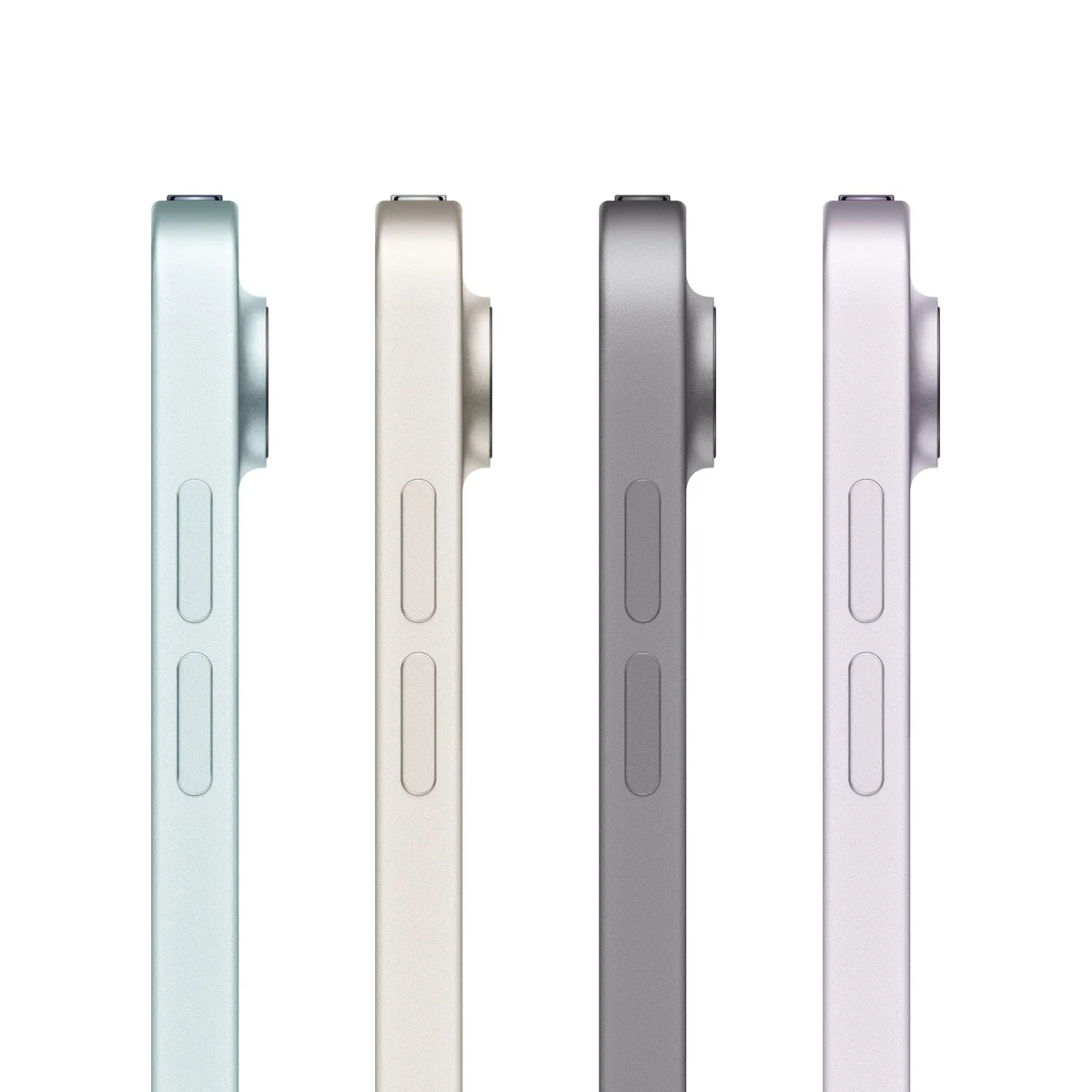
M4 speed is real, even when its necessity is debatable
The eight-core M4 CPU, nine-core GPU and 12GB of LPDDR5X memory give the Air performance that would once have sounded absurd in a fanless tablet. In controlled testing, it led the previous M3 Air by roughly 15 to 20 percent across the broader performance picture, with larger gains in some graphics workloads. Web applications responded exceptionally quickly, and demanding tasks ran without making the interface feel burdened.
The memory upgrade is arguably more meaningful than another benchmark lead. The prior M3 Air carried 8GB, while every M4 Air configuration has 12GB of faster memory. That extra capacity provides breathing room for large creative projects, multitasking and future software, even when opening mail or watching a film feels much the same on an older Air.
| Test | Result | What it means |
|---|---|---|
| Geekbench 6.7 single-core | 3,735 | Extremely quick app and web responsiveness |
| Geekbench 6.7 multi-core | 13,494 | Substantial headroom for creation and export work |
| Wi-Fi web runtime | 11 hours 59 minutes | A full light-work day is realistic |
| Maximum-brightness load runtime | 3 hours 54 minutes | Heavy use changes the battery story sharply |
| Steel Nomad Light stability | 67.9% | Peak graphics speed is not sustained indefinitely |
Those results should not be translated into a promise of constant peak speed. The aluminum body has no fan, and prolonged graphics stress caused meaningful throttling. Depending on the workload, stability testing retained about 68 to 82 percent of initial performance. Surface hot spots approached 43°C under maximum load, while casual use remained cool.
That is heat under pressure, not proof that the Air routinely overheats. One exact-model owner similarly reported warmth only while pushing CapCut, karaoke software and Call of Duty Mobile, with no resulting problem. Buyers planning long gaming sessions or repeated video exports should nevertheless understand that the M4’s short-burst benchmark ceiling is not its permanent cruising speed.
Battery life depends on what “all day” contains
Apple’s claim is fair for web work, documents, notes and mixed video at moderate brightness. The direct Wi-Fi test lasted almost 12 hours, so a normal work or study day should not require anxious rationing. Light intermittent use can stretch across more than one calendar day.
Heavy graphics at maximum brightness reduced the same tablet to just under four hours. Video editing, demanding games and sustained AI or rendering work consume the battery that the M4 makes available. Charging is capped at roughly 20W and a complete refill took about two hours and fifteen minutes, which is slow beside many modern Android tablets.
Reports about a wall adapter conflict by source and region, so buyers should check the exact package rather than assume one is present. A USB-C cable is the only box item that can safely be expected from the supplied evidence.
The cheapest configuration is not automatically the best value
The 128GB model is adequate for streamed media, cloud documents, handwritten notes, office applications and a restrained collection of games. It is less convincing for local video, offline film libraries, large layered artwork or years of accumulating messages and photos. The tested 128GB unit had only about 90GB free, and there is no microSD slot.
External USB-C storage and cloud services can help, but they change the experience. A drive is another object attached to the Air’s only USB-C port, while a cloud library depends on connectivity and an ongoing service plan. Anyone already wondering whether 128GB will be enough should read the iPad storage guide before choosing the configuration.
Value also changes once accessories enter the basket. The Magic Keyboard adds a function row, trackpad and pass-through charging port, but its cost pushes the package toward laptop territory. Add Pencil Pro and a storage upgrade, and the Air no longer competes only with other tablets. It competes with complete computers that already include keyboards, trackpads and desktop operating systems.
The product therefore earns its value through a specific combination: excellent performance, first-rate tablet software, Pencil support and low carrying weight. It is not a bargain merely because an iPad Pro costs more. Check the buying price against the A16 iPad, discounted earlier Air generations and a suitable laptop, then judge the complete setup rather than the bare tablet.
How the alternatives divide the work
| Choice | Best reason to choose it | What you give up |
|---|---|---|
| 11-inch M4 iPad Air | Portable creative power, Pencil Pro and 12GB of memory | 120Hz, OLED, Face ID and desktop software |
| 11-inch A16 iPad | Browsing, streaming, notes and general family use | M4 headroom, Pencil Pro and faster external workflows |
| 13-inch M4 iPad Air | Split-screen study, larger artwork and keyboard work | Handheld comfort and compact travel |
| 11-inch iPad Pro | OLED, 120Hz, Face ID and superior media hardware | The Air’s more restrained total cost |
| MacBook or Windows laptop | Desktop applications, ports and conventional file handling | Touch, Pencil input and true tablet ergonomics |
The hardware will probably outlast your patience with iPadOS
The M4 and 12GB of memory leave ample performance headroom for a long service life. Apple also has a strong history of supporting iPads for years, although no fixed six-year update promise accompanies this model. Wi-Fi 7, Bluetooth 6 and a 10Gbps USB-C connection reduce the chance that connectivity will become the first reason to replace it.
The likely constraint is workflow rather than speed. iPadOS offers touch-first applications, capable window management, external-display output and excellent continuity with other Apple devices. AirDrop, synced passwords and messages, Handoff, Sidecar and automatic accessory switching can make the Air feel unusually well integrated for an Apple household.
It remains less flexible than macOS for desktop-only applications, software development, complex file handling and work that needs several connected devices. Some iPad applications are reduced versions of their desktop counterparts, and the single USB-C port makes a hub nearly mandatory when charging and using external storage together.
The 11-inch display adds another limit. Hardware capable of running several applications does not create physical room for them. Email, writing, browsing, markup and light editing can replace a laptop for the right person, but sustained spreadsheet work, large timelines and elaborate desktop interfaces are where the illusion breaks. The broader iPad versus MacBook guide is the better decision point if this will be your only computer.
Keep the Air away from spills. The supplied record does not establish robust water or dust protection, and the safest assumption is that this is an indoor electronic device rather than a weather-resistant field tablet. A protective case is also sensible, though heavy keyboard cases can erase much of the weight advantage that makes the 11-inch model appealing.
Frequently Asked Questions
Is the 11-inch M4 iPad Air worth buying?
It is worth buying for portable creative work, Pencil use and long-term performance, but routine browsing and streaming do not justify its extra capability.
Is 128GB enough for this iPad Air?
128GB is sufficient for cloud-based notes, office apps and streamed media, but it is restrictive for large games, offline video, layered art and local editing projects.
Can the M4 iPad Air replace a laptop?
It can replace a laptop for web work, notes, writing, markup and light creative tasks, but desktop-only software, complex file handling and port-heavy workflows still favor a conventional computer.
Does the 11-inch M4 iPad Air have a 120Hz display?
No, its Liquid Retina LCD refreshes at 60Hz, so scrolling and motion are less fluid than on a ProMotion iPad Pro.
Which Apple Pencil works with the M4 iPad Air?
It supports Apple Pencil Pro and the USB-C Apple Pencil, while Apple Pencil 2 is incompatible.
Does this Wi-Fi model have cellular service?
No, the reviewed B0GQVPX1PJ configuration connects through Wi-Fi and does not include cellular data service.
Does the M4 iPad Air overheat?
It stays cool in light use but becomes warm and throttles during prolonged heavy graphics workloads, with direct testing recording surface hot spots near 43°C.
How long does its battery last?
Direct testing reached almost 12 hours of Wi-Fi browsing but only three hours and 54 minutes under maximum-brightness load.
Is the Magic Keyboard included?
No, the Magic Keyboard, Apple Pencil and protective case are separate purchases.
Does the M4 iPad Air have Face ID?
No, it uses a reliable Touch ID fingerprint sensor built into the power button.
Sources (3)
- Amazon listings and customer reviews — Apple Ipad Air 11
- Owner and reviewer video, 2 channels
- Notebookcheck — Article — www.notebookcheck.net