The best MacBook is the 13-inch Air, not the Pro.
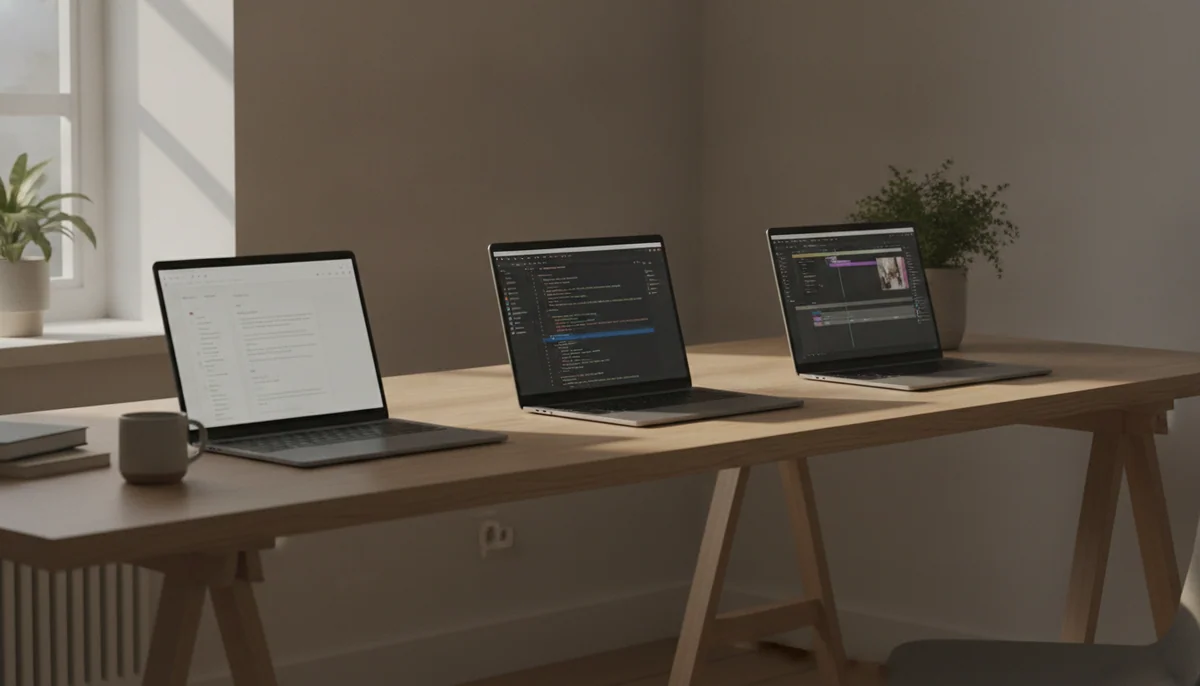
The MacBook range gets easier to understand once the chip names stop running the meeting. The 13-inch MacBook Air is already fast enough for serious everyday work, starts with a sensible 16GB of memory and 512GB of storage, stays silent, and weighs little enough to travel without becoming its own category of luggage. That is the winning combination for most buyers.
Its most visible flaw is an increasingly awkward one: Apple still fits the Air with a 60Hz IPS display. The panel is sharp, bright and color-accurate, but it cannot match the fluid motion, deep contrast or HDR performance of the MacBook Pro’s 120Hz mini-LED screen. The Air also has only two Thunderbolt ports, both on the left, and its fanless design loses speed during long, continuous processor or graphics loads.
Those drawbacks are real, but they do not make the Pro the automatic answer. Paying for active cooling, HDMI, an SD card reader and an XDR display is sensible when those features remove daily friction. Paying for them because “Pro” sounds safer is how an excellent laptop becomes an expensive browser.
Most people: choose the 13-inch MacBook Air M5.
More workspace: choose the 15-inch MacBook Air M5.
Better screen and ports: choose the 14-inch MacBook Pro M5.
Sustained workstation work: choose the 16-inch MacBook Pro M5 Pro.
The dividing line is not whether you occasionally edit a photograph, compile code or export video. All four machines can do those things. The question is whether the demanding part of the workload is occasional or continuous, and whether carrying a larger computer every day is worth the minutes it saves when the work becomes heavy.
If the choice is already down to size, our 13-inch versus 15-inch MacBook Air comparison treats the decision as a matter of working space rather than speed. Readers still wondering whether they need cooling, ProMotion and built-in creative ports should use the broader MacBook Air versus MacBook Pro comparison.

Quick Picks at a Glance
| Feature | Editor's Pick Apple MacBook Air 13-inch M5 | Apple MacBook Air 15-inch M5 | Apple MacBook Pro 14-inch M5 | Apple MacBook Pro 16-inch M5 Pro |
|---|---|---|---|---|
| Price Range | — | — | — | — |
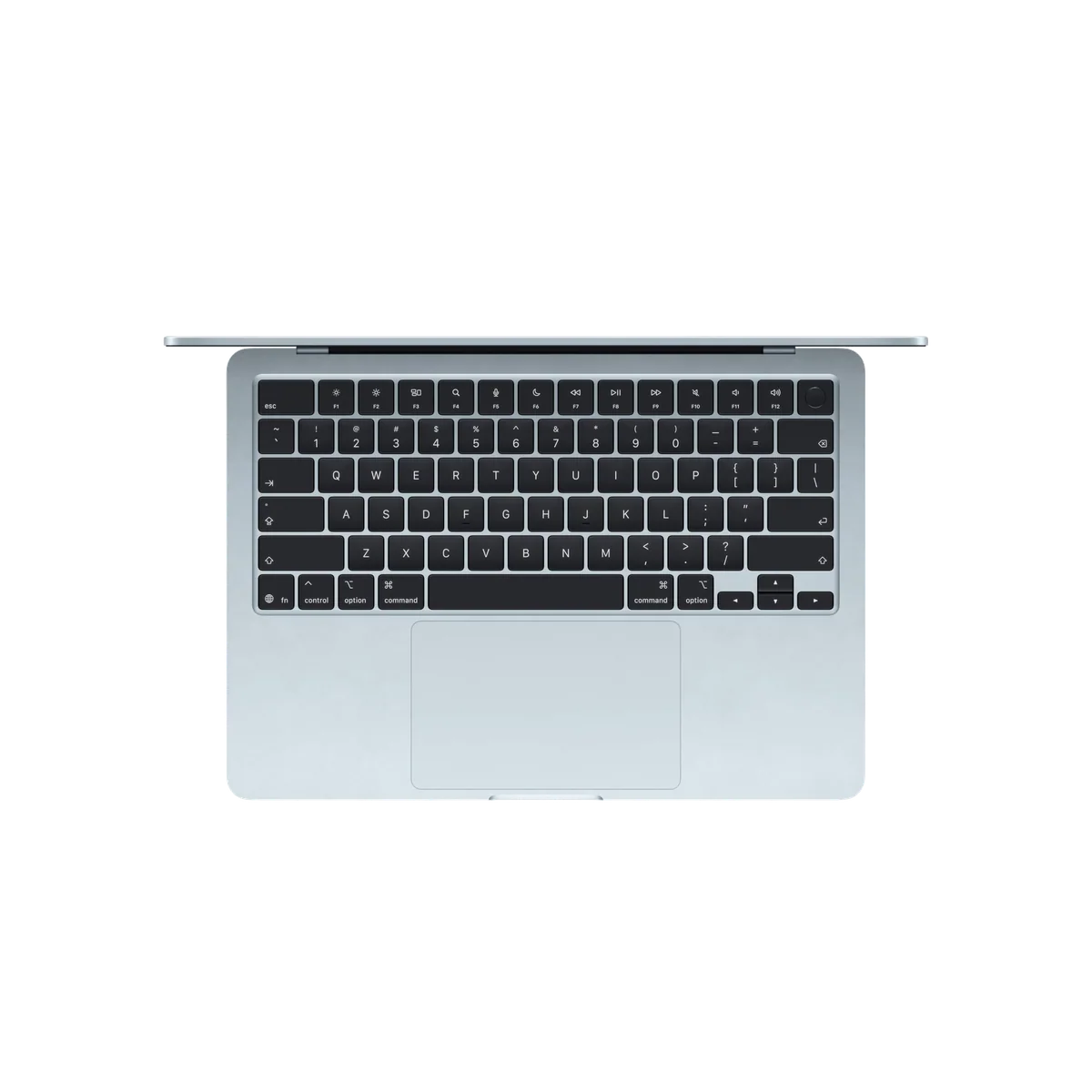
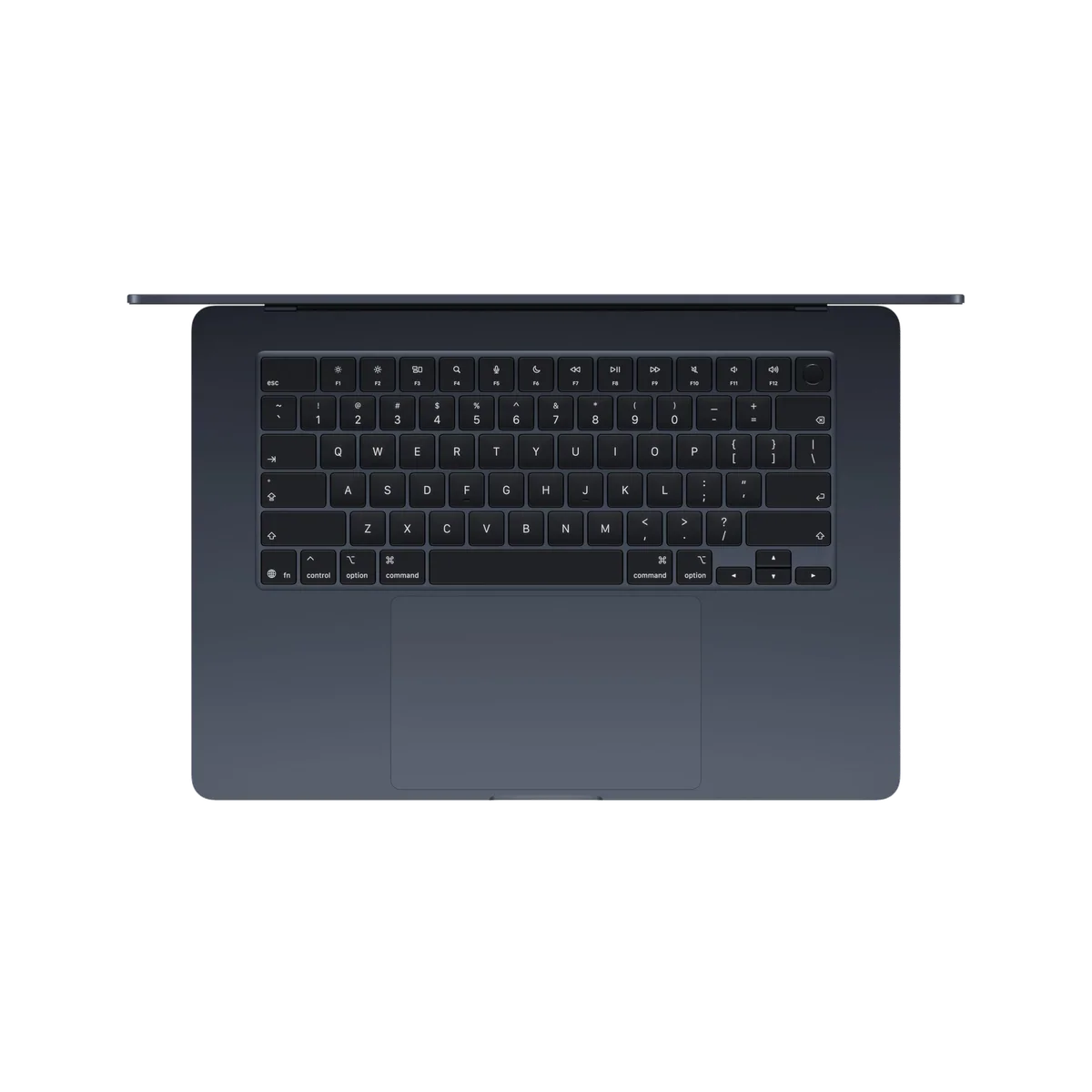
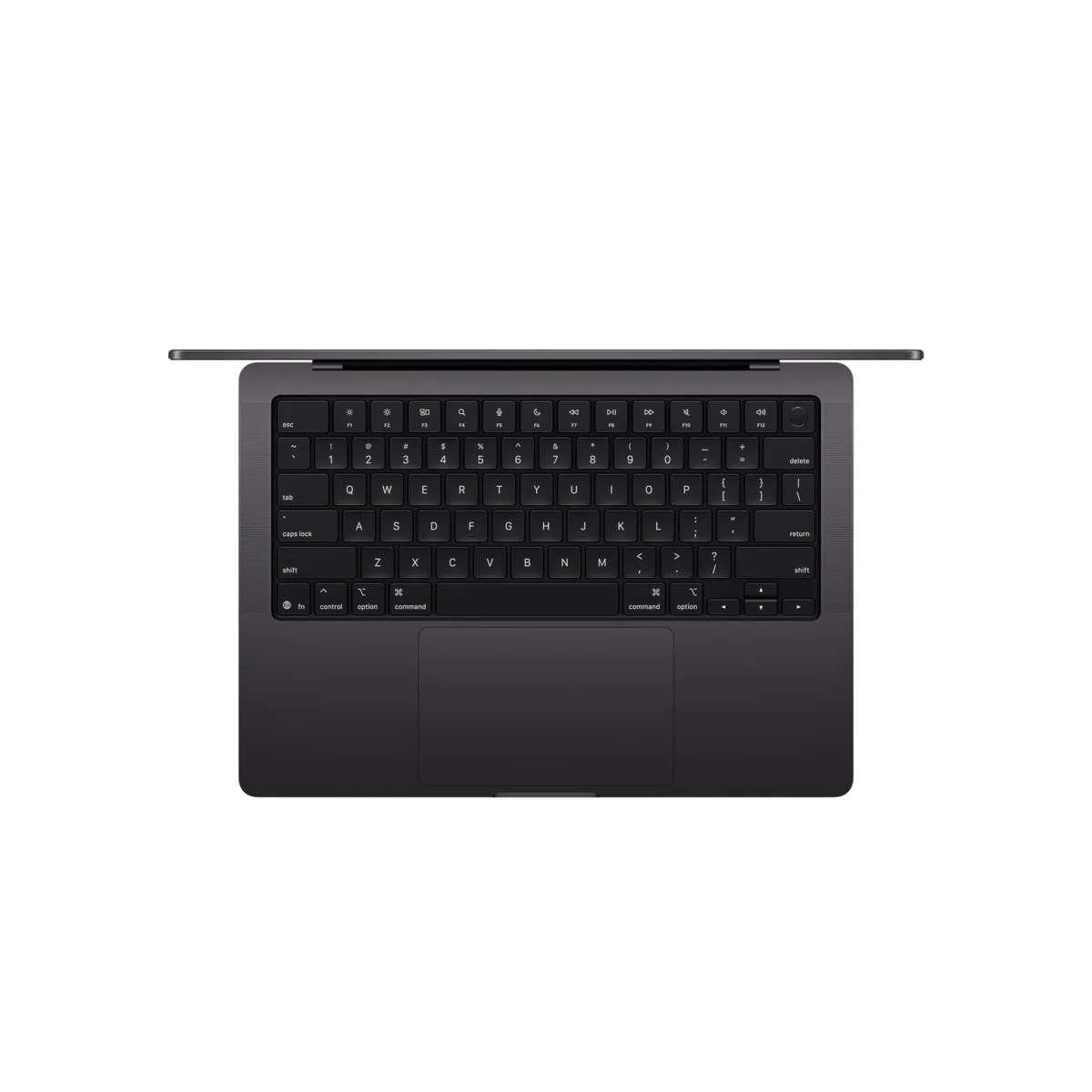
| Finish | Sky Blue | Midnight | Space Black | Space Black |
| Screen size | 13" | 15" | 14.2" | 16.2" |
| Check Price on Amazon | Check Price on Amazon | Check Price on Amazon | Check Price on Amazon |
Four good MacBooks, four very different excuses
This ranking favors the machine that solves the greatest number of real computing needs with the fewest physical and financial penalties. That puts the compact Air first, not because it wins every specification, but because its compromises affect fewer people than the weight and unused capacity of the Pro models.
The 13-inch MacBook Air M5 is the best MacBook for most people.
Its fast M5 chip, usable 16GB and 512GB baseline, long battery life, silent operation and 2.7-pound body make it the most complete everyday MacBook.
The 60Hz SDR display looks dated at this tier, and sustained heavy work eventually exposes the limits of its fanless chassis.
The winner is the MacBook that most readily disappears behind the work. It has ample speed for research, writing, large browser sessions, office applications, moderate photo and video editing, coding and the steady churn of calls and messages. The keyboard, Force Touch trackpad, Touch ID, camera and speakers are all polished enough that none becomes the irritating part of an eight-hour day.
Its compact body is not merely pleasant in a showroom. It fits train tables, lecture desks, airplane trays and ordinary bags more easily than the larger models. Owners in the retained review sample repeatedly praised its low weight and found the 13-inch workspace more usable than expected, including people who had moved down from a 15-inch laptop.
Buy it with clear eyes. Scrolling will not feel as fluid as it does on a 120Hz Pro, photographers will need an adapter for SD cards, and long renders or repeated heavy compiles will run faster on an actively cooled machine. None of that changes the central verdict: occasional demanding work does not require a laptop designed around continuous demanding work.

The 15-inch MacBook Air M5 is the best MacBook for a larger everyday workspace.
It preserves the Air’s silence and mainstream speed while giving spreadsheets, timelines and side-by-side documents enough room to breathe.
Its wide footprint is awkward on small tables, its Midnight finish collects fingerprints, and the larger 60Hz IPS panel makes the missing high-refresh technology harder to ignore.
The 15-inch Air is not a faster class of computer than the winner; it is a roomier version of the same argument. Its 15.3-inch panel is valuable when the laptop itself is the main workstation and an external monitor is unavailable. A document can remain visible beside research, an IDE can share the screen with a browser, and a spreadsheet can show more columns before horizontal scrolling begins.
The larger chassis also brings a six-speaker system and a full 10-core GPU configuration. Independent testing found excellent short-task performance and fast storage, but also meaningful losses during prolonged combined processor and graphics loads. Silence is absolute because the Air has no fan, yet that same silence places a ceiling on sustained throughput.
Choose this model when the extra display area will be used most days. Do not choose it because a large screen sounds inherently more capable. If the laptop is frequently opened on a plane, carried across a campus or balanced on a sofa, the broad footprint will be felt more often than the additional workspace is appreciated.
The 14-inch MacBook Pro M5 is the best compact MacBook for display quality and creative ports.
Its 120Hz mini-LED XDR display, active cooling, 1TB SSD, HDMI, SDXC slot and three Thunderbolt ports make it a strong mobile studio for moderate professional work.
The fixed 16GB of memory leaves this configuration awkwardly trapped between cheaper Air models and more capable Pro-tier machines.
The 14-inch Pro is the machine to buy when the screen is part of the work rather than a window onto it. Its mini-LED panel offers adaptive refresh up to 120Hz, high HDR brightness, strong contrast and accurate color. Motion looks markedly smoother than on either Air, while HDMI and an SDXC reader remove common adapter rituals for photographers, video crews and presenters.
The standard M5 is also extremely responsive, and active cooling lets it hold demanding work longer than the fanless Air. The trap is assuming that the Pro enclosure turns this base chip and 16GB memory pool into a limitless workstation. Heavy virtual machines, ambitious local AI, complex multicamera projects and large development stacks can run into a capacity boundary that no later upgrade can remove.
Independent testing supports the base M5’s substantial CPU and GPU ability, but it also places this machine in an uncomfortable middle. An Air is enough for routine productivity and occasional creative work, while a Pro-tier chip with more memory is the safer answer for workloads that are genuinely large. This 14-inch model is best when its superior display and ports are the reason for buying it, not when the buyer is hoping the word “Pro” will settle an unresolved workload question.

The 16-inch MacBook Pro M5 Pro is the best MacBook for sustained professional work.
Its 18-core CPU, 20-core GPU, 24GB memory pool, large XDR display and workstation connections justify the bulk when exports, builds and local processing consume billable time.
The 4.7-pound body is burdensome in daily travel, and its soldered 24GB of memory can become a hard limit for large local models, virtual machines and complex projects.
This is the only machine here that should be bought with a stopwatch somewhere in the argument. Its value appears when sustained CPU or GPU work delays delivery, interrupts creative flow or forces a professional to return to a desktop. The full M5 Pro can maintain exceptional CPU output, remains fast away from a wall socket and offers Thunderbolt 5, HDMI, SDXC, Wi-Fi 7 and support for as many as three external displays.
The 16.2-inch XDR display can also serve as the primary production monitor in places where carrying a separate display is impossible. That is a genuine advantage for editors, photographers and developers moving between a small number of dependable workspaces. It is not a free advantage: the computer alone weighs roughly 4.7 pounds, and the large power adapter pushes the carried load higher before a sleeve, drive or cable is added.
Laboratory evidence shows why application fit matters more than a generic performance crown. The M5 Pro performs exceptionally well in optimized photo, video and CPU-heavy work, while Nvidia hardware remains stronger for many CUDA, OptiX, ray-tracing and Windows gaming workloads. Under simultaneous maximum processor and graphics load, the supplied adapter can even draw briefly on the battery before the system settles below the adapter’s limit.
Buy it when a large internal display and sustained macOS performance will save meaningful time, and confirm first that 24GB covers the largest project expected during ownership. Buyers comparing the chip tiers can use the site’s M5 versus M5 Pro MacBook guide, while GPU-bound professionals should resolve the separate M5 Pro versus M5 Max decision before assuming this configuration has enough graphics power or memory.
How Specs & Screens ranked them
Specs & Screens did not handle or benchmark these MacBooks. The ranking synthesizes each exact retail configuration with independent laboratory testing, long-form reviews, manufacturer specifications and retained owner reports. Results from higher-memory systems, larger SSDs or different chip tiers were not silently assigned to the products ranked here.
Everyday fit counted before maximum benchmark performance. We prioritized usable memory and storage, display quality, battery endurance, sustained speed, port selection, portability, software compatibility and the permanence of Apple’s soldered components. A performance advantage mattered only when a plausible buyer could convert it into less waiting or a better working environment.
Battery figures were treated as test-dependent rather than averaged into a fictional universal result. Local video playback, controlled web browsing, maximum-brightness use, video calls, gaming and sustained exports place radically different demands on the same battery. All four machines can cover a normal light-to-moderate working day, but none guarantees its most flattering laboratory result under every workload.
Historical price captures were used to understand market position, never as current offers. Retail totals can change the final choice, especially when an older M4 model, a higher-memory configuration or a different screen size is discounted. The correct comparison is between complete configurations at checkout, not between remembered launch prices.
Choose the constraint before the computer
Most bad MacBook purchases begin with a chip and work backward toward a justification. Start instead with the thing the current computer gets wrong. It may be too heavy, too cramped, too slow during sustained jobs, short of memory, poor at HDR work or dependent on a nest of adapters. Each model in this ranking fixes a different constraint, and no model fixes all of them without creating another.
| What matters most | Best direction | What you accept |
|---|---|---|
| Lowest practical carrying burden | 13-inch MacBook Air M5 | A 60Hz display, two left-side Thunderbolt ports and fanless throttling |
| More room without workstation weight | 15-inch MacBook Air M5 | A broad footprint and the same basic display and port limitations |
| Premium screen and built-in creative ports | 14-inch MacBook Pro M5 | A heavier body and a fixed 16GB memory pool |
| Long exports, builds and professional processing | 16-inch MacBook Pro M5 Pro | Substantial weight, workstation expense and a fixed 24GB memory pool |

Memory is the decision you cannot repair later
The two Air models and the 14-inch Pro listed here have 16GB of unified memory; the 16-inch M5 Pro has 24GB. Sixteen gigabytes is a sound baseline for study, office work, large browser sessions, mainstream coding and moderate creative projects. Twenty-four gigabytes offers more room for professional applications, containers and local processing, but it is not unlimited.
Storage can be supplemented with cloud services or a fast external drive. Unified memory cannot. Buyers running virtual machines, large local AI models, substantial sample libraries, complex 3D scenes or high-resolution multicamera projects should inspect the memory pressure of their heaviest real workload before ordering. Our guide to choosing 16GB or 24GB of MacBook memory addresses that decision in detail.
Screen size changes where the laptop works
A larger screen improves more than entertainment. It can reduce window switching, expose more of a timeline, show additional spreadsheet columns and make text easier to read without scaling away working space. The cost appears every time the laptop is carried or opened on a narrow surface.
The 13-inch Air is the safest choice for frequent travel. The 15-inch Air is strongest as a main computer without a permanent monitor. The 14-inch Pro balances professional display quality with manageable dimensions, while the 16-inch Pro behaves more like a desktop that can move than a laptop that wants to roam. The site’s guide to choosing a 13, 14, 15 or 16-inch MacBook expands on that physical trade.
The Pro display is excellent, but not everyone needs it
Both Air models use sharp 60Hz IPS displays that are entirely serviceable for documents, web work, coding, calls and ordinary photo editing. Their weakness becomes obvious beside the Pro models, whose mini-LED panels offer smoother 120Hz motion, much stronger HDR and deeper contrast.
That difference is worth paying for when motion clarity, HDR mastering, display brightness or visual quality is central to the work. It is a luxury rather than a productivity requirement for many document-heavy buyers. Anyone uncertain about the refresh-rate issue can read our explanation of when a 60Hz display is good enough.
Do not buy M5 only because it follows M4
Owners of Intel Macs and older constrained systems have the clearest upgrade case. An M1 or M2 owner may also gain meaningfully from more memory, more storage, a larger screen, newer connectivity or much faster professional performance. A healthy M3 or M4 MacBook used for ordinary work should usually remain in service until a specific limitation appears.
The generation number does not override chip tier either. A previous Pro-tier chip can outperform a newer base chip in multicore and GPU-heavy work. Buyers comparing discounted older stock should use the MacBook Air M5 versus M4 comparison, the 14-inch M5 versus M4 Pro comparison or the 16-inch M5 Pro versus M4 Pro comparison rather than treating “newer” as a complete performance description.
Software can veto the entire ranking
These recommendations assume macOS suits the job. A required Windows application, an unsupported peripheral, broad AAA gaming, Nvidia CUDA or an OptiX-dependent workflow can make every MacBook here the wrong purchase. Hardware refinement cannot compensate for software that does not run.
Readers deciding between a traditional laptop and a touch-first device should begin with the iPad versus MacBook comparison. A MacBook remains the more complete tool for desktop applications, file management, sustained keyboard work and development, while an iPad can be better for drawing, handwriting and direct touch interaction.
Frequently Asked Questions
Which MacBook should most people buy?
Most people should buy the 13-inch MacBook Air M5 because it combines serious everyday performance, a sensible base configuration and the lowest carrying burden in this group.
Is the 15-inch MacBook Air more powerful than the 13-inch model?
Its exact configuration has a larger screen, stronger speakers and a full 10-core GPU, but the main reason to choose it is workspace rather than a dramatic change in everyday speed.
Is a MacBook Pro worth buying for office work and browsing?
Usually not, because routine productivity rarely justifies the Pro’s extra weight, cooling, ports and display unless those features solve a separate daily need.
Are 16GB of unified memory enough?
Sixteen gigabytes is enough for most study, office, coding and moderate creative work, while heavy virtual machines, complex media projects and local AI can require more.
Can MacBook memory or internal storage be upgraded later?
No, both are integrated into these machines, although external drives can supplement storage capacity.
Which MacBook has the best display?
The 16-inch MacBook Pro M5 Pro has the largest premium display here, while both Pro models provide 120Hz mini-LED XDR performance that the 60Hz Air panels cannot match.
Which MacBook is best for travel?
The 13-inch MacBook Air M5 is the best travel choice because its 2.7-pound body occupies less bag and table space than the larger models.
Which MacBook is best for programming?
The 13-inch Air suits mainstream development, while large builds, many containers, virtual machines or sustained professional compilation can justify a higher-memory MacBook Pro.
Which MacBook is best for video editing?
The Air models handle occasional and moderate editing, but recurring long exports and complex professional timelines make an actively cooled Pro the safer choice.
Should an M3 or M4 MacBook owner upgrade?
Usually not, unless the existing machine has a specific memory, storage, display, connectivity or sustained-performance limitation that one of these models resolves.
Our Top Pick
The Apple MacBook Air 13-inch M5 is our #1 recommendation — macbook for students.
Check Price on Amazon: Apple MacBook Air 13-inch M5