The tablets that can replace a laptop, and the ones merely dressed for the job
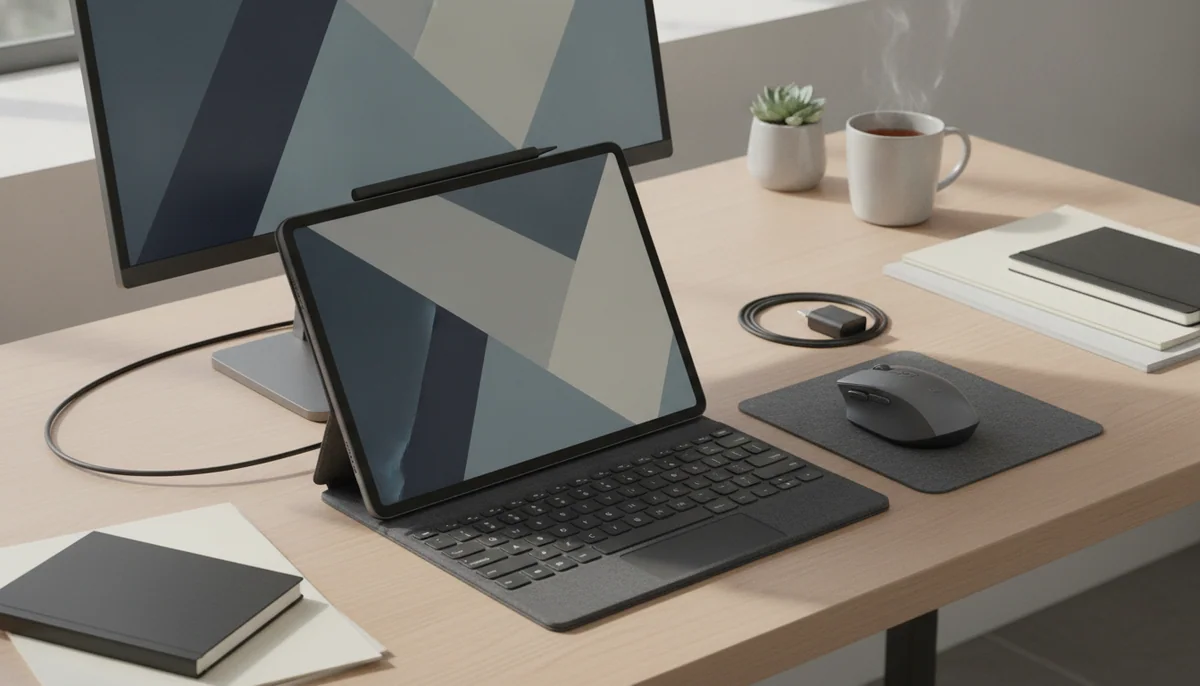
A keyboard can make almost any tablet resemble a laptop in a product photograph. That does not mean the tablet can run your applications, manage your files, drive your desk setup or remain stable on your knees. The difference between resemblance and replacement appears only after the purchase, usually while a deadline is approaching.
The 11-inch iPad Air M4 is our best overall choice because it balances serious performance, Pencil Pro support, fast external storage, capable windowing and genuine portability without charging for the iPad Pro’s OLED display. It is powerful enough for demanding supported applications, yet small enough to remain useful when detached from a keyboard. Its drawbacks are not subtle: the display refreshes at 60Hz, the base model has 128GB with no microSD expansion, and a keyboard, Pencil and case can turn a clean purchase into an expensive system.
This recommendation is conditional by design. A tablet replaces a laptop only when the buyer’s complete workflow fits its operating system. Writing, email, web research, video calls, handwritten notes, PDF annotation, illustration and light media editing can work brilliantly. Native desktop development tools, specialist plugins, complex spreadsheet automation, several connected drives and unrestricted software installation often cannot. Our laptop and tablet comparison is the honest next stop if the operating-system decision remains unresolved.
Buy a tablet as your main computer if
Your required applications have complete tablet versions, most of your work happens in a browser or touch-first app, and direct pen input is more valuable than extra ports. A tablet also makes sense when you regularly detach the keyboard for reading, drawing, annotation, presentations or travel.
Buy a laptop instead if
You need desktop-only software, a terminal, dependable external-monitor support, several peripherals or long stretches of typing on your lap. The iPad and MacBook comparison separates the platform question from the appeal of Apple’s hardware.
We ranked complete working setups rather than processors in isolation. Screen size, keyboard posture, app support, ports, storage, stylus quality and the cost of necessary accessories all matter more than whether a chip can post a spectacular benchmark. A fast tablet running the wrong software is still the wrong computer.
What a tablet must do before it can take a laptop’s place
Start with a written inventory of the work rather than a preferred brand. List every application, browser extension, plugin, file format, printer, drive, display and account the current laptop touches during a normal month. Confirm that the proposed tablet supports each indispensable step. “There is an app” is not enough when that app omits the export format, automation, extension or window behavior the job requires.
| Question | A tablet is plausible when | Keep or buy a laptop when |
|---|---|---|
| Software | Every essential task works in a capable tablet app or browser. | A desktop program, plugin, terminal or unsupported extension is indispensable. |
| Typing | Typing happens mainly at a desk, and the keyboard can be removed when it is not needed. | Hours of lap typing, travel writing or spreadsheet navigation dominate the day. |
| Displays and ports | One external display and a compact hub cover the required setup. | Several monitors, drives or specialist wired peripherals must remain connected. |
| Storage | Cloud storage, external drives or microSD fit the applications and files involved. | Large active projects must stay locally available to applications that cannot work from removable storage. |
| Touch and pen | Handwriting, drawing, annotation or direct manipulation improves the work. | The screen will remain untouched because keyboard and trackpad input handle everything. |
| Mobility | The tablet will often be carried without its keyboard or used while standing. | The complete system will live in a keyboard case and rarely leave a desk. |
The keyboard is not a minor accessory
A good keyboard can turn an iPad or Galaxy tablet into a comfortable desk machine, but it also changes the weight, price and balance. Detachable tablet keyboards generally depend on a rear stand or cantilever, which can be awkward on a shallow table and less stable than a laptop on an uneven lap. Count the keyboard, protective case, stylus, charger and any storage upgrade before comparing the setup with a complete notebook.
The screen size should follow posture. Eleven inches is easier to hold, carry and fit on a train or aircraft tray. Thirteen inches gives documents, timelines, drawing tools and side-by-side windows room to breathe, but it usually wants a desk or stand. The site’s tablet-size guide covers that trade in more detail.
Storage and ports can veto an otherwise good choice
A 128GB tablet can serve a cloud-first writer, student or office worker, but it is less comfortable for large games, offline films, RAW photographs and local video projects. iPads cannot expand their internal storage with microSD, while Samsung’s card slots are most useful for documents and media rather than as equivalent high-speed application storage. Buyers unsure about the capacity should settle it with the general tablet storage guide or the more specific iPad storage guide.
External-monitor support also separates the serious candidates from the impostors. The Galaxy Tab A11+ and Galaxy Tab S10 FE+ cannot send a conventional wired display signal through their USB-C ports. The A11+ still offers DeX on its own screen, while the FE+ provides a large built-in workspace, but neither should be purchased around a docked monitor plan. By contrast, the iPad Air and iPad Pro models here support more capable external-display and storage workflows, though one exposed USB-C port still encourages hub management.
The seven choices, ranked by the job they can honestly do
The ranking favors a sustainable primary-computer workflow rather than the most luxurious display or the highest benchmark. Several lower-ranked models may be the better purchase for a particular person, especially when a large pen canvas, OLED panel or expandable media storage matters more than broad replacement ability.
The sensible tablet for light work that stops short of full laptop duty
The A16 iPad earns its place by handling email, web research, documents, calls, notes and mainstream apps smoothly while starting with a practical 128GB of storage.
Its reflective non-laminated screen, basic Pencil support, slow USB connection and limited multitasking make an accessory-heavy laptop conversion difficult to justify.
Choose this iPad when “replacement” means a light personal routine rather than a professional workstation. It can cover school portals, browser-based writing, presentations, streaming, video calls and PDF markup, and its landscape camera is correctly positioned when a keyboard is attached. Battery testing reported 11 hours and 25 minutes under the cited conditions, which supports a normal working day without turning “all day” into a universal promise.
The problem begins when the accessories become the plan. Its official keyboard prefers a firm desk, no compatible Pencil charges magnetically on the side, and the 480Mbps USB connection is a poor foundation for regular external-drive work. It also lacks Apple Intelligence and the greater windowing headroom of the M-series models. Read the full A16 iPad review if your workload is deliberately modest.
The budget Android choice for browser work, families and expandable media
The Galaxy Tab A11+ combines responsive everyday performance, 6GB of memory, microSD expansion, DeX and unusually long software support in an approachable Android workhorse.
Its washed-out TFT display, lack of active S Pen support and inability to drive a wired monitor keep it from becoming a convincing desk computer.
Samsung’s inexpensive option is more capable than its position suggests. It can manage browser tabs, email, two-app split screen, office documents and casual games without constantly exposing budget hardware, while the full Google Play Store and straightforward family controls make it easier to live with than many cheap tablets. A headphone jack and microSD slot also suit travelers who keep entertainment offline.
DeX supplies windows and a taskbar on the tablet, but its name can encourage expectations the port cannot meet. USB-C does not provide wired video output, and six gigabytes of memory is best kept to light multitasking rather than a crowded desktop. The panel compounds the problem with weak color and narrow viewing angles, so this is not the model for visual work or shared viewing.
The complete Galaxy Tab A11+ review is worth reading before buying around its display compromise.
The large Android writing desk with an included S Pen
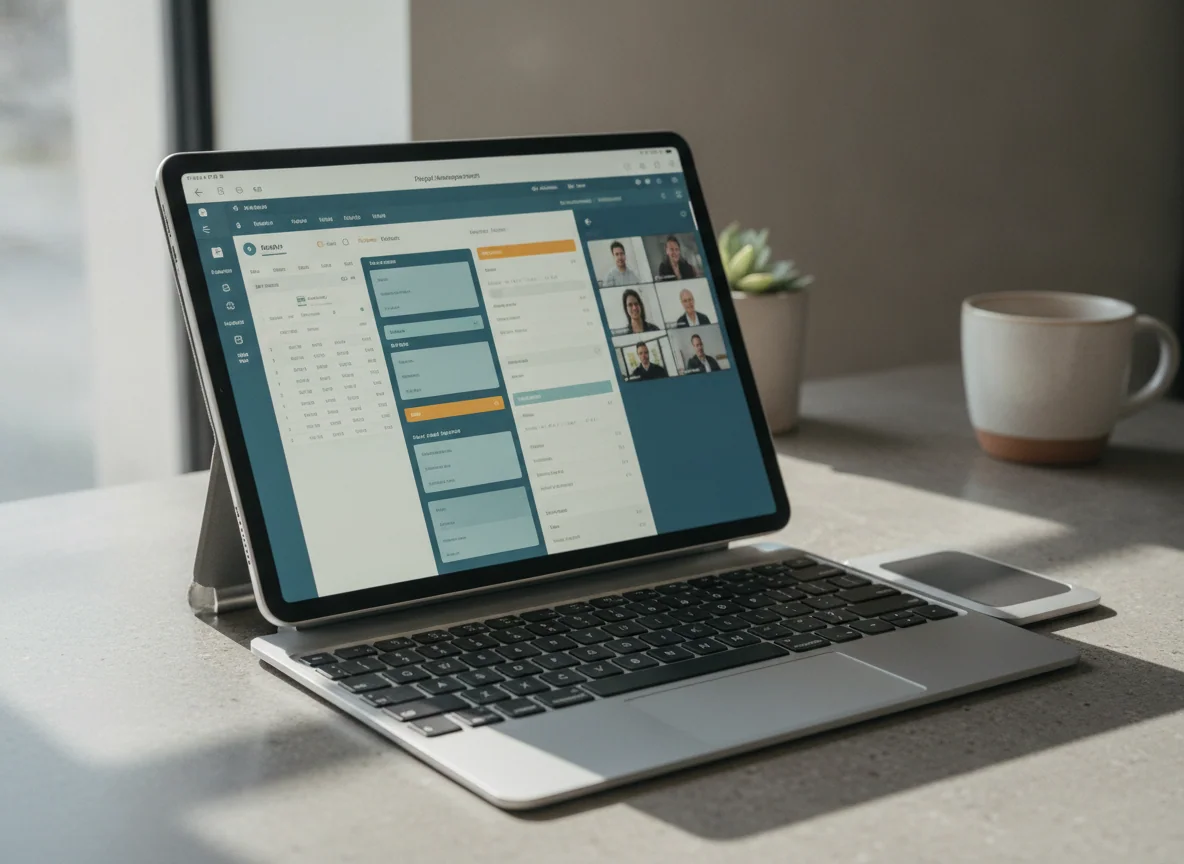
The Galaxy Tab S10 FE+ is the strongest specialist choice for full-page PDFs, handwritten notes and split-screen study because its 13.1-inch laminated display and battery-free S Pen form a complete canvas.
The midrange processor, bulky body, LCD black levels and USB 2.0 port with no wired display output prevent it from replacing a demanding laptop.
This is the model for somebody whose old laptop spent most of its time showing textbooks, scores, comics, lecture slides or reference material beside a notebook. The 13.1-inch screen leaves room for a real page, the supplied S Pen avoids an essential upsell, and Samsung Notes makes handwriting and PDF annotation productive rather than decorative. Independent tests also reported exceptional browsing and video endurance.
Treat it as a large digital desk, not a discounted flagship. The Exynos 1580 is comfortable with routine work but struggles with demanding games and heavier creative processing. DeX makes good use of the internal screen, yet USB 2.0 slows external storage and cannot drive a wired monitor. Anyone considering it should read the Galaxy Tab S10 FE+ review and budget for a stand case that secures the loose magnetic pen.
The premium portable studio for artists and touch-first professionals
The 11-inch M5 iPad Pro pairs the best handheld form in this group with a superb 120Hz tandem-OLED display, Pencil Pro support and immense performance for demanding iPad applications.
Its expense is hard to defend when iPadOS still cannot run a required Mac application, desktop plugin or unrestricted tool, and most everyday work barely troubles cheaper models.
Buy this instead of the Air when display quality is part of the work. The OLED panel, deep contrast and ProMotion refresh improve illustration, photography, HDR video, scrolling and Pencil feedback every time the device is used. At roughly 444g, it also preserves the principal reason to choose a tablet: it remains comfortable to carry and hold after the keyboard comes off.
The M5 is not permission to run macOS. It supplies formidable headroom for supported editing, graphics and local AI work, but an absent plugin or desktop-only application remains absent. Exact-model owners praise the screen, speed and portability while also describing iPadOS as the limiting factor, which is the contradiction a prospective laptop replacer must resolve before buying.
The full 11-inch M5 iPad Pro review explains why this is the best tablet in the ranking but not the best value for most buyers.
The best overall laptop-replacement tablet for most people
The 11-inch iPad Air M4 wins by combining M4 performance, 12GB of memory, Pencil Pro support, fast USB-C connectivity and useful iPadOS windowing in a body that still behaves like a tablet.
The 60Hz LCD, limited 128GB base storage, Touch ID and separately sold keyboard and Pencil make the complete system less polished and less economical than the bare tablet suggests.
The Air occupies the useful middle. It has enough processing and memory headroom for substantial note libraries, layered drawing, photo work, video editing and serious multitasking, but it does not force every buyer to finance the Pro’s OLED display. Its 11-inch chassis is also easier to read from, carry and use in cramped spaces than the larger alternatives.
Controlled testing reported strong performance, nearly 12 hours in a Wi-Fi browsing test and much shorter endurance under maximum-brightness load. It also found heat and throttling during sustained graphics stress, so the M4 should be understood as excellent fanless performance rather than limitless workstation behavior.
This is the model to buy after confirming that every essential app exists on iPadOS and that 128GB suits the storage plan. Add a keyboard for desk work and Pencil Pro only if handwriting or drawing will be frequent. Our 11-inch M4 iPad Air review covers the screen, storage and accessory compromises in full.
The best large-screen iPad for documents and split-screen work
The 13-inch iPad Air M4 gives full pages, editing controls, handwritten notes and side-by-side applications enough room to make iPadOS feel substantially more capable.
Its large body is tiring to hold, its display remains at 60Hz and the 128GB configuration can feel cramped once creative projects and offline media accumulate.
Choose this Air when the extra area has a named job. Musicians can display near-full-page scores, students can keep a source beside their notes, and artists can leave tool panels open without consuming the whole canvas. Direct owners repeatedly value the larger screen for reading, drawing and multi-window work.
The same dimensions make it a poor casual tablet. It wants a stand, desk or keyboard, and adding that support moves the system closer to a laptop in weight and cost without adding macOS. Widescreen films also use less of the 4:3 panel than the diagonal implies. Read the 13-inch M4 iPad Air review, then compare the two sizes in the 11-inch and 13-inch iPad Air guide.
The uncompromising 13-inch iPad workstation for a proven professional workflow
The 13-inch M5 iPad Pro is the ultimate choice when a large tandem-OLED canvas, Pencil Pro, Thunderbolt and a complete iPad application directly enable paid creative or design work.
Its size, glossy base-model glass, accessory burden and inability to run macOS or Windows software make it magnificent overkill for ordinary office and entertainment use.
No other model here combines this much canvas, display quality and processing headroom. The 120Hz tandem-OLED panel gives art, photographs, HDR video and dark interfaces exceptional contrast, while the 13-inch area supports large documents and several windows. Thunderbolt also makes fast storage and display workflows far more plausible than on Samsung’s FE models.
The recommendation still requires proof. A retained owner reported completing about 90% of a previously desktop-based parts-design workflow in Shapr3D while preserving the desktop for the remainder. That is a persuasive use case because the direct Pencil interface changes the work and the unresolved boundary is acknowledged. Buying the same hardware for email and streaming would be luxury rather than replacement.
The exact 256GB configuration uses glossy glass, carries 12GB of unified memory and does not include the keyboard or Pencil. Read the 13-inch M5 iPad Pro review before building a system around it, and compare it with the Air in the 13-inch iPad Air and iPad Pro guide.
The final call
Buy the 11-inch iPad Air M4 when a tablet-first workflow is already proven and portability matters after the keyboard comes off. Move to the 13-inch Air for page-sized work, the 11-inch Pro for premium portable art and visual work, or the 13-inch Pro only when a professional iPad application can justify the complete system. Choose the Galaxy Tab S10 FE+ for large-screen handwriting, the Galaxy Tab A11+ for inexpensive Android basics, and the A16 iPad for light work that never needed to pretend it was a workstation.
If the plan still depends on phrases such as “probably,” “should work” or “there must be an app,” do not buy the tablet yet. Keep the laptop, test the software chain and return only when every indispensable step has a confirmed tablet route.
Frequently Asked Questions
Can a tablet completely replace a laptop?
A tablet can completely replace a laptop only when every essential application, plugin, file operation, peripheral and display requirement works on its operating system.
Which tablet is the best laptop replacement for most people?
The 11-inch iPad Air M4 is the best overall choice because it balances capable software, strong performance, fast connectivity, Pencil support and portability without requiring the iPad Pro premium.
Is an iPad Pro better than a laptop?
An iPad Pro is better for touch-first art, annotation and portable creative work, while a laptop remains better for desktop software, lap typing, ports, development tools and unrestricted file workflows.
Is an 11-inch or 13-inch tablet better for work?
An 11-inch tablet is better when it will be held and carried, while a 13-inch tablet is better when it will usually rest on a desk, stand or keyboard.
Is 128GB enough for a laptop-replacement tablet?
128GB can suit cloud-first documents, streaming and moderate applications, but large games, offline media and local creative projects make 256GB or expandable storage safer.
Do I need a keyboard case?
A keyboard case is necessary for sustained typing, but it adds cost and weight and may be less stable on a lap than a conventional laptop.
Can the Galaxy Tab A11+ connect to a monitor through USB-C?
No, the Galaxy Tab A11+ cannot provide conventional wired video output through its USB-C port.
Can the Galaxy Tab S10 FE+ replace a laptop?
It can replace a laptop for notes, PDFs, browser work and light office tasks, but its modest processor, USB 2.0 connection and lack of wired monitor output limit demanding setups.
Should I buy an iPad or a MacBook for college?
Choose an iPad when handwriting and annotation are central and every course application supports iPadOS, or choose a MacBook when desktop software and sustained typing matter more.
Does buying an M5 iPad Pro guarantee a desktop-class workflow?
No, the M5 supplies desktop-class processing power but cannot make an absent Mac application, plugin, terminal or system utility run on iPadOS.
Our Top Recommendation

Based on our research, the IPad 11-inch a16 is our top pick — to replace a laptop.