Samsung Galaxy Tab S10 FE+ review: buy it for the canvas, not the horsepower
Buy the Galaxy Tab S10 FE+ if you want a desk-sized Android canvas with an included pen and exceptional endurance, but skip it for serious gaming, OLED picture quality or demanding laptop replacement.
Based on published owner reports and 6 other sources. We have not tested this machine ourselves.
We earn a commission if you buy through our links, which does not affect what we say.
Read how this site works →
Final verdict
The Galaxy Tab S10 FE+ succeeds when treated as a large digital desk rather than a bargain flagship. Its display leaves room for an entire page, a second app or a generous writing surface; the included S Pen, long battery life and Samsung software turn that room into something useful. IP68 protection, expandable storage and long support give the package staying power.
The compromises are not cosmetic. Performance is ordinary, the LCD is visibly below AMOLED in dark-room viewing, USB-C cannot drive a monitor and essential accessories raise the total cost. Buy it after a meaningful discount if notes, documents, reading and media dominate your day. Choose something smaller for portability or something faster for gaming, creation and serious laptop replacement.
The Galaxy Tab S10 FE+ is easy to misunderstand. It looks like a less expensive route to Samsung’s flagship tablet experience, yet the better description is a specialist midrange tablet built around one extravagance: a 13.1-inch screen. That vast display, the included S Pen, IP68 protection, expandable storage and mature Samsung software form a persuasive package for reading, studying and light work. The Exynos 1580 processor does not.
This review covers the Silver, Wi-Fi-only model with 8GB of RAM and 128GB of storage, Amazon ASIN B0DVZWJL91. It is not the smaller 10.9-inch Tab S10 FE, the 12GB/256GB configuration, a cellular model or the much faster non-FE Galaxy Tab S10+. Those distinctions matter because Samsung’s similar names conceal substantially different screens, performance levels and connections.
Buy it if the screen is the point
Full-page textbooks, comics, sheet music and tabletop role-playing books benefit from the extra room. So do split-screen sessions with notes on one side and source material on the other. The S Pen is supplied in the box, works without charging and pairs with Samsung Notes tools that are more useful than the tablet’s headline AI slogans.
Walk away if speed is the point
Routine browsing, streaming, Office work and app switching are within its comfort zone. Modern 3D games, heavy creative work and ambitious multitasking expose a large performance gap from flagship tablets. It is also a poor foundation for a docked workstation because its USB-C port is limited to USB 2.0 and provides no wired display output.
Size is both the recommendation and the warning. At 300.6 by 194.7 by 6mm and about 664g, this is closer to a loose laptop screen than a tablet meant for one-handed reading. It makes sense on a desk, stand, sofa or lap. Commuters and readers who hold a device aloft for long stretches should consider the regular FE or visit our guide to choosing the right tablet size before accepting the extra bulk.
The 13.1-inch screen earns its keep
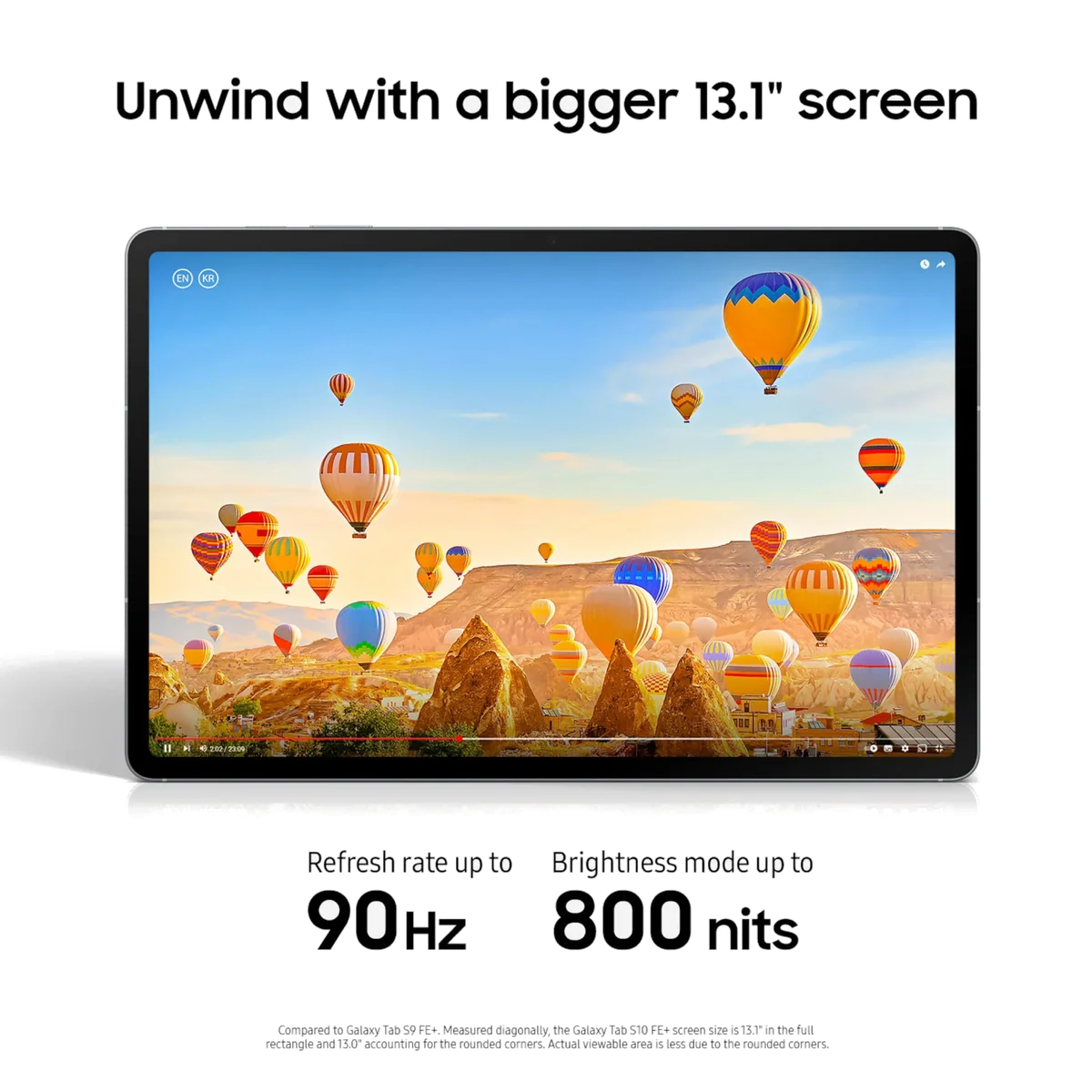
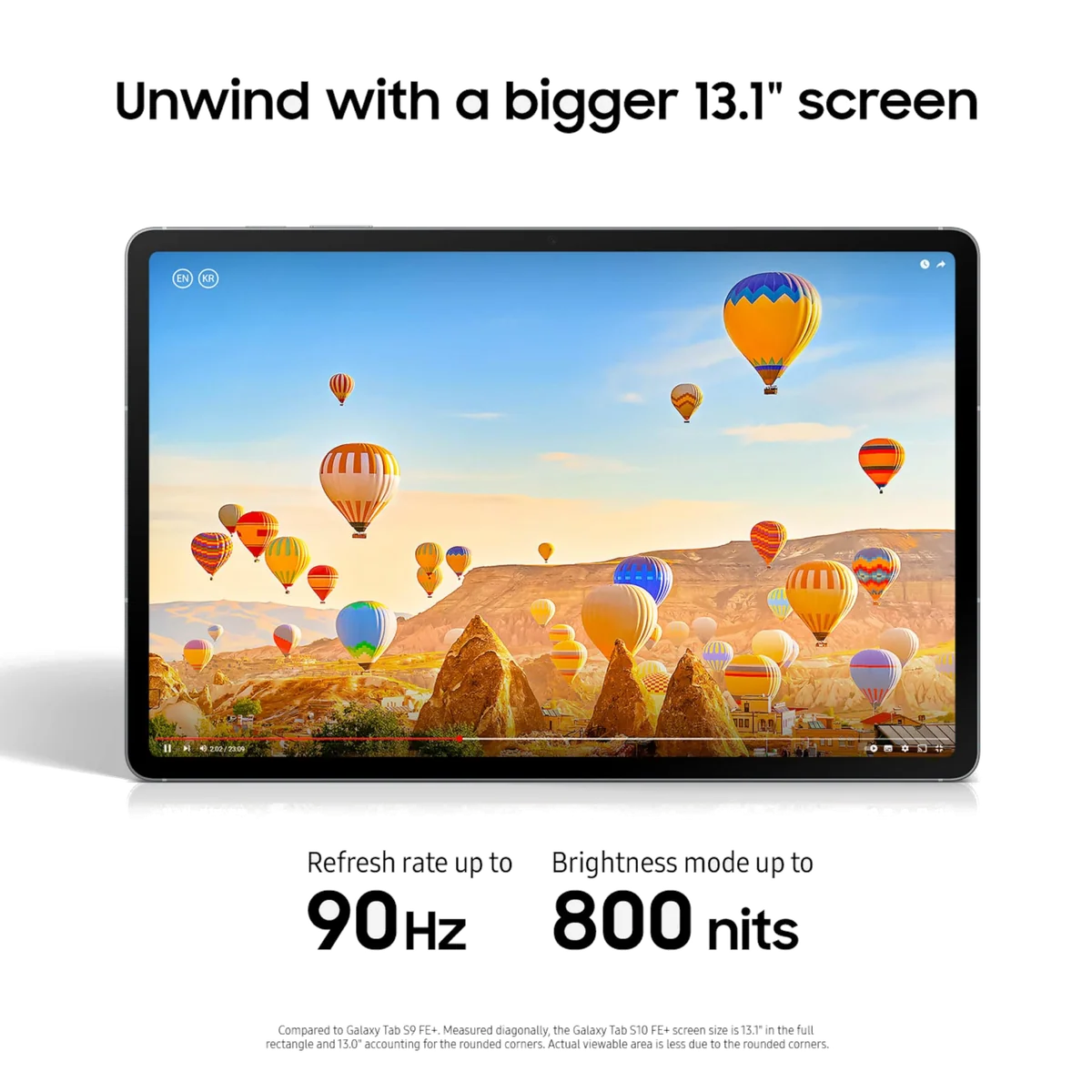
The 2880 by 1800 display is sharp, fully laminated and capable of refreshing at up to 90Hz. Text and handwriting look crisp, motion is smoother than on a basic 60Hz panel, and the 16:10 shape suits video without wasting as much space as a squarer screen. Notebookcheck measured strong brightness, good sRGB coverage and no pulse-width modulation in its test unit, while CNET also found the panel brighter than Samsung’s advertised figure.
None of that turns an IPS/TFT LCD into AMOLED. Black areas glow rather than disappear in a dark room, glossy glass catches reflections, pixel response is too slow for a premium gaming display and HDR lacks the contrast needed for truly striking highlights. Samsung’s flagship Galaxy tablets deliver deeper blacks, richer color and 120Hz motion. The FE+ instead offers acreage and practical brightness.
The extra acreage is substantial. The FE+ provides about 44% more display area than the 10.9-inch FE, even though both tablets use the same processor. Owners repeatedly describe the larger model as transformative for graphic novels, newspapers, design work and PDFs that previously demanded constant zooming. The disagreement concerns handling rather than usefulness: some owners found the size comfortable, while others called weight and bulk its only meaningful negative.
The pen is a feature, not an upsell
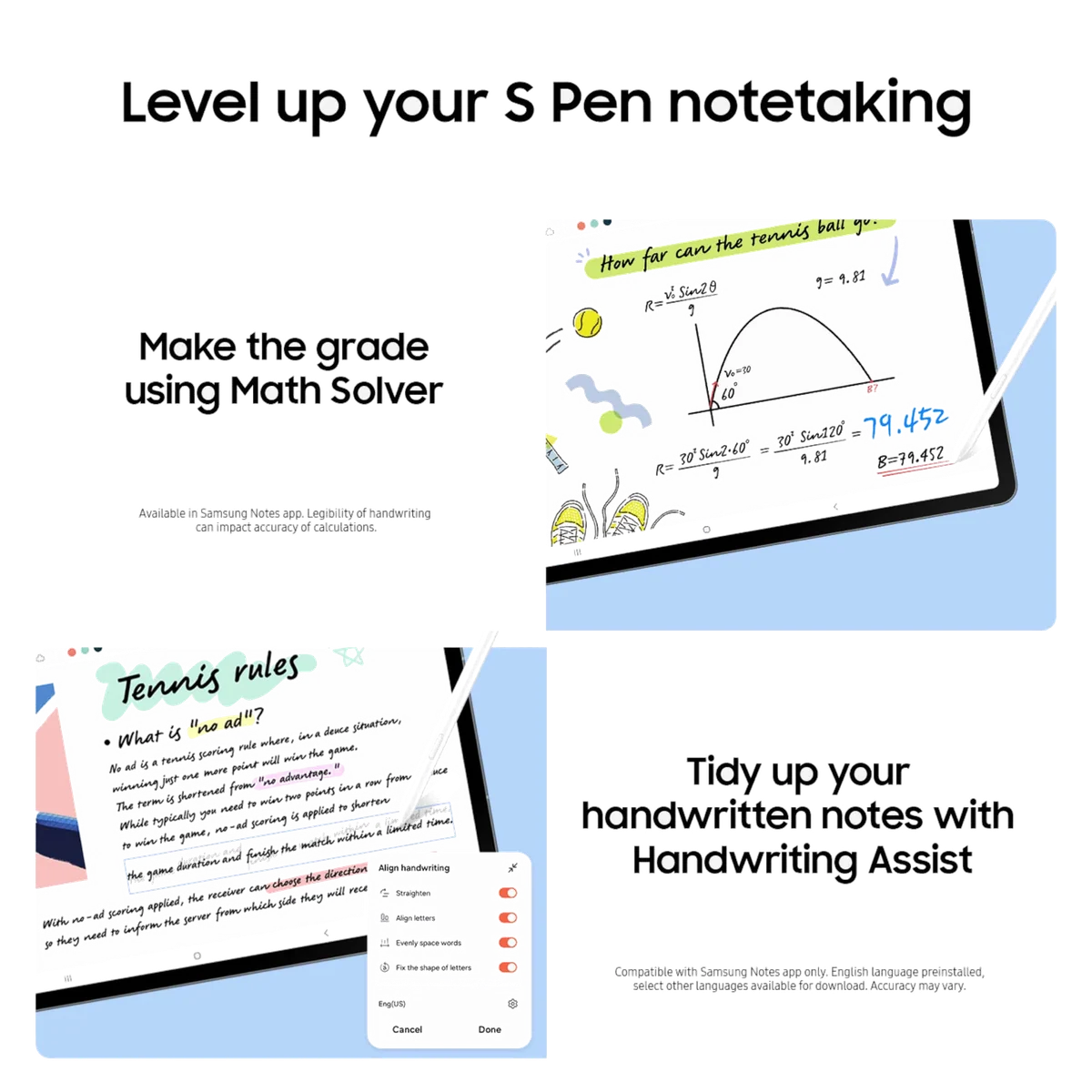
Samsung includes its battery-free S Pen. It attaches magnetically, writes with little visible lag and works especially well inside Samsung Notes for handwriting, sketches, shape recognition and PDF annotation. Handwriting Assist can straighten and space untidy writing, while Math Solver can convert handwritten equations into cleaner text. Those conveniences are useful, but neither should be trusted as an infallible editor or tutor.
The laminated screen gives the pen tip a more direct visual relationship with the mark than the entry iPad’s non-laminated panel. Serious illustrators may still want stronger creative software, more processing headroom and additional pen controls, but students and habitual annotators get an unusually complete writing setup without adding another purchase. Readers unsure whether that matters should start with our explanation of when an active stylus is worth having.
The magnetic attachment is convenient but not secure enough for a device that will move between classes or meetings. Budget for a stand case with enclosed S Pen storage, and choose one explicitly made for the 13.1-inch Galaxy Tab S10 FE+ rather than assuming a smaller FE or older FE+ cover will fit.
Built for real life, within limits
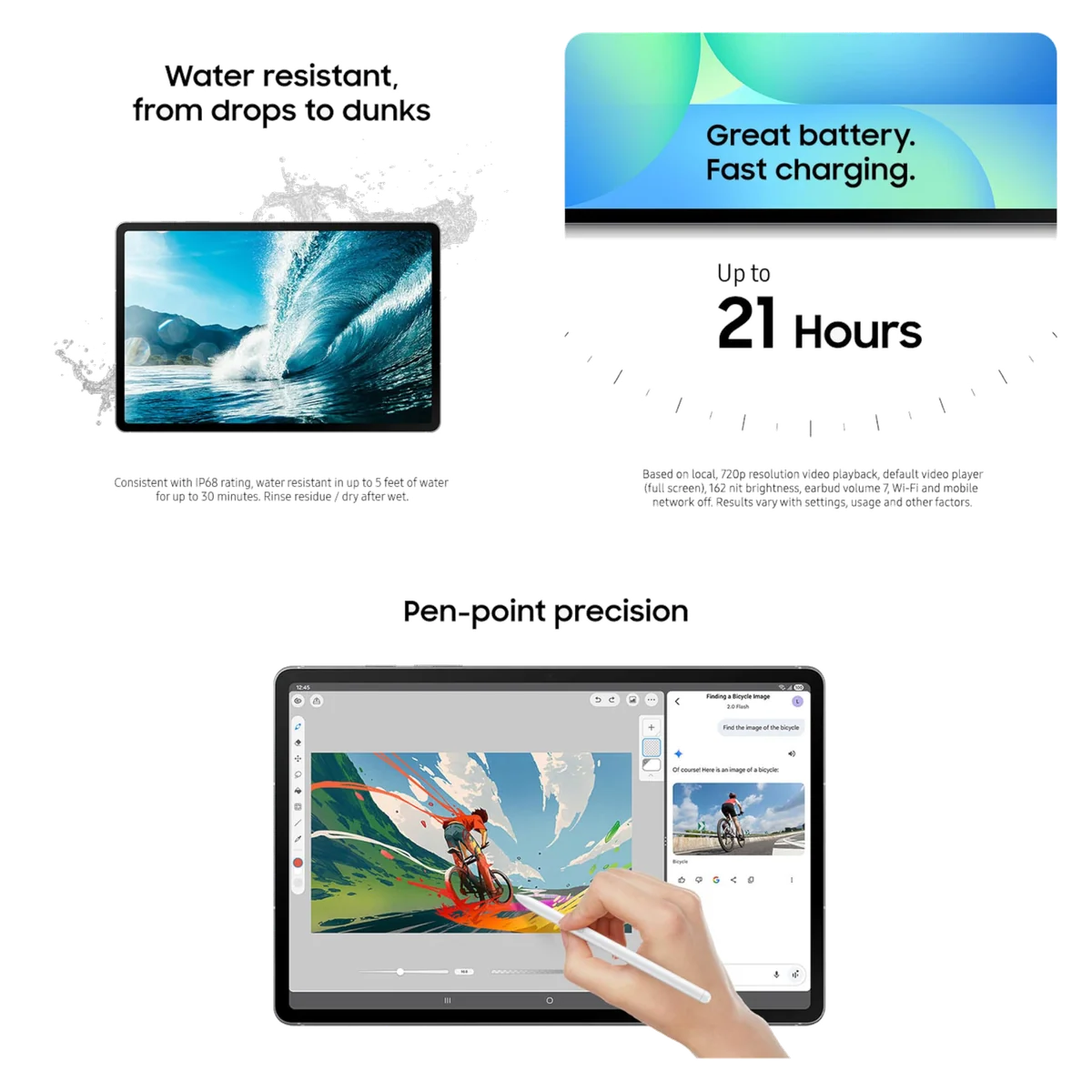
The aluminum body is only 6mm thick, the side-mounted fingerprint reader is quick, and IP68 resistance is uncommon among direct rivals. Samsung defines that water-resistance claim under controlled conditions of up to five feet of fresh water for up to 30 minutes, followed by rinsing residue and drying the device. It is protection against accidents and rain, not permission to treat the tablet as impact-proof or suitable for underwater use.
| Display | 13.1-inch 2880 × 1800 IPS/TFT LCD, adaptive up to 90Hz |
|---|---|
| Processor | Samsung Exynos 1580 with Xclipse 540 graphics |
| Memory and storage | 8GB RAM, 128GB UFS 3.1, dedicated microSD expansion |
| Battery | 10,090mAh, up to 45W wired charging |
| Connections | Wi-Fi 6E, Bluetooth 5.3 and USB-C 2.0 with no DisplayPort output |
| Cameras | 13MP autofocus rear camera and 12MP ultrawide front camera |
| Audio | Two stereo speakers with Dolby Atmos and no headphone jack |
| Dimensions and weight | 300.6 × 194.7 × 6mm and approximately 664g |
| In the box | Tablet, S Pen and USB-C cable, with no wall charger, case or keyboard |
Strengths & Limitations
Strengths
- The enormous laminated display is excellent for PDFs, notes, comics, video and split-screen work.
- The responsive battery-free S Pen is included rather than sold as an essential extra.
- Independent testing shows exceptional battery endurance across browsing and video workloads.
- IP68 protection, microSD expansion and seven years of support strengthen long-term ownership.
- Samsung Notes and DeX make better use of the hardware than generic Android tablet software would.
Limitations
- The Exynos 1580 is underpowered for demanding games and heavy creative work at this tier.
- The 90Hz LCD cannot match flagship AMOLED contrast, response or black levels.
- The large body is awkward for one-handed reading and extended handheld use.
- USB 2.0 means slow file transfers and no wired external-monitor support.
- The box omits the wall charger, case and keyboard needed to exploit several advertised capabilities.

Everyday speed is fine; expensive-tablet speed is not
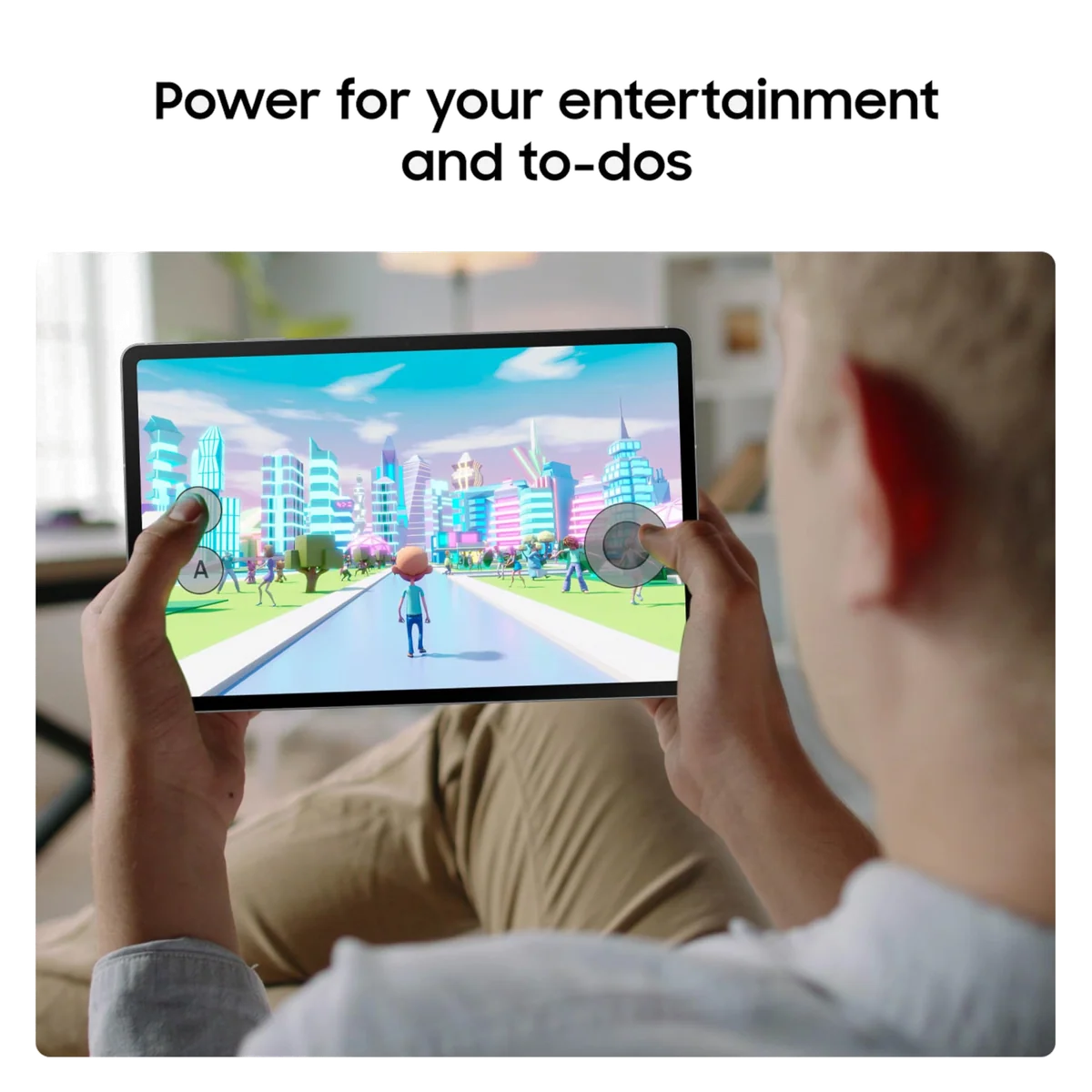
The Exynos 1580 is competent at the work most people actually do on a tablet. Browsing, streaming, note-taking, document editing and ordinary split-screen use generally run well. That explains why owners often call the FE+ responsive even as lab reviews criticize it. Workload changes the answer: it feels quick while opening notes and video, then distinctly midrange once a demanding game or crowded browser session asks for more.
Geekbench 6 results clustered around 1,360 in the single-core test and 3,900 in the multi-core test. In comparable results, the non-FE Tab S10+ scored dramatically higher and delivered roughly twice the graphics compute performance. The FE+ also showed occasional interface hitches in more than one review. Its sustained performance is stable, but consistency cannot compensate for a modest starting point.
Gaming requires a retreat from the native screen
Casual games are no problem. Demanding titles are a different proposition. Fortnite at its highest settings and full resolution suffered frequent drops and stutter in testing, and reducing quality still required a substantial cut in rendering resolution before play became comfortable. Call of Duty: Warzone Mobile remained a poor experience at its available low settings, while Genshin Impact was playable at around 35 frames per second on a high preset.
That makes Samsung’s fast-gaming language too generous. This is a casual gaming tablet with an unusually large screen, not an enthusiast gaming tablet. Anyone prioritizing frame rate should consult our tablet gaming recommendations rather than paying for the FE+ primarily because it looks like a flagship.
DeX gets close to a laptop until the hardware says no
Samsung DeX uses the large display intelligently, with a taskbar, floating windows and easier app switching. Add a separately purchased keyboard and mouse and the FE+ becomes comfortable for email, research, Microsoft 365, Google Workspace and light administrative work. The landscape-mounted front camera is also sensibly placed for calls.
The ceiling is unusually clear. USB-C is restricted to USB 2.0, wired external monitors are unsupported, large transfers to external storage are slow and Android applications do not always match desktop equivalents. Notebookcheck recorded only 36MB/s with an external Samsung SSD. A keyboard can change how the tablet is operated, but it cannot change the port, processor or application ecosystem.
It can replace a laptop for a narrow routine, not for every laptop owner. If your work depends on an external monitor, fast drives, desktop development tools or sustained creative processing, compare the compromises in our laptop versus tablet guide before buying accessories around this device.
The value case starts after a discount
The 8GB/128GB FE+ launched at a premium midrange price. That historical positioning bought an unusual combination of huge screen, S Pen, IP68 protection, microSD expansion, long support and superb battery life, but it also placed the tablet close enough to faster rivals and discounted flagships that comparison shopping became mandatory. A meaningful reduction improves the argument; paying near launch price revives every objection about the processor, LCD and USB 2.0 port.
Before buying, compare the offer against the non-FE Tab S10+ and older Tab S9 models. The S10+ uses a 120Hz AMOLED display, has much faster processing and graphics, provides USB 3.2 with DisplayPort, starts with more memory and storage, and is lighter despite its premium hardware. The FE+ counters with a slightly larger display, potentially longer endurance and a lower original price, but it stops being the sensible compromise if a discounted flagship sits close by.
The regular Tab S10 FE is the more honest alternative for buyers who like this exact formula but do not need a 13.1-inch canvas. It shares the processor, pen experience, software, storage tiers, IP68 rating and USB limitation while cutting substantial size and weight. The FE+ premium buys more screen and battery, not more speed, as our direct FE+ versus FE comparison explains.
Apple’s 11-inch iPad is also worth checking if speed and tablet applications matter more than Samsung’s included pen, expandable storage, water resistance and DeX. Our iPad 11-inch and Galaxy Tab S10 FE+ comparison deals with that trade rather than pretending one operating system wins every workload.
The battery is the flagship feature
Independent tests used different brightness levels and workloads, but they converged on excellent endurance. CNET recorded 17 hours and 45 minutes of streaming video, and Notebookcheck measured 18 hours and 56 minutes of Wi-Fi browsing at a controlled brightness. A separate maximum-brightness video loop lasted nine hours, which is still credible endurance for a panel this large.
The 10,090mAh battery supports charging at up to 45W, but the necessary wall adapter is not included. Samsung supplies only the cable. A full charge took close to two hours in Notebookcheck’s test, so “fast charging” is better understood as support for a respectable input rate than a promise of a brief refill. Owners who tried older low-wattage adapters found that reaching the advertised rate required another purchase.
Storage and support make 128GB less alarming
Notebookcheck found about 105GB free on its 128GB unit. A dedicated microSD slot accepts cards up to 2TB according to Samsung, giving media collectors and PDF hoarders an inexpensive route to more capacity. Card storage is much slower than the internal UFS 3.1 drive, so it is best treated as a library for documents, downloads, photos and video rather than as equivalent application storage.
Samsung launched the tablet with Android 15 and One UI 7, alongside a promise of seven years of operating-system and security support. That commitment is particularly valuable for students planning to keep one device through a long course. It also gives the FE+ an advantage over faster Android rivals whose hardware value may be stronger but whose update policies are shorter or less certain.
Frequently Asked Questions
Is the Samsung Galaxy Tab S10 FE+ good for students?
Yes, its large screen, included S Pen, Samsung Notes tools, long battery life and promised seven-year support make it especially suitable for handwritten notes, PDF annotation and split-screen study.
Does the Galaxy Tab S10 FE+ include an S Pen?
Yes, a battery-free S Pen is included, but a protective case with secure pen storage is not.
Does Samsung include a charger?
No, the box includes a USB-C cable but requires a separately purchased compatible 45W wall adapter for the maximum supported charging rate.
Is the Galaxy Tab S10 FE+ an AMOLED tablet?
No, it uses a bright 90Hz IPS/TFT LCD that is sharp and PWM-free in Notebookcheck’s test but cannot reproduce AMOLED black levels or contrast.
Can the Galaxy Tab S10 FE+ replace a laptop?
It can cover light work with a separate keyboard and mouse, but Android software limits, USB 2.0, modest processing power and no wired monitor output prevent it from being a universal laptop replacement.
Is the Galaxy Tab S10 FE+ good for gaming?
It is suitable for casual games, while demanding 3D titles require reduced settings and resolution and still make poor use of the tablet’s large native display.
How much usable storage does the 128GB model have?
Notebookcheck found about 105GB free on its test unit, and Samsung supports separately purchased microSD cards up to 2TB for additional media and document storage.
Does this Galaxy Tab S10 FE+ support 5G?
No, Amazon ASIN B0DVZWJL91 is the Wi-Fi model, although Samsung sells separate cellular configurations.
Can it connect to a monitor through USB-C?
No, its USB-C 2.0 port lacks DisplayPort output, so it cannot provide a conventional wired external-monitor connection.
Should I buy the FE+ instead of the smaller S10 FE?
Choose the FE+ for desk use, full-page documents and split-screen space, or choose the lighter FE for easier carrying and handheld use because both use the same processor.
Which case fits the Galaxy Tab S10 FE+?
Choose a case explicitly listed for the 13.1-inch Galaxy Tab S10 FE+ and its model family, since covers and keyboards for the smaller FE or older tablets should not be assumed compatible.