The best reading tablet is the iPad mini, but large PDFs demand a larger screen
Reading is not one job. A novel wants a light device that disappears behind the words. A comic wants color, crisp detail and enough room for speech balloons. A magazine wants a broad page. A technical PDF wants the largest screen you can tolerate carrying, while a library borrower may care more about app availability than any display measurement.
That is why the iPad mini A17 Pro is our best overall choice rather than our winner at every reading task. Its 8.3-inch body is genuinely comfortable to carry and hold, its sharp display suits prose and manga, and the App Store supports the major reading, library, reference and annotation workflows that a dedicated e-reader cannot. Its limitation is equally important: an entire letter-size or A4 document becomes small enough to demand zooming.
Choose the iPad mini for handheld reading
It is the strongest compromise for readers who move among novels, manga, comics, web articles, notes and occasional video, particularly when the device must fit into a small bag and remain pleasant in one or two hands.
Choose the Galaxy Tab S10 FE+ for full pages
Its 13.1-inch laminated display gives textbooks, newspapers, graphic novels, sheet music and dense PDFs room to remain legible, and the included S Pen makes margin notes and highlighting part of the package rather than a later accessory decision.
Choose the Fire HD 10 for inexpensive color
Amazon’s larger Fire is a coherent choice for Kindle books, supported streaming, magazines and casual browsing, provided every essential reading or library app exists in Amazon’s store before you buy.
Choose reMarkable only for open documents
Paper Pro is excellent for handwritten notes and DRM-free PDF or EPUB files, but its lack of Kindle and Kobo support makes it a specialist document tablet rather than a universal ebook reader.
None of these LCD tablets replaces e-ink for every reader. Glossy screens reflect bright surroundings, illuminated panels need frequent charging, and a general-purpose operating system can turn a quiet chapter into fifteen minutes of notifications. The trade is versatility: color, responsive page turns, library apps, web research, video, audio and richer annotation all live on the same device.
Readers who want a simpler paper-like screen should understand what an e-ink writing tablet can and cannot do before paying for deliberate limitations. If physical size is still the unresolved question, our guide to choosing a tablet size separates handheld models from desk-sized screens.
The page determines the tablet
Screen diagonal is only the beginning. Aspect ratio decides how much of that diagonal becomes usable page area, pixel density determines whether small type remains clean, weight determines how long the screen stays in your hands, and the operating system determines whether your library can reach it at all.
| Material | Best size and shape | Priority | Main trap |
|---|---|---|---|
| Reflowable novels | Eight to nine inches | Low weight and a comfortable grip | Buying a large screen that becomes tiring before the chapter ends |
| Manga | Eight to eleven inches | Sharp text, good grayscale and quick page turns | Low-resolution budget panels softening fine line work |
| Western comics | Eleven to thirteen inches | Color, contrast and enough room for speech balloons | Choosing portability so aggressively that every panel needs zooming |
| Magazines and newspapers | Eleven to thirteen inches | Page area, brightness and a suitable reading app | Assuming a large diagonal guarantees comfortable aspect ratio or handling |
| Textbooks and technical PDFs | Thirteen inches when used on a surface | Full-page legibility, annotation and split-screen room | Underestimating the weight of the tablet, case and pen together |
| DRM-free documents with handwritten notes | Large e-ink or laminated LCD | Pen feel, low glare and file export | Confusing PDF support with access to protected ebook stores |
Eight inches feels personal; thirteen inches feels architectural
The smallest tablets invite frequent use because they can be lifted without rearranging the room. The iPad mini, Fire HD 8 and Lenovo Tab One work in bed, on public transport and in narrow seats, and they can follow a reader into a waiting room without requiring a dedicated bag. Their weakness appears when a fixed-layout page refuses to reflow.
Large tablets solve that page problem by creating another: they need support. The Galaxy Tab S10 FE+, 13-inch iPad Air and 13-inch iPad Pro are excellent on a desk, stand or lap, where full pages and side-by-side windows justify the bulk. Held in one hand, they turn reading into wrist training.
Sharpness matters most when the font cannot move
An ebook app can enlarge prose, change margins and reflow the page, so even a modest screen can remain usable. A scanned journal article, comic panel or typeset textbook cannot always accommodate the reader. Low pixel density then makes small labels, footnotes and speech balloons look rough before physical size becomes the only problem.
This is where the compact budget tablets reveal their price. The Fire HD 8 and Lenovo Tab One are pleasant for flexible text at sensible font sizes, but their roughly 800-pixel-class panels are not strong tools for dense documents. The iPad mini costs much more, yet its sharp display preserves fine text far better within a similarly portable body.
LCD is versatile; e-ink is restful and restrictive
LCD and OLED tablets deliver responsive scrolling, vivid color, video, mature apps and fast navigation. They also reflect light, consume much more power than dedicated readers and make distraction effortless. OLED improves black levels and contrast but does not become a paper display simply because dark pages look excellent.
E-ink reflects ambient light and remains legible in conditions that expose a glossy tablet’s reflections. Its slower refresh, muted color and limited software are the price. Paper Pro goes further by excluding the app store and browser entirely, which is helpful only when that restriction aligns with the intended workflow.
The app store can matter more than the screen
A perfect panel is useless when the required library, subscription or institutional app is unavailable. Fire tablets deserve particular caution because they use Amazon’s Appstore rather than officially supporting Google Play. Sideloading may work, but an unsupported workaround is a poor foundation for a device bought to make reading simpler.
Check Kindle, Libby, Hoopla, magazine subscriptions, newspaper apps, university platforms, comic readers, cloud storage and any accessibility tools you already use. Specs & Screens treats that list as part of the hardware decision because software access determines whether the screen ever reaches the book.
Our guide to Google Play and missing applications on Fire tablets explains the ecosystem limitation in detail. Buyers carrying a substantial offline library should also estimate capacity with the tablet storage guide before assuming a microSD card or 128GB will solve every application and download need.
A pen helps only when reading produces marks
Highlighting a sentence does not require a premium active stylus. Writing equations beside a textbook, marking revisions on a manuscript or building notes around a research paper does. The Galaxy Tab S10 FE+ and reMarkable Paper Pro include their pens, while compatible Apple Pencils are separate purchases for the iPads.
The display construction also changes the experience. A laminated screen places the apparent ink closer to the tip, while the non-laminated A16 iPad leaves a visible gap that matters more for precise drawing than for ordinary annotation. Anyone unsure whether the accessory will become part of the routine should read when an active stylus is worth buying before adding one automatically.
Our final recommendation
Buy the iPad mini if you need one excellent portable reader and accept zooming on dense pages. Buy the Galaxy Tab S10 FE+ if full-page documents, comics and annotations justify a device that usually rests on furniture. Buy the A16 iPad when you want the safest full-size middle ground, and buy the Fire HD 10 only after confirming that Amazon’s software catalogue contains every service you need.
The reMarkable Paper Pro remains the exception rather than the culmination. It is the right answer for an established handwritten and DRM-free document workflow, not a premium shortcut to every kind of digital reading.
Thirteen reading tablets, ranked by the job they actually perform
The order favors reading breadth, carrying comfort and software access before raw processor speed. A powerful chip does not enlarge a comic panel, reduce glare or make a heavy tablet pleasant to hold, so several expensive models rank below cheaper devices that better match a reader’s posture and material.
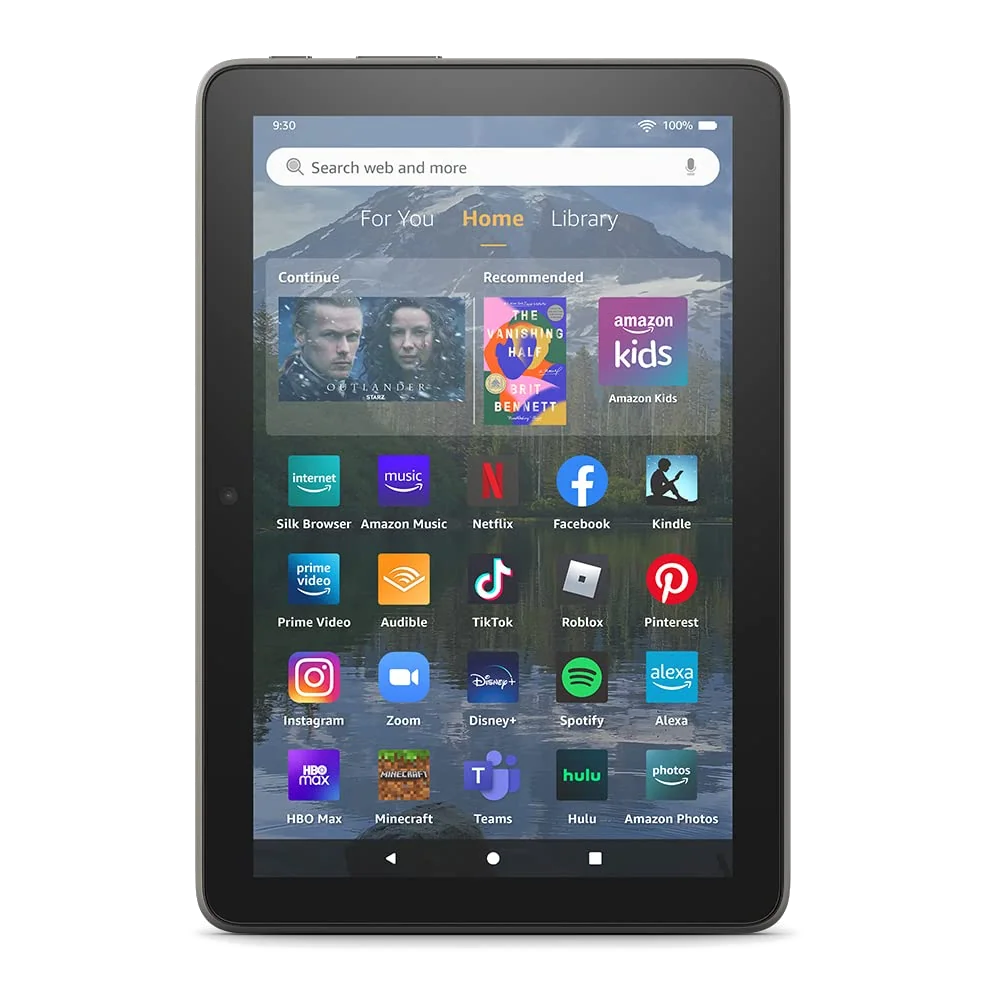
The 2022 Fire HD 8 Plus is the dock-friendly choice for an Amazon reading corner.
Its compact body, Kindle integration, microSD expansion and wireless charging suit indoor books, manga and audiobooks when Amazon services already define the routine.
The coarse reflective screen, unsupported Google Play access and aging performance make it a poor default choice beside newer compact tablets.
The Fire HD 10 is the inexpensive large screen for Kindle books, comics and magazines.
Its 10.1-inch Full HD display provides substantially more comfortable page space than the smaller Fires, while long battery life and microSD expansion suit downloaded reading and video.
Fire OS restricts the app catalogue and surrounds the experience with Amazon recommendations, so library and reading-app compatibility must be checked before purchase.
The current Fire HD 8 is the compact budget pick for an Amazon-friendly reader.
The 4GB and 64GB configuration is light enough for extended handheld use and capable enough for Kindle, Libby, audiobooks, simple browsing and downloaded entertainment.
Its 1280 × 800 screen renders small text softly, official Google apps are absent and the bundled charger can turn an empty battery into an hours-long wait.
The Lenovo Tab One is the best inexpensive small tablet for ordinary Android reading apps.
Its 8.7-inch body, Google Play access, microSD slot, headphone jack and included folio make it a practical travel reader without Fire OS restrictions.
The low-resolution display makes fine type and dense PDFs look coarse, while the slow processor and short support commitment weaken its long-term case.
The iPad mini A17 Pro is the best overall tablet for readers who value portability.
Its sharp 8.3-inch display, broad app ecosystem, 128GB starting capacity and abundant performance make novels, manga, comics, research and mixed-media reading easy to carry everywhere.
The 60Hz LCD is expensive for its display technology, and full-page PDFs, newspapers and magazines often require zooming on the small canvas.
The A16 iPad is the sensible full-size reading tablet for most households.
Its 11-inch screen, practical 128GB capacity, excellent app access and responsive everyday performance balance comics, magazines, books, web reading and occasional annotation better than most premium upgrades.
The glossy non-laminated panel reflects bright rooms and makes precise Pencil work feel less direct than it does on an iPad Air or Pro.
The Galaxy Tab A11+ is the affordable large Android reader with expandable storage.
Its 11-inch 90Hz display, 6GB of memory, Google Play access, microSD slot and long software promise suit family reading, offline media and ordinary multitasking.
The TFT panel has weak color and narrow viewing angles, and the lack of active S Pen support rules it out for serious handwritten annotation.
The Galaxy Tab S10 FE+ is the best tablet for PDFs, textbooks and full-page comics.
Its enormous 13.1-inch laminated display, included S Pen, expandable storage and exceptional endurance create a superb desk-sized surface for documents, annotations and split-screen study.
The 664g body is awkward for prolonged handheld reading, and its midrange processor and USB 2.0 port do not justify treating it as a bargain flagship.
The 11-inch M4 iPad Air is the premium reader for notes, art and demanding apps.
Its laminated color-accurate display, Pencil Pro support, light body and considerable performance headroom suit readers who regularly annotate, illustrate or move from source material into creative work.
The 60Hz LCD, limited 128GB base storage and separately sold Pencil make it unnecessary for people whose reading rarely becomes creation.
The 13-inch M4 iPad Air is the large Apple canvas for documents and sheet music.
Its page-like 4:3 display gives notation, comics, textbooks, reference works and two-app layouts generous room while retaining Apple’s mature reading and creative software.
The wide body expects a stand or desk, and its 60Hz LCD cannot match the motion, black levels or HDR impact of the similarly sized iPad Pro.
The 11-inch M5 iPad Pro is the finest premium handheld reading screen in this group.
Its tandem OLED panel, 120Hz ProMotion, deep contrast, strong brightness, light chassis and first-rate app ecosystem make every kind of indoor reading look exceptionally polished.
The Pro premium is difficult to defend for books and browsing alone because the A16 iPad and iPad mini perform those jobs without requiring M5-class hardware.
The 13-inch M5 iPad Pro is the no-compromise display for a supported reading workstation.
Its large tandem-OLED canvas combines document-friendly proportions, 120Hz motion, deep blacks, excellent brightness and immense application headroom for research, illustration and professional annotation.
The 13-inch body is tiring without support, glossy glass reflects difficult rooms and its cost makes no sense unless the display and iPad-first workflow are central to the work.
The reMarkable Paper Pro is the specialist choice for handwritten notes and DRM-free PDFs.
Its large reflective color display, front light and excellent Marker Plus experience make long annotation sessions calmer and more paper-like than work on glossy LCD glass.
The absence of Kindle, Kobo, library apps, a browser and ordinary tablet software makes it unsuitable for most mixed-format readers.
The ranking contains several deliberately narrow recommendations because “best tablet” is otherwise an invitation to overspend. The iPad mini wins when the reader holds the device, the Galaxy Tab S10 FE+ wins when the page remains whole, and the A16 iPad is the safer full-size compromise when neither extreme describes the job.
Frequently Asked Questions
What tablet size is best for reading books?
An eight-inch or nine-inch tablet is usually the best balance for handheld novels, while fixed-layout books and illustrated pages benefit from an eleven-inch or larger screen.
Is the iPad mini large enough for comics?
The iPad mini is excellent for manga and comfortable for many comics, but detailed full-page layouts and small speech balloons are easier to read on an eleven-inch tablet.
Which tablet is best for large PDF files?
The Galaxy Tab S10 FE+ is the strongest PDF choice here because its 13.1-inch display preserves full-page legibility and includes an S Pen for annotation.
Is an OLED tablet better for reading?
OLED provides excellent contrast and dark-room blacks, but weight, reflections, brightness control, app access and page size matter more than panel technology for many readers.
Can an Amazon Fire tablet use library apps?
Some library apps are available through Amazon’s store, but support varies and every required service should be verified before buying because Google Play is not officially included.
Is reMarkable Paper Pro a good ebook reader?
It is good for DRM-free EPUB and PDF documents but poor for mainstream ebooks because it cannot open protected Kindle or Kobo purchases.
How much storage does a reading tablet need?
Sixty-four gigabytes can hold a large book library, while downloaded comics, magazines, audiobooks, games and video make 128GB or expandable storage more comfortable.
Should I buy a tablet or a dedicated e-reader?
Choose a tablet for color, apps, web access, video and annotation, or choose a dedicated e-reader when sunlight legibility, low distraction and long battery life matter most.
Does a larger tablet reduce eye strain?
A larger page can reduce squinting and zooming, but glare, brightness, viewing distance, font settings and the effort of holding a heavy device also affect comfort.
Which tablet is best for reading and handwritten notes?
The Galaxy Tab S10 FE+ offers the strongest combination of a large document screen and included active pen, while the iPad Air is better when creative apps and broader performance also matter.
Our Top Recommendation
Based on our research, the Amazon Fire HD 8 Plus 2022 is our top pick — reading.