The iPad mini A17 Pro is brilliant at being small and compromised at being an iPad

Buy the iPad mini A17 Pro if its 8.3-inch size solves a real portability problem, but choose a larger iPad if this will be your only tablet because the cramped workspace and unchanged 60Hz LCD are difficult compromises to justify.
Based on published owner reports, 2 owner discussions and 6 other sources. We have not tested this machine ourselves.
We earn a commission if you buy through our links, which does not affect what we say.
Read how this site works →
A wonderful second device and a risky only device
The strongest iPad mini use cases are concrete. A clinician can slip it into a coat pocket for notes and references. A pilot or field worker can fit it where a laptop or full-size tablet becomes awkward. A traveler can read, watch video and play games without balancing an 11-inch slab. A nonspeaking AAC user may value the subtle, always-carried access point more than a larger screen could ever compensate for.
Accessibility can also reverse that conclusion. Someone with low vision may need the greater size, brightness and contrast of a larger premium display, while another person may find the mini easier to hold or may prefer Touch ID when Face ID struggles at close range. Compactness is not inherently more accessible; it changes which needs the device serves.
For gaming, the mini sits in a rare sweet spot between phone and tablet. It offers enough area for touch controls and streamed console games without becoming cumbersome inside a telescoping controller. Wi-Fi 6E can help on a suitable network, although the 60Hz panel, rapid battery drain under heavy 3D loads and finite 128GB capacity keep it from being an uncompromised handheld console.
The final buying rule is simple: choose the iPad mini because it is mini. Do not choose it merely because the processor is newer, the name sounds premium or the form looks charming in a product photo. If portability will change where and how often you use an iPad, this is one of Apple’s most distinctive devices; if it will not, buy more screen.
The iPad mini A17 Pro is not a smaller version of the best all-purpose iPad. It is a specialized handheld computer for people who already know why an 11-inch screen is too much. In a coat pocket, cockpit, crowded bag, controller grip or one-handed reading position, its size can matter more than any display specification. On a desk with a document, keyboard and second app open, that same size becomes the problem.
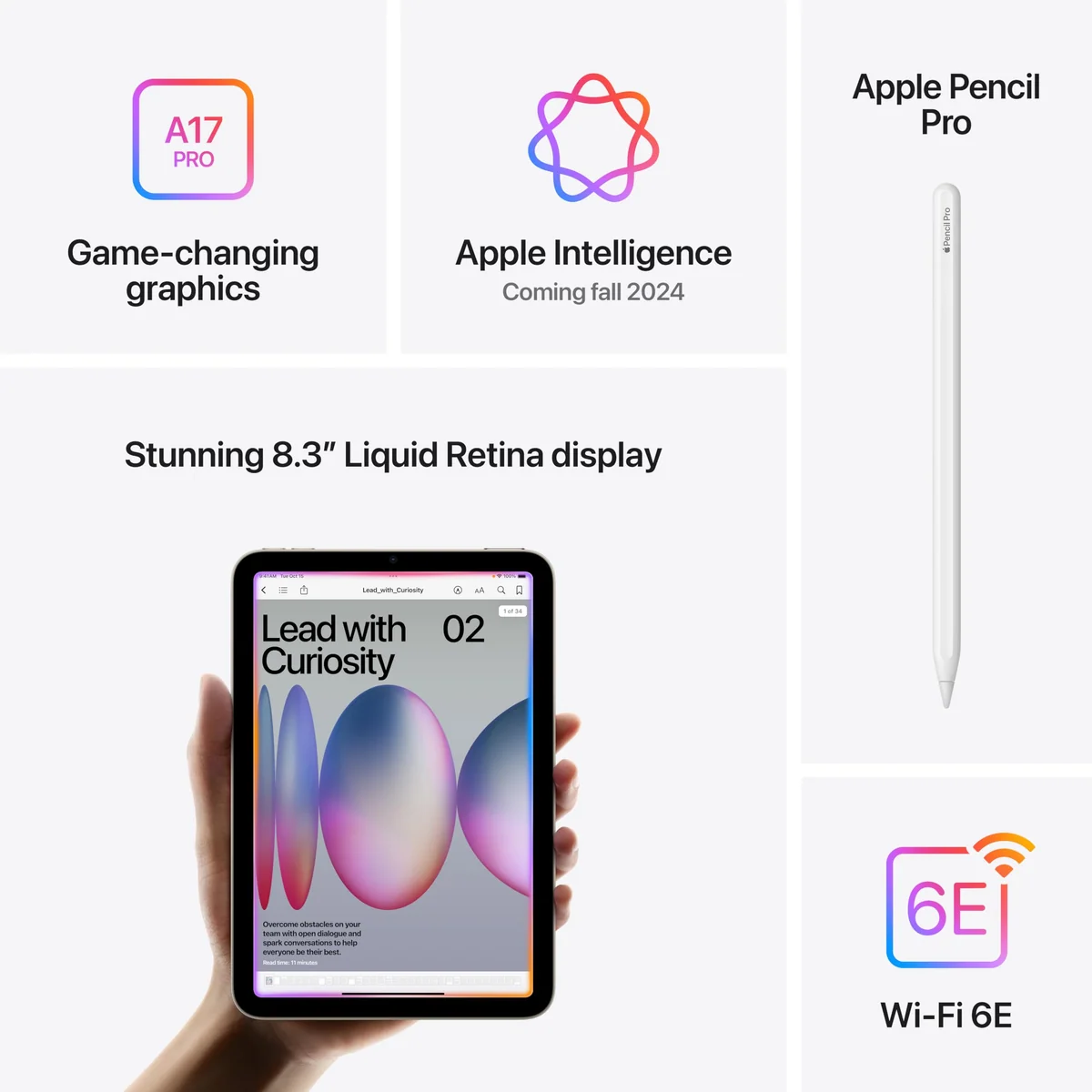
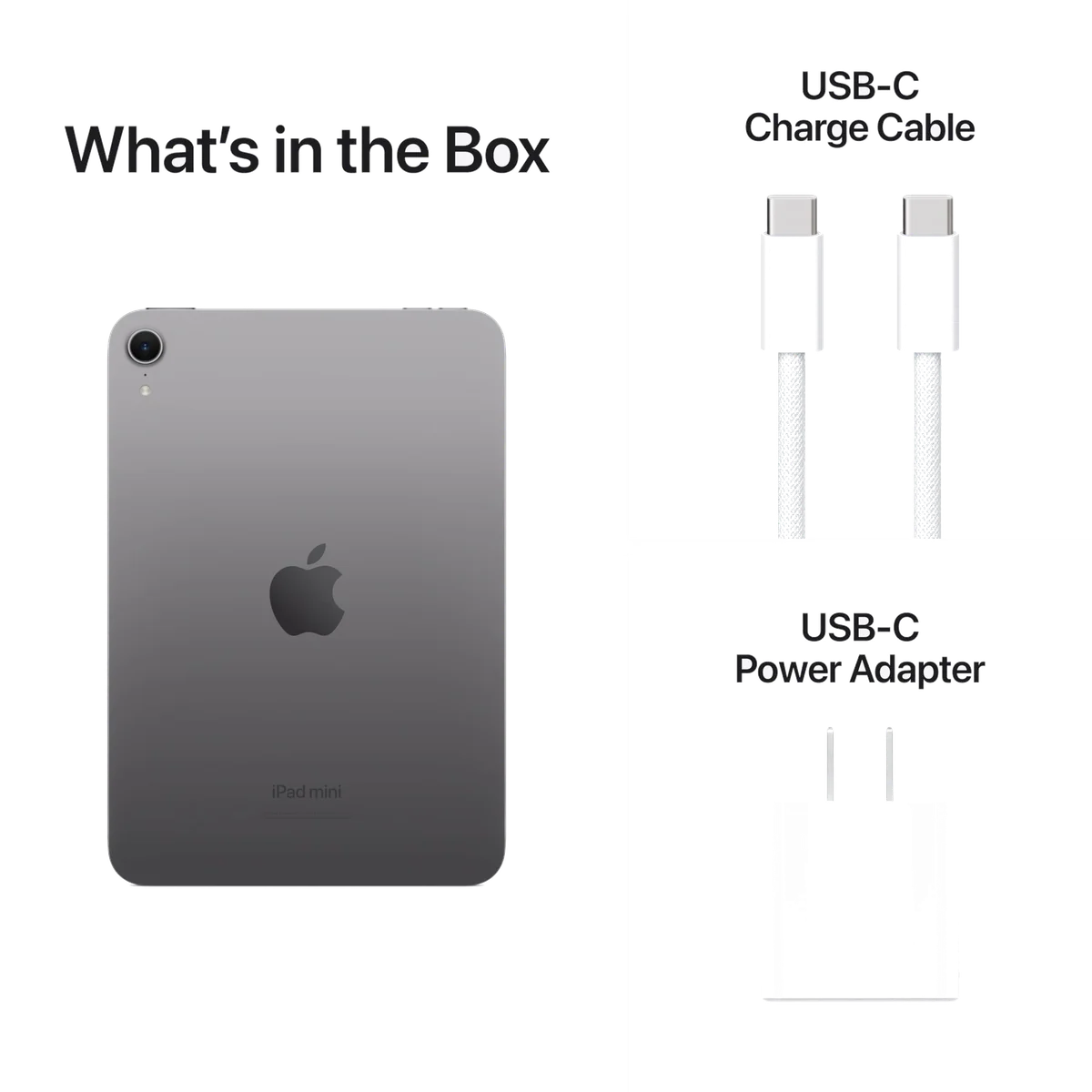
This review covers the Space Gray, Wi-Fi, 128GB model MXN63LL/A, sold under ASIN B0DK3W6TV6. It combines an 8.3-inch Liquid Retina display with the A17 Pro chip, Apple Intelligence compatibility, Wi-Fi 6E, USB-C, Touch ID and 12MP front and rear cameras. The 128GB starting capacity is a welcome correction to the old 64GB entry point, but storage still cannot be expanded.
The decision in thirty seconds
Buy it if you want a premium reader, compact game screen, portable notebook, field reference or companion iPad that can disappear into a small bag. Its performance is comfortably ahead of those jobs, and the compact shape makes it easier to pick up than a full-size tablet.
Skip it if you want one device for long writing sessions, large PDFs, detailed art, spreadsheets, frequent video calls or laptop-style multitasking. The display is sharp, but it remains a 60Hz IPS LCD with limited brightness headroom, while the small iPadOS interface can make typing and precise taps more irritating than they should be.
That distinction explains the unusually polarized owner response. Buyers with a defined mini-sized task tend to carry it constantly; buyers hoping for a generic iPad in a cuter package often discover that their phone is more convenient and an 11-inch iPad is more useful. Specs & Screens therefore recommends it strongly within its niche and cautiously everywhere else.
Key Specifications
The old body now has enough hardware runway
Apple did not reinvent the mini. It kept the familiar chassis and concentrated the meaningful changes inside: A17 Pro performance, 8GB of memory, doubled base storage, Wi-Fi 6E, a faster 10Gbps USB-C connection and support for Apple Pencil Pro. Apple Intelligence compatibility is part of that package, but it is better understood as evidence of current hardware headroom than as the sole reason to buy the tablet.
The result feels more like overdue maintenance than a new design generation. That is good news if the existing form is exactly what you want. It is disappointing if you waited for thinner bezels, Face ID, a landscape camera or a visibly better panel.
| Change | Why it matters | Reason not to upgrade alone |
|---|---|---|
| A17 Pro and 8GB memory | Current apps, games and quick app switching have ample performance. | Everyday reading and video were already easy work for the previous model. |
| 128GB base storage | Books, notes, apps and moderate downloads fit with less housekeeping. | Large game and offline-video libraries can still fill it. |
| Apple Pencil Pro | Squeeze, hover, barrel roll and magnetic charging suit portable notes and sketches. | Apple Pencil 2 is incompatible, so an existing stylus may need replacing. |
| Wi-Fi 6E | A compatible network can improve large transfers and game streaming. | It cannot improve an old router or a slow internet connection. |
| Faster USB-C | Wired photo, document and video transfers can finish sooner. | Many casual users rarely move large files by cable. |
The Pencil story includes an accessory tax
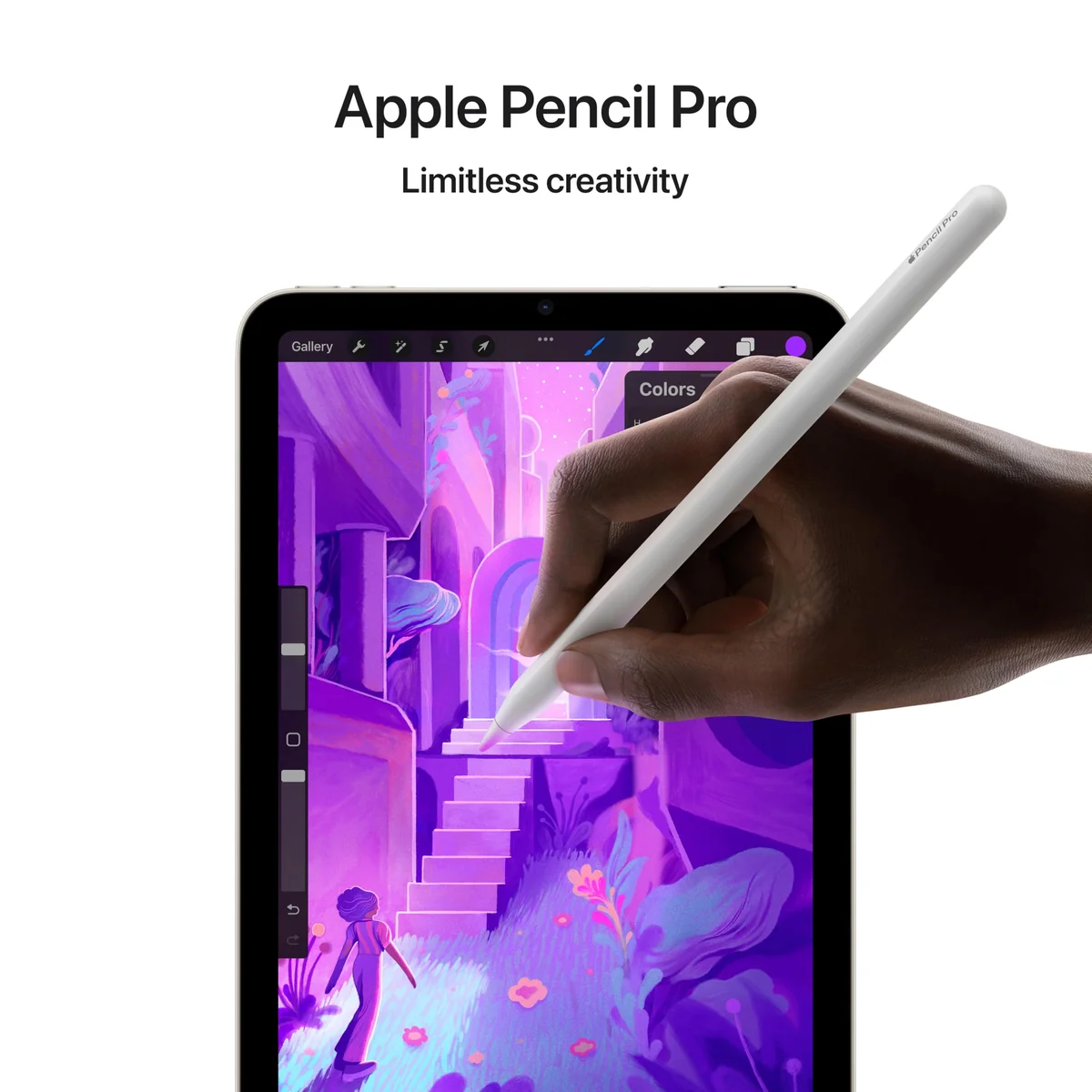
Apple Pencil Pro is a particularly good match for quick notes, document marks and travel sketching. It attaches and charges magnetically, and its squeeze gesture can bring up tools without covering much of the already limited canvas. The cheaper USB-C Pencil also works, although it gives up pressure sensitivity, wireless charging and the Pro model’s advanced gestures.
The awkward part is compatibility. Apple Pencil 2 does not work here even though the exterior closely resembles the previous iPad mini. Anyone upgrading with a perfectly serviceable second-generation Pencil must replace it, which makes a modest tablet update feel more expensive than the device alone suggests.
A Smart Folio is an optional accessory rather than something buyers should assume is included, and a thin magnetic cover should not be mistaken for meaningful drop protection.
Strengths & Limitations
Strengths
- The 8.3-inch body is genuinely easier to hold, carry and mount than an 11-inch tablet.
- A17 Pro performance and 8GB of memory leave ample headroom for ordinary tablet work and current games.
- The 128GB base capacity is far more practical than the previous model’s 64GB starting point.
- Apple Pencil Pro turns it into an unusually portable notebook and sketchpad.
- Wi-Fi 6E and faster USB-C strengthen streaming and file-transfer use cases.
Limitations
- The unchanged 60Hz IPS display looks dated beside premium phones and iPad Pros.
- The small iPadOS interface can make typing, split-screen work and precise taps frustrating.
- The portrait-edge front camera creates an awkward eye line during landscape video calls.
- Apple Pencil 2 incompatibility can force an unnecessary accessory replacement.
- Touch ID is less effortless than Face ID for users accustomed to automatic unlocking.


Fast silicon cannot enlarge a small canvas
The A17 Pro is not the limiting component. Normal apps open quickly, switching among notes, reference tools and web pages is well within its abilities, and current games have far more processor than a typical reading or streaming session can use. A medical student described moving among an EMR, study software and notes without stutter, which is exactly the sort of rapid, short interaction the mini handles well.
The display can still look less fluid than that performance feels. Its 60Hz refresh rate means scrolling and animation do not have the motion clarity of a 120Hz iPad Pro or premium phone. People accustomed to ProMotion may interpret that presentation as lag even when the application itself responds promptly. Buyers who have never lived with a high-refresh panel are much more likely to find it perfectly ordinary.
A sharp screen that Apple should have improved
Text looks crisp, P3 color and True Tone are useful, and the anti-reflective treatment helps in normal indoor conditions. Movies, comics, web pages and games can all look good in isolation. The problem appears when the mini is judged against its positioning rather than against an inexpensive tablet: the IPS LCD remains around the 500-nit class, lacks OLED contrast and HDR impact, and offers no refresh-rate improvement over the preceding design.
Reporting on the old jelly-scrolling effect is not unanimous. Multiple reviewers found that Apple’s controller changes substantially reduced or removed the distracting unevenness in portrait scrolling, while another still considered it visible. This is not a new display panel, so anyone particularly sensitive to scrolling artifacts should inspect the tablet in person rather than rely on a universal assurance.
Multitasking works best when it ends quickly
Split View is useful for watching a video beside a social feed, consulting a reference while taking a short note or keeping two lightweight sources visible during a live event. That is meaningful multitasking, but it is temporary multitasking. Two apps quickly become narrow phone-like panes, there is no Stage Manager, and Apple offers no Magic Keyboard designed to turn the mini into a little laptop.
iPadOS scaling causes a second layer of friction. Some controls and browser targets are unusually small, the on-screen keyboard consumes a large portion of the landscape display, and extended typing leaves little room to see the work. Settings can enlarge some text and interface elements, but they do not transform 8.3 inches into a comfortable desktop.
The size must earn its premium
The recorded listing price in our research is not a live price, but it puts the value problem into focus. A smaller screen does not automatically produce a cheaper iPad. Buyers are paying for the unusual combination of compact dimensions, a strong current chip, 128GB of storage, Pencil Pro support and fast connectivity rather than for maximum screen area per dollar.
That trade can be rational when portability changes how often or where the device is used. It is much harder to defend when the mini will sit beside a large phone at home. Before buying, name a repeated task that is uncomfortable on your phone and inconvenient on an 11-inch tablet. If no task comes to mind, the mini is likely to become an expensive smart-home controller.
| If your priority is | The more natural choice | Why |
|---|---|---|
| One-handed reading, travel or field use | iPad mini A17 Pro | The compact shape is the feature rather than a compromise. |
| A general family or casual tablet | Apple iPad 11-inch | A larger workspace is usually more useful when compactness is not essential. |
| One iPad for notes, school and keyboard work | Apple iPad Air 11-inch | The larger canvas and keyboard options support longer work sessions. |
| OLED, 120Hz and demanding creative work | Apple iPad Pro 11-inch | The display and productivity systems are in a different class. |
Buyers still deciding whether compactness or screen space matters more should start with our guide to choosing a tablet size. For a broader shortlist, the best small tablets page places the mini’s specialized strengths in context.
Battery life is adequate, not liberating
“All-day” is a reasonable description for mixed light use, not a promise of nonstop demanding work. Owner accounts vary with brightness, application and workload: reading can stretch across several days of short sessions, while 3D gaming consumes power much faster. Video decoding and web browsing are less punishing, but this is still an LCD tablet that expects regular charging rather than an e-ink reader that can be ignored for weeks.
One detailed owner account described more than six and a half hours of accumulated light use with 37 percent remaining, while another estimated roughly 10 to 12 percent battery loss per hour during browsing and social use. A separate pilot reported four hours of active GPS use plus about three hours of general activity while consuming roughly half a charge. These anecdotes establish a plausible range, not a controlled benchmark.
Repeated flickering, severe pixelation, freezing or a nearly full battery collapsing after a couple of light-use hours should not be accepted as normal. The strongest defect report in the record was resolved by replacing the unit, and the replacement behaved substantially better under similar setup and use. Exchange a misbehaving tablet during the return period instead of blaming obvious faults on the 60Hz display.
It can replace a Kindle only if versatility matters more than endurance
The mini is a compelling color reader for manga, illustrated books, maps and research that moves between a book, notes and the web. Page turns are quick, text is sharp and the broader app ecosystem removes the isolation of a dedicated reader. The cost is LCD eye comfort and battery life. One former Kindle user needed about a week to adjust and reported four to five days per charge when reading for one or two hours daily, falling to two or three days when video entered the mix.
Readers who primarily want distraction-free books and long intervals between charges should compare it with the options in our tablet reading guide. The mini wins when reading is one activity among several, not when every additional app is a liability.
Support should be strong, but there is no promised retirement date
Apple has not supplied a fixed support deadline in the research available for this page. The October 2024 release, A17 Pro chip, 8GB of memory and Apple Intelligence compatibility suggest substantial remaining software runway, but that is an expectation based on current hardware rather than a guarantee about a particular year.
Frequently Asked Questions
Is the iPad mini A17 Pro still worth buying?
It remains worth buying for portability-first reading, gaming, notes and field use, but generic tablet buyers will usually get more practical workspace from an 11-inch iPad.
Is this iPad mini still good in 2026?
Its A17 Pro performance and 8GB of memory remain highly capable, while its age is more visible in the 60Hz LCD, portrait-edge camera, Touch ID and unchanged chassis.
Is the iPad mini better than the regular iPad?
The mini is better for handheld portability and Pencil Pro use, while the regular 11-inch iPad is generally better for value, typing, drawing and all-purpose screen space.
Does the iPad mini replace a large phone?
It provides a meaningfully larger canvas, Apple Pencil support and tablet multitasking, but a large phone can make it redundant unless you can name a repeated task that benefits from 8.3 inches.
Is 128GB enough for this iPad mini?
128GB is reasonable for apps, books, notes, moderate downloads and casual games, although large offline video collections and several heavyweight games can justify more storage.
Should I buy the current model or wait for another iPad mini?
Buy the current model if its 60Hz LCD is acceptable and you need the compact form now, but wait for official news if a display upgrade is essential and your present device still works.
How long will Apple support the A17 Pro iPad mini?
Apple has not provided a fixed support end date in the available record, although the modern chip, 8GB of memory and Apple Intelligence compatibility suggest meaningful remaining runway.
Which Apple Pencil works with this model?
It supports Apple Pencil Pro and Apple Pencil USB-C, but it does not support the second-generation Apple Pencil.
Sources (8)
- Amazon listings and customer reviews — Ipad Mini A17 Pro
- Owner reports across r/ipad, r/ipadmini threads
- Owner and reviewer video, 3 channels
- Macstories — Article — www.macstories.net
- Wired — Article — www.wired.com
- Appleinsider — Article — appleinsider.com
- Macrumors — Article — forums.macrumors.com
- Forbes — Article — www.forbes.com