The best gaming tablet is the iPad mini, unless you want Pro power more than handheld comfort
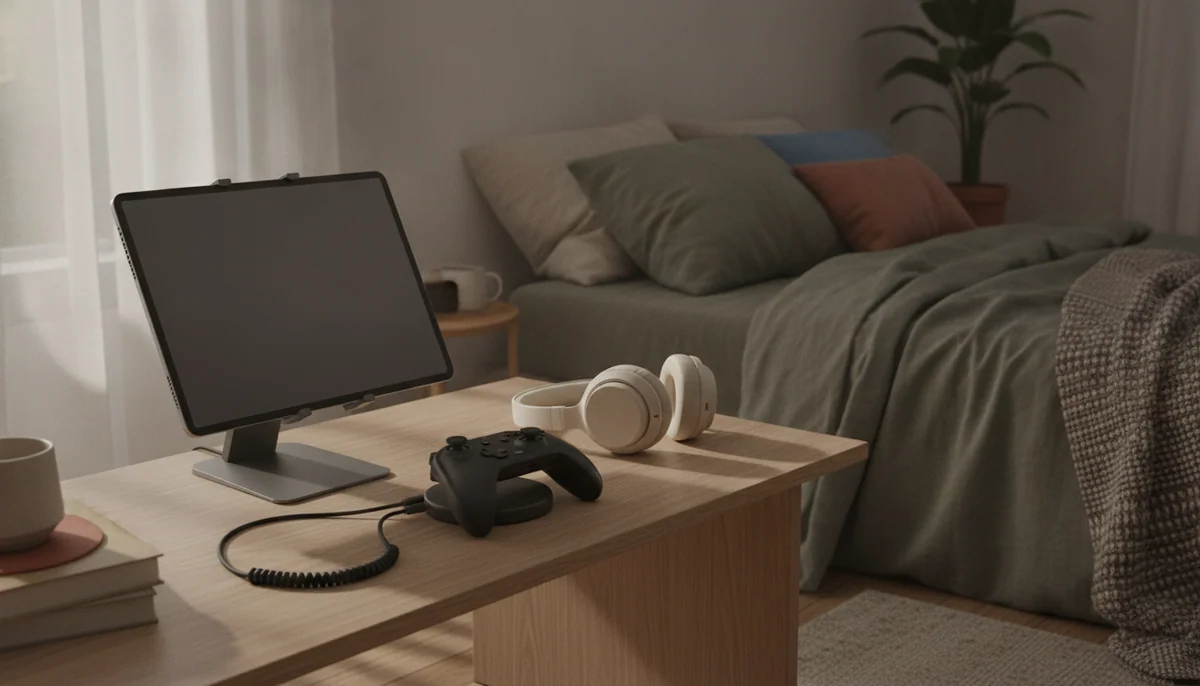
Gaming exposes a tablet’s contradictions faster than almost any other job. A large screen makes a strategy map, racing game or streamed console picture easier to see, but it also moves touch controls farther apart and becomes tiring to hold. A powerful processor can deliver demanding graphics, but a 60Hz panel may never show more than 60 frames per second. Abundant storage sounds generous until several enormous games arrive.
The iPad mini A17 Pro resolves more of those tensions than any other tablet in this group. It has ample performance for current mobile games, enough screen to feel meaningfully larger than a phone and a body that fits telescoping controllers without turning the whole setup into a dinner tray. The unchanged 60Hz LCD is the honest drawback, and 128GB can become restrictive if heavyweight games remain installed beside downloaded media. Owners consistently praise its compactness and speed, while the screen attracts the clearest criticism.
The regular 11-inch iPad is the better recommendation for a family, student or casual player who also needs a general-purpose tablet. Its A16 chip comfortably handles mainstream games, its larger display makes shared viewing and touch play more spacious, and 128GB is finally a practical starting point. It lacks Apple Intelligence, ProMotion and premium Pencil support, but none of those omissions stops Roblox, Minecraft, Apple Arcade releases or controller-based play.
At the other extreme, the 11-inch M5 iPad Pro is the best gaming hardware in a shape that still behaves like a portable tablet. Its tandem-OLED display, refresh rate up to 120Hz, four-speaker system and extraordinary processor headroom are real upgrades rather than decorative specifications. The problem is value: mobile games do not always expose that hardware, some titles need updates before recognizing a new chip properly, and the same money can fund a less extravagant tablet plus a dedicated console.
Best handheld
iPad mini A17 Pro: the easiest model here to hold, carry and pair with a compact controller.
Best value
11-inch A16 iPad: the sensible route to strong mainstream gaming and a useful family tablet.
Best performance
11-inch M5 iPad Pro: the premium choice for OLED contrast, 120Hz motion and demanding supported games.
Android still has important advantages. Samsung offers microSD expansion on both Galaxy models here, which is useful for media and files even though it does not turn a memory card into fast internal game storage. Android also leaves more room for emulation, launchers and file management. The trade is less consistent game optimization, and neither Samsung in this group matches the graphics headroom of Apple’s Pro tablets.
Gaming performance is more than the chip
Tablet listings encourage buyers to start with processor names, but gaming quality is a chain. The game must support the platform, recognize the hardware, fit in storage, render at an acceptable rate, reach the display at that rate and remain comfortable through a complete session. A failure at any link can make an impressive specification irrelevant.
| Gaming style | Best fit here | Why it fits | The compromise |
|---|---|---|---|
| Touch controls in bed, on a commute or while travelling | iPad mini A17 Pro | Compact enough for comfortable reach and telescoping controllers | Only 60Hz, with fixed internal storage |
| Family games, school apps and everyday entertainment | 11-inch A16 iPad | Strong mainstream performance without paying for professional hardware | Reflective 60Hz panel and no microSD slot |
| Premium native games and game streaming | 11-inch M5 iPad Pro | OLED, 120Hz, four speakers and abundant performance in a portable body | High total cost and uneven game optimization |
| Large controller-based play from a stand | 13-inch M5 iPad Pro | Superb display scale, sound and processing headroom | Awkward handheld use and excessive cost for casual games |
| Android gaming with expandable media storage | Galaxy Tab A11+ | Standard Google Play, microSD support and respectable everyday speed | Weak display quality and modest demanding-game performance |
| Casual games on the smallest budget device here | Lenovo Tab One | Portable size, headphone jack and conventional Android software | Slow processor, 4GB of memory and low-resolution screen |
Refresh rate deserves as much attention as processor speed
A 120Hz display can show up to twice as many distinct frames as a 60Hz panel, provided the game and processor deliver them. It also improves the apparent smoothness of scrolling and interface animation. That does not make 60Hz unplayable, but it does make the iPad Air an odd gaming proposition: M4 performance sits behind a display with the same refresh ceiling as the basic iPad. Our guide to whether a 60Hz screen is good enough explains when the difference is worth paying for.
Storage disappears faster than the number suggests
The operating system and installed applications consume part of the advertised capacity before the first game arrives. A few heavyweight releases, downloaded films and creative projects can make 128GB feel tight. Apple storage cannot be expanded, while Samsung and Lenovo microSD slots are most dependable for media and files rather than as universal high-speed game-install destinations. Buyers building a large local library should read the guide to tablet storage and microSD cards before choosing a capacity.
Large screens favor controllers more than thumbs
Touch controls require fingers to reach the edges while the hands also support the device. That arrangement works on the iPad mini, remains manageable on an 11-inch tablet and becomes increasingly awkward at 13 inches. A stand and Bluetooth controller reverse the calculation because the weight leaves the hands and the larger picture becomes an advantage. Decide whether the tablet is meant to be the controller, the display or both.
Game streaming changes the hardware priorities
Streaming a game from a console, computer or cloud service shifts much of the graphics work away from the tablet. Wireless stability, display quality, decoding, controller support and latency then matter more than maximum local GPU power. The iPad mini becomes an excellent personal streaming screen, while the larger Samsung and Apple models make compelling stand-mounted displays. No tablet or Wi-Fi generation can compensate for a congested network or distant router.
If gaming is only one part of the purchase, the wider best tablets guide balances work, media, reading and portability. Buyers who specifically want a small controller-friendly screen should compare the options in the small-tablet shortlist.
Nine gaming tablets, ranked by the job they can honestly do
These are not nine interchangeable rectangles. Some are good gaming tablets, some are good tablets that can also play games, and one is a compact media tablet whose definition of gaming should stop at puzzles, older releases and forgiving settings.
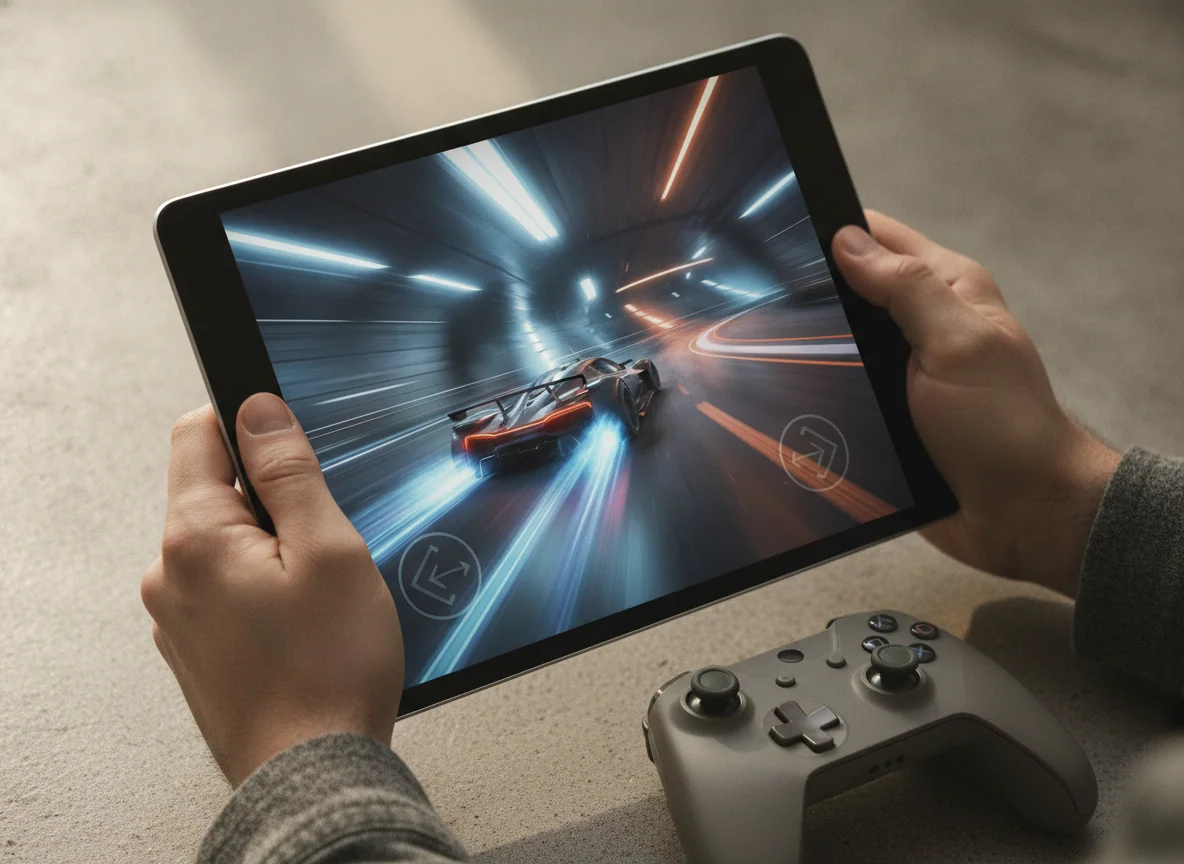
The Lenovo Tab One is the compact pick for casual games and old favorites.
Its light 8.7-inch body, Google Play access, headphone jack and included folio make it a convenient secondary screen for puzzles, idle games and modest emulation.
The Helio G85, 4GB of memory, slow eMMC storage and coarse 60Hz display make demanding 3D games slow, unstable or incompatible.
The Tab One can approach playable results in lighter titles and reduced presets, but controlled testing found severe limits in games such as Genshin Impact, while another review could not run Fortnite. Its stable performance under stress is preferable to dramatic throttling, yet consistency does not turn a slow processor into a fast one.
The iPad mini A17 Pro is the best gaming tablet to hold in your hands.
Its compact 8.3-inch body, strong A17 Pro chip and mature iPad game library create the most convincing bridge between a phone and a full-size tablet.
The 60Hz LCD wastes some of the chip’s graphical potential, and 128GB can fill quickly with large games that cannot be moved to microSD.
This is the recommendation for touch-first play, travel and controller grips. It is not the recommendation for players who want the largest cinematic picture or the smoothest panel. The mini’s size is a functional advantage only when the tablet will actually be held; buyers expecting mostly desk or stand use should accept a larger screen.
The 11-inch A16 iPad is the gaming tablet most families should buy.
It combines responsive mainstream gaming, a practical 128GB starting capacity and a larger screen with strong everyday usefulness outside games.
The reflective 60Hz display, slow USB connection and lack of microSD expansion keep it from feeling like specialist gaming hardware.
Reported graphics results and real-game accounts place the A16 iPad comfortably inside mainstream mobile gaming, with Roblox, Minecraft, Hades and Apple Arcade titles all natural fits. Its processor is far less ambitious than an M-series chip, but the screen itself tops out at 60Hz and ordinary games do not require workstation hardware.
The Galaxy Tab A11+ is the budget Android choice for expandable game and media storage.
Its 6GB of memory, responsive midrange processor, 90Hz interface and microSD slot make everyday Android gaming feel less compromised than its budget position suggests.
The washed-out TFT screen, narrow viewing angles and limited performance in demanding titles weaken the experience whenever graphics matter most.
Casual games and lighter 3D releases are comfortable territory, and low settings can make some competitive titles playable. Demanding games expose the processor’s limits, while the screen’s color and viewing-angle problems remain visible even when frame rates are acceptable. Independent testing nevertheless found unusually strong performance for an inexpensive Samsung tablet.
The Galaxy Tab S10 FE+ is the big-screen choice for cloud gaming and slower genres.
Its enormous 13.1-inch display, long battery endurance and spacious speakers suit streamed games, board-game adaptations and controller play from a stand.
The Exynos 1580 struggles with demanding native games, and the large 664g body is awkward for touch controls or prolonged handheld sessions.
The FE+ is better understood as a digital tabletop than a handheld console. Its screen makes maps, card games, role-playing interfaces and streamed console video generous, but demanding native titles require reduced graphics and resolution. Independent testing found excellent endurance alongside modest graphics performance and a slow-response LCD, an unusual combination that favors long sessions more than fast ones.
The 11-inch M5 iPad Pro is the best premium gaming tablet in this group.
Its tandem-OLED display, 120Hz ProMotion, four speakers, compact weight and immense M5 headroom produce the most complete high-end gaming experience here.
Its cost is difficult to justify for games alone, and software optimization can prevent individual titles from using the hardware fully.
This is where display quality and portability meet. The 13-inch Pro supplies more canvas, but the 11-inch model is easier to grip, carry and fit onto a train or airplane tray. Exact-model owners repeatedly praise the screen, speed and light body, while also acknowledging that iPadOS and ordinary workloads leave much of the processor idle.
The 11-inch M4 iPad Air is the powerful middle choice with the wrong display for serious gaming.
Its M4 chip, 12GB of memory and portable body offer enormous performance headroom for games, creative apps and everything surrounding them.
The 60Hz LCD cannot show the frame rates the processor can generate, while sustained graphics loads create heat and measurable throttling.
The Air makes sense for someone buying a creative or study tablet that will also run demanding games. It makes less sense as a gaming purchase in isolation because the panel is locked to 60Hz and the base 128GB capacity has no expansion path. Laboratory testing found strong graphics performance but also surface hot spots and substantial losses from peak speed during prolonged stress.
The 13-inch M4 iPad Air is the couch-console screen for players who use a stand and controller.
Its large 4:3 canvas, M4 performance and controller support make roomier games and multi-window companion apps feel expansive.
The wide body is tiring to hold, the 60Hz panel limits visible motion and widescreen games or video do not use the entire display area.
The 13-inch Air changes the posture of play. It is excellent propped on a table with a controller, but poor as a large substitute for a handheld console. Direct owners praise its scale, speed and controller support while acknowledging the weight, and that distinction matters more than the processor shared with the smaller Air.
The 13-inch M5 iPad Pro is the luxury gaming display for a desk, stand or lap-supported setup.
Its enormous tandem-OLED panel, 120Hz ProMotion, exceptional speakers and M5 performance make supported games look and sound better than on any other large tablet here.
The 13-inch body is cumbersome for handheld controls, glossy glass reflects bright rooms and ordinary mobile games rarely justify the full hardware investment.
The large Pro is impressive rather than broadly sensible. Controlled results confirm exceptional processor and display performance, but also show that sustained graphics cannot remain at the initial peak indefinitely inside a 5.1mm fanless chassis. Its size pays off for strategy, simulation, controller gaming and multi-window use; players who hold the screen should choose the 11-inch Pro instead.
Frequently Asked Questions
Which tablet here is best for gaming?
The iPad mini A17 Pro is the best handheld choice, while the 11-inch M5 iPad Pro is the best choice for maximum display and graphics quality.
Is the regular 11-inch iPad good enough for games?
Yes, its A16 chip handles mainstream mobile games comfortably, and it is the most sensible option for buyers who also need a family, school or entertainment tablet.
Is 60Hz too slow for tablet gaming?
No, 60Hz remains playable for most games, but a 120Hz display looks smoother and can show higher frame rates when the game and processor support them.
Is the iPad mini too small for games?
No, its 8.3-inch display is larger than a phone while remaining comfortable for touch controls and compact telescoping controllers.
Should I buy an 11-inch or 13-inch gaming tablet?
Choose 11 inches for handheld play and travel, or 13 inches for a stand-mounted setup with a Bluetooth controller.
Can a microSD card hold Android games?
A microSD card is excellent for media and files, but app movement varies and it should not be treated as a universal substitute for fast internal game storage.
Are Android tablets better for emulation?
Android generally offers more software and file-management flexibility for emulation, although legal game ownership, emulator quality and each tablet’s processor still determine the result.
Does a faster processor guarantee better gaming?
No, game optimization, thermal behavior, refresh rate, storage, controls and network conditions can matter as much as peak processor performance.
Which model should casual players avoid?
Casual players should avoid paying for an M5 iPad Pro unless its OLED display, high refresh rate or professional features also improve another important use.
Can a gaming tablet replace a console or gaming computer?
It can replace one for mobile games and streaming, but game libraries, sustained performance, peripherals and software freedom still favor dedicated consoles and computers for many players.
Our Top Recommendation
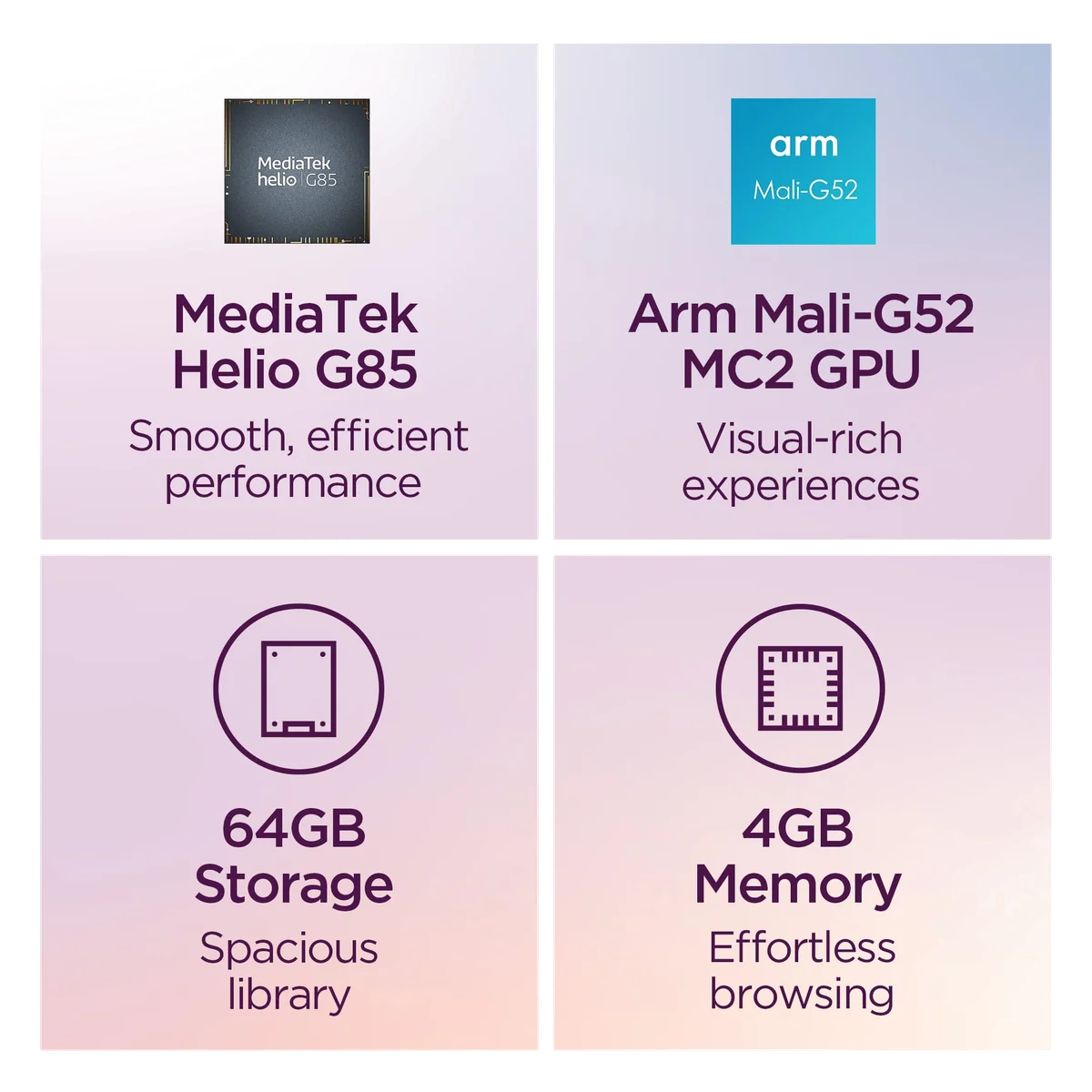
Based on our research, the Lenovo Tab one is our top pick — gaming.