Apple’s basic iPad is still the one most people should buy

Buy the A16 iPad for school, streaming, reading, calls, notes, and everyday apps, but choose an Air instead if serious art, heavy creative work, bright-room visibility, or Apple Intelligence matters.
Based on published owner reports and 5 other sources. We have not tested this machine ourselves.
We earn a commission if you buy through our links, which does not affect what we say.
Read how this site works →
A modest iPad with unusually few reasons to overspend
The A16 iPad succeeds because its limitations mostly sit beyond the work its likely buyer wants to do. It is quick enough, light enough, long-lived enough between charges, and finally generous enough in base storage to serve as a family tablet, school notebook, entertainment screen, or first iPad without apology.
Buy it with open eyes. The display is reflective, exacting Pencil work exposes the non-laminated gap, charging is slow, and Apple Intelligence will not appear later. If those are central concerns, the Air is the honest answer. If they are peripheral, paying more will improve specifications far more than it improves your day.
Best for: To replace a laptop
Apple’s least expensive full-size iPad is not an ambitious tablet, and that is precisely why it makes sense. It puts its money into the parts ordinary buyers will notice: quick everyday performance, a practical amount of starting storage, long battery life, a landscape video-call camera, and access to the mature iPad app library. It does not ask a family, student, or first-time tablet buyer to finance performance intended for editing layered 4K video.
The compromise is visible every time light hits the screen. This glossy, non-laminated panel reflects windows and lamps, shows fingerprints readily, and can struggle outdoors. The A16 chip also sits outside Apple’s current artificial-intelligence platform, while the tablet cannot use Apple Pencil Pro or the second-generation Apple Pencil. Those are not footnotes for an artist or someone buying around future Apple Intelligence features; they are reasons to walk away.
For everyone else, this is the sensible iPad. Browsing, video, documents, email, video calls, handwritten class notes, PDF annotation, casual editing, and mainstream games fit comfortably inside its abilities. The base configuration’s 128GB is particularly important because the previous entry iPad started at 64GB, an amount that could turn a modest purchase into a storage-management chore.
Buy it if your tablet should stay a tablet
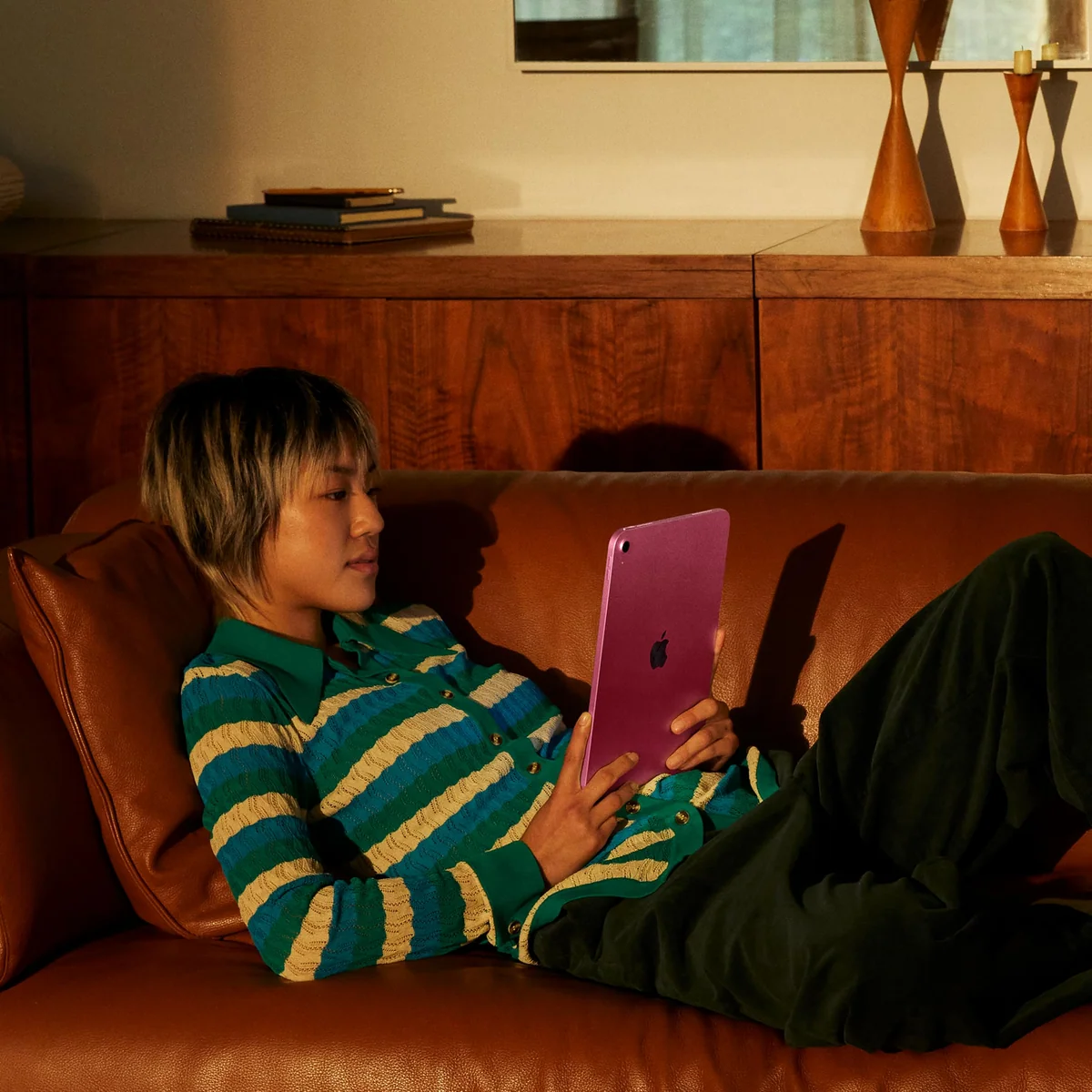
This is a strong first iPad, a substantial replacement for an eighth- or ninth-generation model, and an easy family device for media, homework, recipes, reading, calls, and games. It is also a good fit for students who want handwritten notes and document annotation without pretending the device will replace every function of a laptop.
Skip it if the accessories are the plan
If your intended setup includes greater storage, an official keyboard, a Pencil, and professional creative apps, compare the complete package rather than the bare tablet. The more you spend trying to turn this iPad into an Air or a laptop, the less convincing its value becomes; our guide to iPads suited to laptop replacement starts from that fuller workload.
Key Specifications
The screen is good until the room fights back
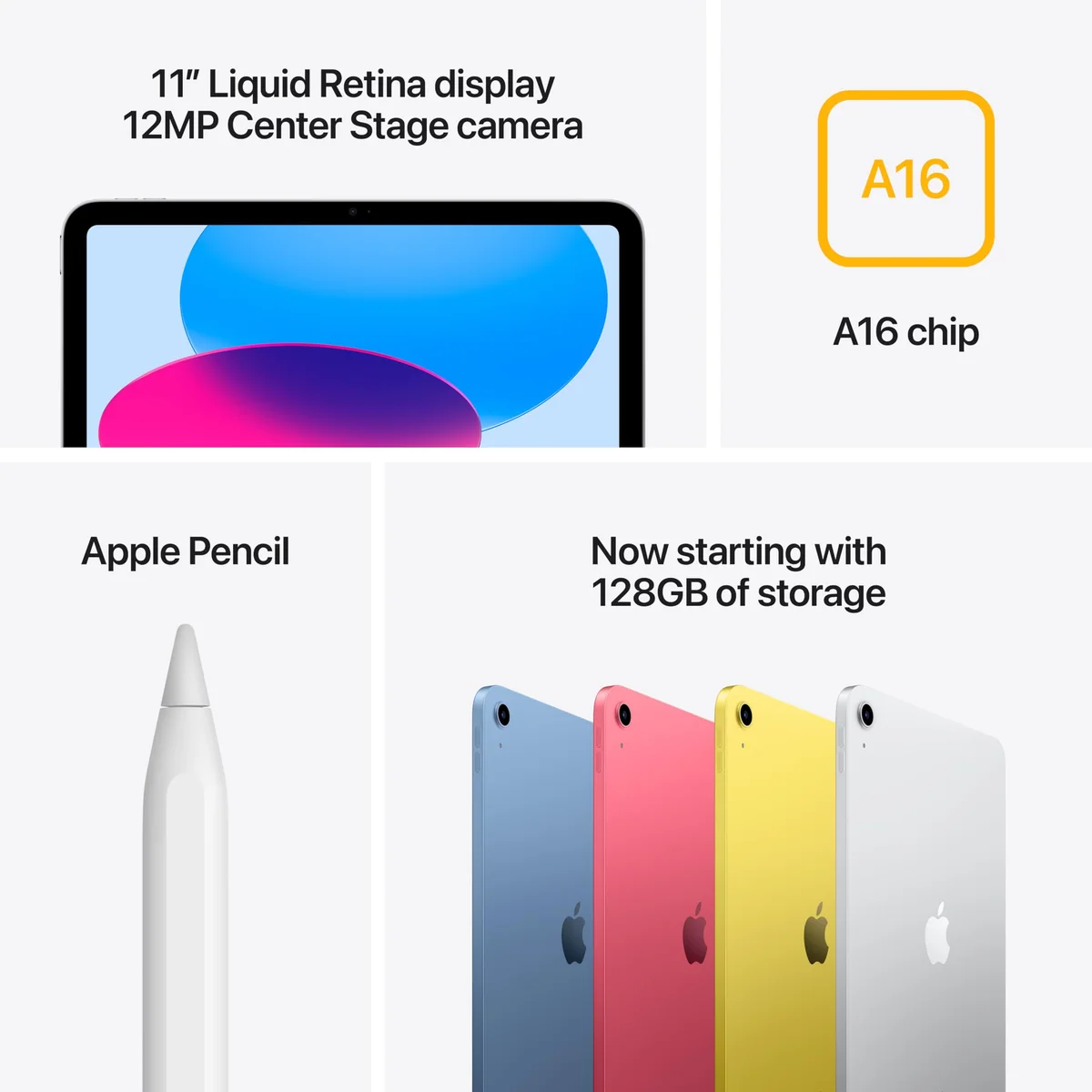
Apple calls this an 11-inch display, but the measured diagonal is about 10.86 inches. It is effectively the same screen size as the 10.9-inch predecessor, with the same 2360 × 1640 resolution and the same overall chassis dimensions. The new name should not be mistaken for extra working room.
Indoors, the Liquid Retina LCD does its job well. Text looks sharp at 264 pixels per inch, colors have enough punch for films and games, and True Tone can make a white page easier on the eyes as room lighting changes. A controlled test recorded 506 nits of brightness, 109% of the sRGB gamut, and 77.1% of DCI-P3. Those results support the broad owner pattern: the panel is clear, colorful, and enjoyable for ordinary viewing.
Peak brightness is not the whole viewing experience. There is no anti-reflective treatment, so a bright window can appear more insistently than the document beneath it. The Air may not always post a higher brightness measurement, yet its laminated, anti-reflective display can look more vivid and remain easier to read under difficult light. Outdoor readers and anyone working beside a window should treat that difference as practical, not luxurious.
The panel refreshes at 60Hz. Scrolling and animation are perfectly serviceable, but motion lacks the immediate, fluid character of a 120Hz iPad Pro or some Android tablets. The current 11-inch Air is also a 60Hz device, so refresh rate alone does not justify moving up to it.
Notes are convincing; precision art is not
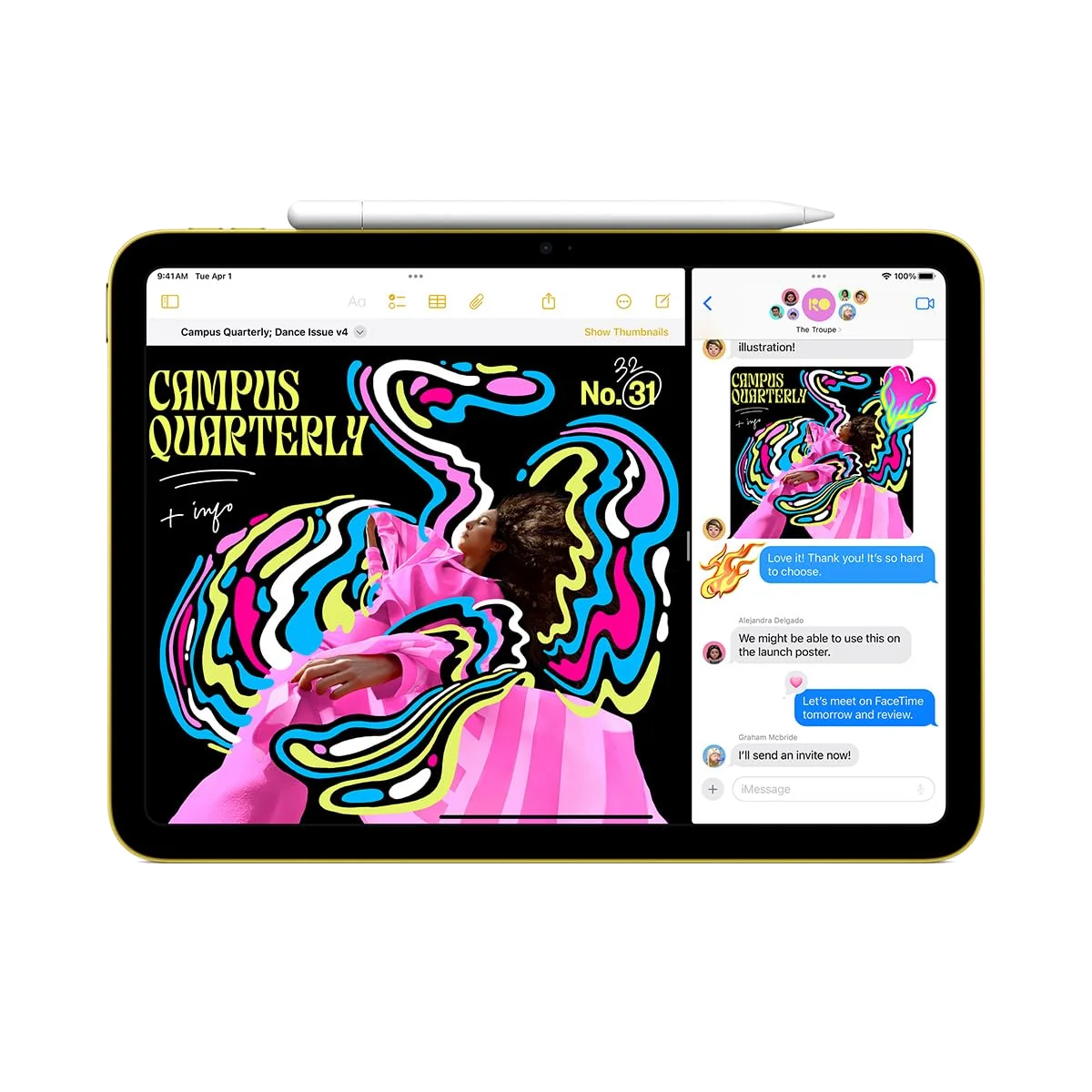
The display is not fully laminated, which leaves a small physical gap between the cover glass and the pixels. That gap fades from awareness while watching video or browsing, but it becomes easier to see when a Pencil tip must land on a fine line. Handwriting, class notes, signatures, and PDF markup remain natural enough, with reports of effective palm rejection and no distracting latency. Intricate illustration is where parallax and the missing Pencil Pro features start to matter.
The sensible stylus is the USB-C Apple Pencil. The first-generation Pencil also works through an adapter, but its charging and pairing arrangement is needlessly awkward. Apple Pencil Pro and the second-generation Pencil are incompatible, and no supported Pencil charges magnetically on the side. Buyers still deciding whether a stylus would improve their work should start with our explanation of when an active stylus earns its cost.
A familiar body with the camera in the right place
The aluminum shell, flat edges, even bezels, USB-C port, top-button Touch ID, and landscape speakers closely follow the previous generation. At roughly one pound, the Wi-Fi model is light enough for a film, a commute, or a day in a backpack without becoming a miniature endurance test. Existing cases made to the corresponding dimensions of the tenth-generation iPad should generally fit, though cutouts and manufacturer compatibility claims are still worth checking.
The 12MP front camera sits on the long edge, so a landscape video call no longer frames the user from an awkward side angle. Center Stage can adjust the framing as the subject moves, and this is the camera feature that genuinely improves daily use. The 12MP rear camera is useful for scanning worksheets, recording a reference clip, or dropping an image into a presentation, but even a competent mid-range phone is a better choice for photographs intended to keep or print.
Touch ID in the power button is quick and works for unlocking, app authentication, and payments. There is no Face ID, which is easy to accept until muscle memory from an iPhone or iPad Pro has you waiting for a face scan that never comes. Registering a finger from each hand makes the button easier to reach in both portrait and landscape use.
Strengths & Limitations
Strengths
- The A16 keeps everyday apps, schoolwork, media, calls, and mainstream games responsive.
- The 128GB starting capacity is finally practical for most buyers.
- Battery life can cover a normal working or school day.
- The landscape 12MP front camera is well placed for calls and keyboard use.
- The one-pound aluminum body is easy to carry without feeling flimsy.
- USB-C Pencil support makes notes and PDF annotation straightforward.
Limitations
- The glossy non-laminated screen reflects bright rooms and compromises precise drawing.
- Apple Intelligence, Pencil Pro, second-generation Pencil, and magnetic Pencil charging are unavailable.
- The 60Hz panel and 480Mbps USB connection cap premium gaming and external-storage work.
- Twenty-watt charging is slow when a quick top-up is needed.
- Official keyboard and Pencil costs can undermine the base model’s value.
- A content iPad 10 owner gains too little visible change to justify replacing it.

The A16 is old enough to explain the limits, not old enough to feel slow
This is a reduced A16 configuration with a five-core CPU, four-core GPU, and 6GB of memory, rather than the full chip configuration once used in higher-end iPhones. It is also phone-class silicon in a range that now includes far faster M-series processors. None of that makes a web page, streaming app, notebook, or video call inherently demanding.
In normal use, apps open promptly, switching remains responsive, and two-app Split View works well for combinations such as notes beside a PDF or a browser beside a document. Picture-in-picture video can sit above that work. The tablet can also manage light photo editing, ordinary office documents, browser-based writing, and casual video work without making its entry-level status obvious.
| Test | A16 iPad result | What it means |
|---|---|---|
| JetStream 2 | 316 | Comfortable browser performance and a clear gain over the previous model’s reported 216.1. |
| Premiere Rush | 21 seconds | Faster than the previous model’s reported 26 seconds, though not evidence of workstation-class editing. |
| 3DMark Wild Life Original Unlimited | 10,610 at 63.5fps | Strong mainstream mobile-game performance within the display’s 60Hz ceiling. |
| Battery rundown | 11 hours 25 minutes | A credible full working day under the test conditions. |
Gaming follows the same pattern. Roblox, Minecraft, Hades, Apple Arcade games, and most mobile titles are well within reach, and a Bluetooth Xbox controller can make suitable games more comfortable. One reviewer encountered no lag in Hades and found the tablet fairly cool during sessions lasting 30 to 60 minutes; another cautioned that sustained gaming or video exports can warm the aluminum body. The findings can coexist because game load, brightness, room temperature, and session length differ.
The ceiling appears in heavier work. Layered 4K timelines can lag, prolonged rendering lacks the acceleration and headroom of an M-series chip, and the USB-C port moves data at up to 480Mbps rather than the much faster rate available on an Air. This is capable hardware for finishing a small edit, not the right foundation for a regular external-SSD video workflow.
Multitasking is similarly competent but bounded. Conventional Split View, app switching, and picture-in-picture are useful; the more expansive Stage Manager workflow described for higher models was not supported in the software reviewed with this iPad. Buyers who want a tablet to behave like their principal computer should compare the practical differences in our laptop versus tablet guide, not just processor scores.
The permanent omission is Apple Intelligence
This iPad cannot run Apple Intelligence, and that is a hardware limitation rather than a feature awaiting a later download. Apple’s AI writing features, Genmoji, Image Playground, notification tools, and AI-dependent Siri functions are therefore outside its remit. Other AI services can still run through their apps or websites, while non-Apple-Intelligence features such as Math Notes remain available.
Whether that absence matters depends less on today’s demonstrations than on the intended ownership period. A buyer who actively wants Apple’s developing AI layer should not purchase incompatible hardware and hope the position changes. Someone who wants YouTube, Safari, Books, Goodnotes, FaceTime, and familiar games loses much less.
128GB fixes the old base-iPad bargain
Starting storage doubles from the previous model’s 64GB to 128GB, with 256GB and 512GB configurations also offered. That change matters more than the unchanged enclosure suggests. A 128GB iPad can hold a reasonable collection of apps, downloaded entertainment, school documents, photographs, and notes without forcing most owners to monitor every installation.
There is no microSD slot. Large games, extensive offline film libraries, and years of locally stored photo or video work can still consume 128GB quickly, so those buyers should estimate their real files before choosing. Our iPad storage guide separates capacity anxiety from workloads that genuinely need more space.
Accessories are where the value argument can unravel. The Magic Keyboard Folio connects cleanly, offers responsive keys, a trackpad, and a useful function row, but its rear kickstand prefers a solid desk and is awkward on a lap. It also adds thickness and weight, while its two-piece construction can flop open when handled carelessly. Pencil, keyboard, case, and screen protector are separate purchases.
Calculate the complete setup before committing. If the plan needs an official keyboard, a Pencil, greater storage, and professional creative software, the 11-inch iPad Air review explains what the more capable model adds: a laminated anti-reflective display, Pencil Pro support, Apple Intelligence, faster external transfers, and much greater performance headroom. Paying for those capabilities once can be more rational than accessorizing the base iPad around its fixed limits.
| Intended use | Better direction | Reason |
|---|---|---|
| Streaming, reading, web, calls, email | A16 iPad | The everyday experience is already quick, portable, and complete. |
| Class notes and PDF annotation | A16 iPad with USB-C Pencil | Handwriting works well when fine-art precision is not the goal. |
| Detailed illustration | iPad Air | The laminated panel and Pencil Pro support address the base model’s most relevant art limitations. |
| Layered 4K editing and fast SSD work | iPad Air or Pro | M-series performance and faster USB transfer suit sustained creative workflows. |
| Main computer with heavy multitasking | Laptop or higher iPad after comparison | Accessory ergonomics and iPadOS limits matter as much as processor speed. |
The exact Blue product covered here is a Wi-Fi-only model. It does not acquire cellular service because an owner review guessed that it might; cellular belongs to a separate configuration. Wi-Fi 6 and Bluetooth 5.3 cover normal home, school, and accessory connections, while the USB-C port handles charging, displays, and compatible storage at its limited data rate.
Battery endurance is better than charging speed
“All-day” survives scrutiny when it means a conventional mixture of browsing, video, documents, and calls. The controlled rundown lasted 11 hours and 25 minutes, while another review consumed roughly 8% to 9% during an hour of YouTube. Several owners also describe a complete day of school, entertainment, or frequent use without hunting for a socket.
That does not promise the same runtime at maximum brightness, during sustained gaming, or with an attached keyboard drawing power. The official keyboard can still make it through a workday, but one test required charging at the end. Battery claims are always descriptions of a workload, not a fixed number stamped into the cell.
Recharging is the weak half of the equation. The tablet accepts up to 20W, reached only 24% after 30 minutes in one controlled test, and took more than two hours to fill in another review. Overnight charging makes the limitation easy to ignore; a forgotten charge before travel makes it obvious.
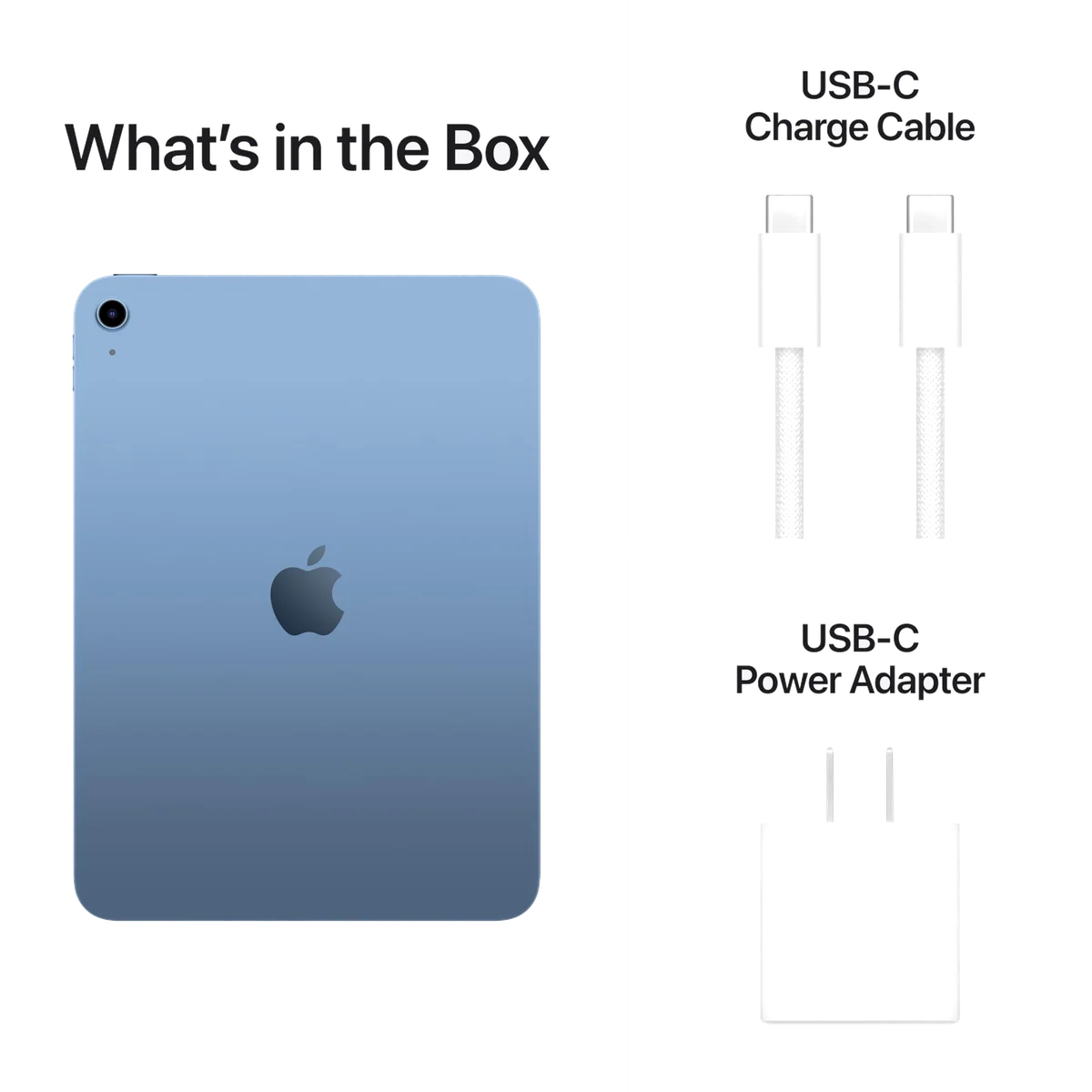
US unboxings and owners of this model showed a 20W adapter and braided USB-C cable in the box, while one review in another market reported no power brick. Packaging can vary by region, so the current seller’s box-contents list deserves a check before assuming an adapter is included.
It should age well at ordinary work, with one known feature gap
The faster chip and larger memory allocation provide more breathing room than the previous base model, and Apple has historically maintained iPad software for years. The supplied evidence does not establish a guaranteed final update date, so no responsible review can promise one. Apple Intelligence incompatibility is already certain, however, and should be considered part of the device from its first day to its last.
Physical durability is less certain. The aluminum build feels substantial, and one owner reported continued operation after drops by grandchildren, but an anecdote is not a standardized impact test and the research contains no water-resistance claim. A protective case is sensible for a family or school device.
Owners of a satisfactory tenth-generation iPad have the easiest decision: keep it. The A16 model brings faster internals, more memory, longer measured battery life, and twice the starting storage, but the enclosure, display behavior, camera arrangement, and accessory fit are fundamentally familiar. Upgrade only if 64GB or current performance has become a real constraint.
Frequently Asked Questions
Is the A16 iPad fast enough for everyday use?
Yes, it is comfortably fast for browsing, streaming, schoolwork, calls, documents, notes, casual editing, and mainstream mobile games.
Is the A16 processor already old?
It is older phone-class silicon in a reduced configuration, but its more important limitations are missing Apple Intelligence and much less heavy-work headroom than an M-series iPad.
Is 128GB enough storage?
It is enough for most app, media, note, and school workloads, but large local game and video libraries may justify 256GB because there is no microSD expansion.
Which Apple Pencil works with this iPad?
It supports Apple Pencil USB-C and the first-generation Apple Pencil through an adapter, but not Apple Pencil Pro or the second-generation Pencil.
Can the A16 iPad replace a laptop?
It can cover light email, web, documents, presentations, and school notes, but its multitasking, keyboard ergonomics, USB speed, and accessory costs make it a poor universal laptop replacement.
Does this iPad have Face ID?
No, it uses Touch ID in the top button.
Does the Blue 128GB model include cellular service?
No, the exact model reviewed here is Wi-Fi only, while cellular is sold as a separate configuration.
Is the screen easy to see outdoors?
No, its glossy 500-nit-class display is good indoors but can become difficult under direct light or strong reflections.
Should an iPad 10 owner upgrade?
Usually not, unless its 64GB storage or current performance has become a meaningful constraint.