Samsung Galaxy Tab A11+ review: smooth performance trapped behind a weak screen

Buy the Galaxy Tab A11+ for responsive everyday Android use, expandable storage and exceptional software support, but walk away if screen quality, handwritten notes or wired monitor output matter.
Based on published owner reports and 7 other sources. We have not tested this machine ourselves.
We earn a commission if you buy through our links, which does not affect what we say.
Read how this site works →
The final call
The Galaxy Tab A11+ succeeds because it performs like a competent everyday tablet instead of a cheap imitation of one. Its processor, 6GB of memory, useful storage, loud speakers, Samsung software and long support policy form an unusually sensible package for browsing, family use and offline entertainment.
The screen prevents an unconditional recommendation. It is acceptable for one person looking straight at it indoors, but its weak color, poor off-axis image and reflective surface are not minor details on an 11-inch device. Buy it when the price leaves room to accept that compromise and the missing S Pen and monitor output do not affect your plans; otherwise, put the money toward a tablet whose display deserves the capable hardware behind it.
The Samsung Galaxy Tab A11+ is a good budget tablet with a bad display. That judgment sounds harsher than the complete experience feels, yet it identifies the compromise that should decide the purchase. Samsung has made routine browsing, streaming, school portals, two-app multitasking and casual games pleasantly uneventful. Its 11-inch TFT panel then renders that competence in colors that can look dull, cool and visibly weaker as soon as the tablet is tilted.
This review concerns the Gray Wi-Fi model sold under ASIN B0FVXMHHRP and model number SM-X230NZANXAR, with 6GB of memory and 128GB of storage. It has a microSD slot but no SIM slot, so references to cellular service belong to a separate 5G version. The Amazon description also advertises family specifications of up to 8GB and 256GB, not the configuration examined here.
Who should buy it
It is an easy tablet to defend for a family that wants the full Google Play Store, straightforward parental controls, offline media on microSD and performance that does not feel bargain-bin slow. It also makes sense as a larger companion to a Samsung phone, particularly for browsing, video, email and light document work.
Who should skip it
Do not buy it for digital art, handwritten study notes, color-sensitive work, premium movie presentation, demanding games or a desktop setup built around an external monitor. There is no active S Pen support, fingerprint reader or wired video output over USB-C.
Key Specifications
The screen collects the bill
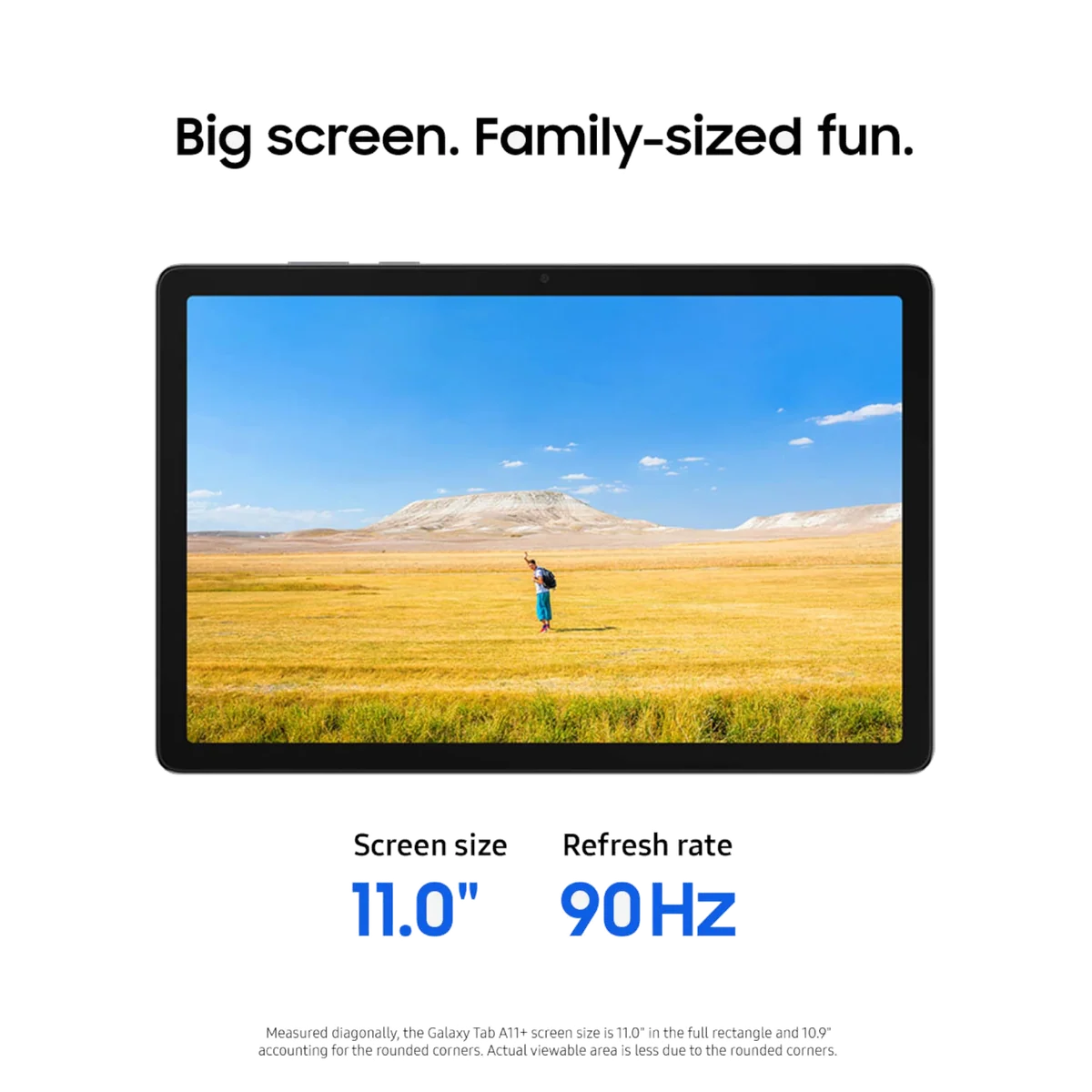
On paper, the display makes a respectable first impression: 11 inches, 1920 × 1200 pixels, a video-friendly 16:10 shape and refresh up to 90Hz. Text and video look sufficiently sharp, while scrolling and interface animations have the fluidity that many inexpensive tablets still lack. The important distinction is that motion looks better than color.
Specialist reviews repeatedly describe the picture as washed out, cool, flat or inaccurate. Viewed straight on indoors, it can be perfectly usable for one person. Tilt it slightly and brightness, contrast and color deteriorate quickly, which is especially unfortunate on a device marketed for family entertainment. Reflective glass and limited brightness headroom also make bright windows and outdoor use less comfortable.
Consumer Reports reached a more forgiving conclusion about brightness and glare, but still found middling viewing angles, limited contrast and some pixelation. Casual owners often praise the picture as crisp or vibrant, so this is not a panel that everyone will hate. It is one that becomes difficult to excuse beside a good phone, iPad or higher-tier Samsung tablet.
A better body than the picture suggests
The mostly metal chassis is slim, matte and reassuringly rigid rather than plasticky. At roughly 477g, it is manageable in a bag and light enough for prolonged two-handed use, though readers moving from a small Fire tablet may notice the extra heft. The broad bezels are visually old-fashioned but provide somewhere to rest a thumb without touching the screen.
Its recycled appearance is not necessarily a problem. The dimensions, cameras, battery capacity and broad design closely follow the Galaxy Tab A9+, but the A11+ spends its upgrade budget where inexpensive Android tablets need it most: more base memory, twice the base storage, a considerably faster processor, quicker charging and a much longer support runway.
Four speakers create broad, loud sound for YouTube, games and television, and the retained 3.5mm headphone jack is genuinely useful on flights or in a shared room. Bass remains limited, so Samsung’s cinema language is doing more work than the drivers. The cameras are similarly practical rather than impressive: the landscape-oriented front camera is adequate for calls, while the rear camera belongs on document-scanning duty.
Strengths & Limitations
Strengths
- Everyday Android performance is responsive enough to stop feeling like a budget compromise.
- Samsung promises an exceptional seven years of software and security support.
- The microSD slot and headphone jack make offline entertainment unusually practical.
- The slim metal body feels more substantial than a generic bargain tablet.
- Quad speakers are loud and spacious for video, games and calls.
Limitations
- The TFT display has washed-out color, reflective glass and narrow viewing angles.
- No active S Pen support makes it a poor choice for handwritten notes or serious drawing.
- USB-C cannot drive a wired external monitor through HDMI.
- There is no fingerprint reader, official keyboard connector or charging brick in the standard box.
- Demanding games and several heavy apps expose the limits of the 6GB configuration.



Fast enough to disappear into the task
The MediaTek MT8775, also identified as the Dimensity 7300 in other markets, is not a flagship processor. That scarcely matters during the work this tablet is built to do. Apps generally open promptly, scrolling is smooth, several browser tabs remain manageable and ordinary switching between video, email, notes and a document does not continually expose the hardware underneath.
Six gigabytes of memory is an important part of that success. Two-app split screen works well, and several reviews managed browser and office workloads without freezing. Push into multiple heavy apps and occasional pauses or reloads appear; one review advises stopping at two simultaneous apps on this 6GB configuration. That boundary is reasonable for a low-cost tablet, but it rules out treating DeX as evidence of laptop-class power.
Gaming follows the same pattern. Casual titles and less demanding 3D games are comfortable territory, while heavier releases need reduced settings and still may drop frames. PUBG Mobile reportedly held 60fps at its lowest graphics settings, but demanding games such as Genshin Impact and Fortnite sit beyond the tablet’s natural comfort zone. The Galaxy Tab A11+ belongs on a couch, train tray or kitchen table, not at the center of a high-performance gaming setup.
The 128GB label also needs translation. Consumer Reports found about 102.4GB available to the user. A dedicated microSD slot can add substantial room for movies, music, photographs and documents, but the card is file storage rather than a magic extension of fast internal app storage. Readers still deciding among capacities can use our guide to how much tablet storage is actually useful.
DeX promises a desk, then removes the monitor
Samsung DeX supplies resizable windows, a taskbar and a more desktop-like arrangement directly on the tablet. Add a Bluetooth keyboard and it becomes a credible machine for email, web research, short documents and basic spreadsheets. Standard tablet mode also provides split-screen and floating windows, so DeX is helpful rather than essential.
The trap is USB-C video. This tablet cannot send a wired display signal through a USB-C-to-HDMI adapter. Wireless casting may be possible in a compatible setup, but latency makes it a poor substitute for a dependable desk monitor. An Amazon buyer returned the tablet after discovering this exact limitation, despite otherwise liking its size, weight and appearance.
The absence of S Pen support is just as decisive. A cheap capacitive stylus can imitate a fingertip for taps, crude sketches and signatures, but it does not add pressure sensitivity, active precision or palm rejection. Students who intend to write directly on lecture slides should start with our guide to active stylus support, then consider the Galaxy Tab S10 FE+ review if proper pen input matters more than keeping the initial cost down.
Value depends on what the checkout page puts nearby
Amazon’s listing was captured at the regular list price rather than a temporary discount. Reviewers and owners also recorded materially lower sale prices. That movement matters because the Galaxy Tab A11+ is much easier to recommend when its screen compromise buys a clear saving, and much harder to recommend when a better display or faster tablet sits within a small step.
Against the 11-inch iPad with A16, Samsung offers microSD expansion, a headphone jack, more flexible windowed multitasking and parental controls that some families prefer. The iPad brings considerably more processing power and the stronger choice for demanding creative applications. Our direct iPad 11-inch versus Galaxy Tab A11+ comparison is the better next stop if those advantages pull in opposite directions.
Cheap Fire tablets remain attractive when the job is simply inexpensive video and reading, but Samsung supplies the standard Google Play ecosystem without workarounds or Amazon’s app-store restrictions. If the purchase is driven mainly by cost, compare the Galaxy with the current field in our best cheap tablets guide rather than assuming every low-priced Android slate offers the same software support.
The deciding equation is unusually clean. Buy the Galaxy Tab A11+ when Samsung’s software, expandable storage and long update policy outweigh display quality. Spend more when the screen, active pen input or demanding performance is the point of owning the tablet.
Seven years changes the budget-tablet calculation
Samsung’s promise of seven years of operating-system and security support, generally described as extending through November 2032, is the strongest strategic reason to choose this tablet. Many inexpensive Android competitors receive short or uncertain update commitments. A long policy does not guarantee that today’s processor will feel quick in its final supported year, but 6GB of base memory and the substantially improved chipset give it a better chance than the underpowered budget tablets it replaces.
One UI brings useful Samsung integration, including Quick Share, convenient Galaxy Buds pairing, split-screen tools and familiar continuity for existing Galaxy owners. It also brings duplicate Samsung apps, account prompts and settings clutter. The software is capable, but not restrained.
Gemini and Circle to Search are present, although this is not the full Galaxy AI package found on more expensive hardware. Internet access, compatible accounts, supported languages and regional eligibility affect those features. They should be treated as conveniences, not reasons to accept a screen or workflow that does not fit.
Battery life has a wide range and a narrow conclusion
Endurance varies too much with brightness and workload to justify one magic number. Published results span roughly 6.5 hours at maximum brightness, around eight to twelve hours in mixed web and video testing, and substantially less during demanding games. That makes it dependable for an ordinary day, not a category leader that can ignore its charger through every weekend.
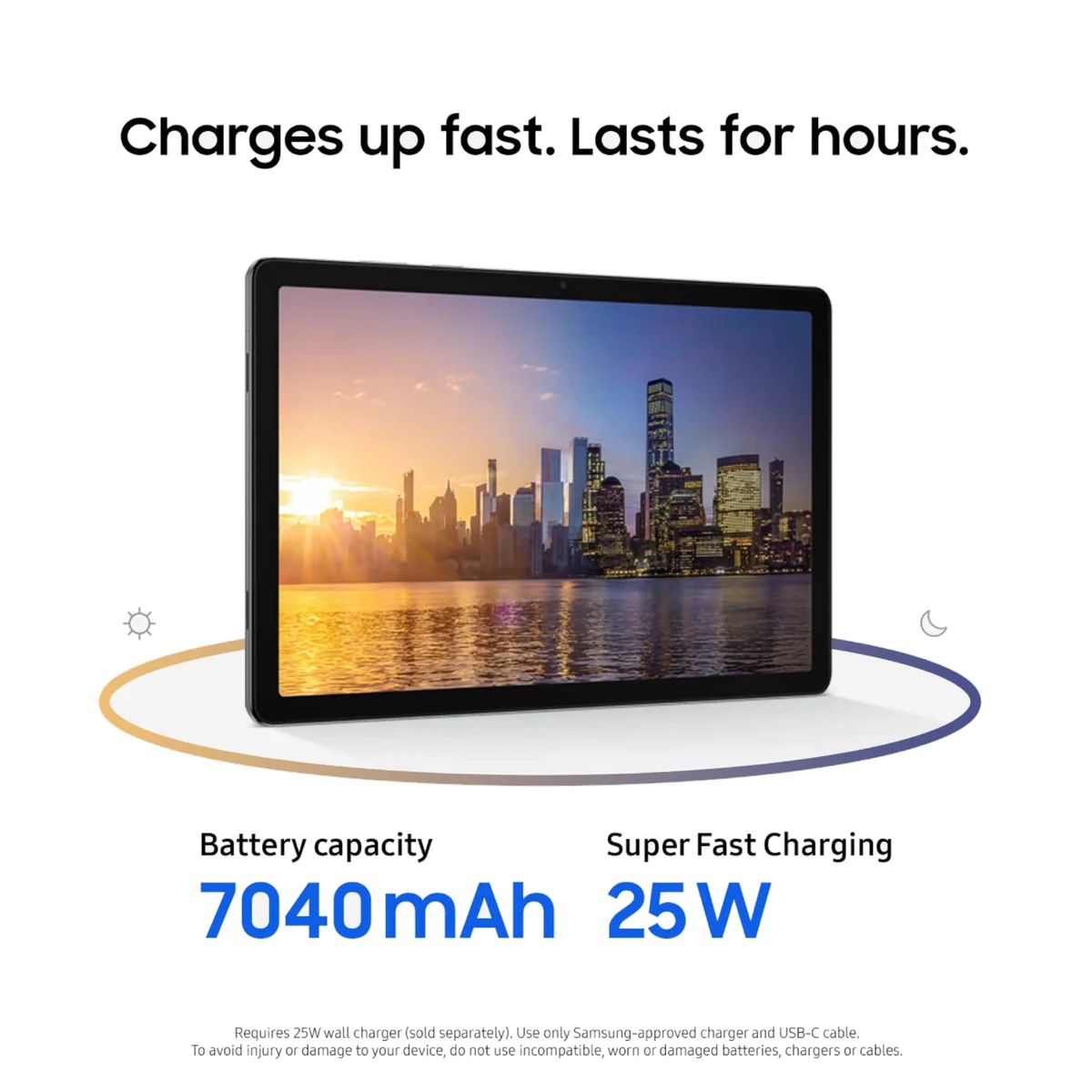
Charging is more consistent. Several reviewers reached full charge in roughly 80 to 95 minutes with suitable 25W equipment, with about 40 percent restored in the first half hour. Samsung includes a USB-C-to-USB-C cable in the normal package but sells the required wall adapter separately, so the advertised charging speed may involve another purchase.
Early owner reports also deserve proportion rather than panic. One Amazon customer experienced repeated Wi-Fi drops across three units and multiple networks, then reported that the problem disappeared after a later software update and remained absent through two weeks of heavy use. That account suggests a genuine early software fault and a possible fix, not proof that every network combination is now trouble-free.
Frequently Asked Questions
Is the Galaxy Tab A11+ good for everyday use?
Yes, its 6GB of memory and upgraded processor handle browsing, streaming, email, casual games and light document work smoothly enough for a budget tablet.
Does this Galaxy Tab A11+ accept a SIM card?
No, B0FVXMHHRP is the Wi-Fi-only 6GB/128GB model, while cellular service requires a separate 5G version.
Does the Galaxy Tab A11+ support the S Pen?
No, it lacks active S Pen support, pressure sensitivity and palm rejection, although a generic capacitive stylus can imitate finger input.
Can the tablet connect to a monitor with USB-C to HDMI?
No, its USB-C port does not provide wired video output, although compatible wireless casting may be possible with added latency.
How much of the 128GB storage is available?
Consumer Reports measured about 102.4GB as user-available, and the microSD slot can add file storage for media and documents.
Is a 25W charger included?
No, the standard package normally contains a USB-C-to-USB-C cable but not the separately sold 25W wall adapter.
Is it suitable for children?
Yes, the full Play Store, manageable parental controls, expandable storage and sturdy build make it a strong family tablet when paired with a protective case and screen protector.
Is it a good tablet for gaming?
It is good for casual and lighter games, but demanding titles require reduced settings and make it a poor choice for high frame rates or heavy emulation.
Sources (8)
- Amazon listings and customer reviews — Samsung Galaxy Tab A11
- Owner and reviewer video, 3 channels
- Androidauthority — Article — www.androidauthority.com
- Techadvisor — Article — www.techadvisor.com
- Consumerreports — Article — www.consumerreports.org
- Pocket Lint — Article — www.pocket-lint.com
- Techradar — Article — global.techradar.com
- Tweakers — Article — tweakers.net