MacBook Pro 14 M5 vs “M4 Pro”: the renewed bargain is not the chip its name suggests
Choose the new 14-inch M5 only when you need its display, ports and 1TB storage now; otherwise wait, and do not buy the renewed M4 expecting M4 Pro performance.
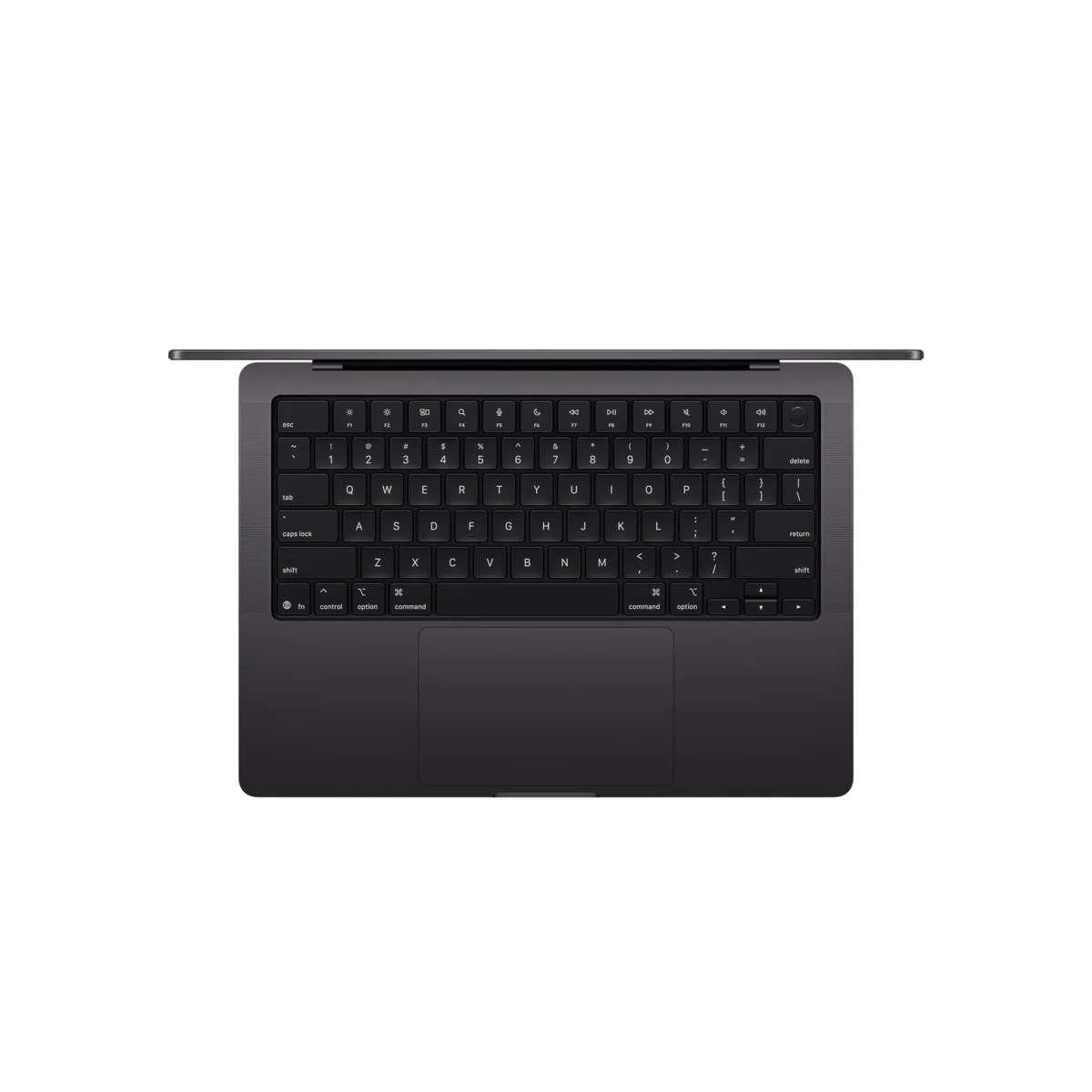
Apple MacBook Pro 14-inch M5
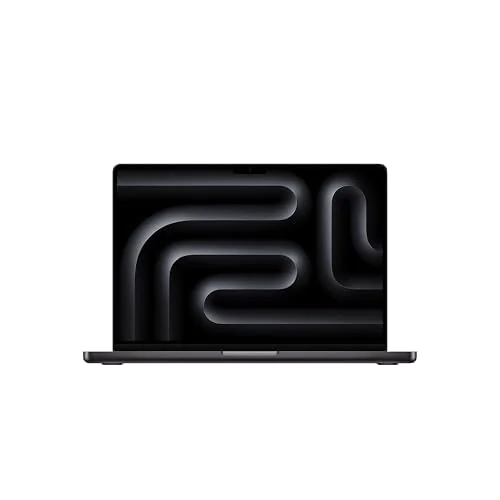
Apple 2024 MacBook Pro with
The most important finding in this comparison is printed in the smaller words. Apple’s 2025 machine has the standard M5 with a 10-core CPU and 10-core GPU, while the renewed 2024 listing also has the standard 10-core CPU and 10-core GPU version of the M4. The latter is a MacBook Pro containing an M4 chip, not a MacBook Pro containing an M4 Pro chip. Those names describe materially different levels of performance, memory bandwidth and connectivity.
That correction settles half the buying decision. A genuine M4 Pro can outperform the base M5 when a job spreads across many CPU or GPU cores, even though the newer M5 is stronger in single-core work and brings newer GPU and local-AI acceleration. The renewed product on this page does not give you those extra M4 Pro resources. A customer calling it an “M4 Pro” does not change the hardware identified by the listing.
Between the two products actually for sale here, the M5 is the better computer and the less ambiguous transaction. It doubles the listed internal storage to 1TB, keeps the superb 14.2-inch XDR display and useful creative ports, and arrives as a new Apple product with a stated one-year limited warranty. Its drawback is not hidden: 16GB of unified memory is permanently fixed, and the standard M5 remains an awkward purchase for work substantial enough to need a Pro laptop but heavy enough to outgrow that capacity.
The renewed M4 is the value gamble. Its underlying laptop remains fast, polished and entirely credible for study, writing, software development, photography and moderate video editing. Yet the listing promises only more than 80% of original battery capacity, allows non-original accessories and generic packaging, and does not make the machine Apple Certified Refurbished. A discount has to compensate for all of that uncertainty, not merely for an older year on the specification sheet.
Buy the M5 when work cannot wait
It makes sense for an Intel Mac or aging base-M-series owner who needs the XDR screen, HDMI, SDXC, active cooling and long battery life immediately, provided 16GB has been checked against the real workload rather than assumed sufficient.
Walk away when the labels are doing the selling
Skip both if ordinary work would be just as comfortable on a MacBook Air, if serious production work calls for more memory or a true Pro-tier chip, or if the renewed saving is too small to justify battery and accessory uncertainty.
At a Glance
| Feature | Editor's Pick Apple MacBook Pro 14-inch M5 | Apple 2024 MacBook Pro with |
|---|---|---|
| Price Range | — | $1,500–$3,000 |
| Finish | Space Black | — |
| Screen size | 14.2" | 14" |
| Check Price on Amazon | Check Price on Amazon |
First compare the machines that actually exist
Both laptops use the same mature 14-inch MacBook Pro design. Each gives you a high-resolution mini-LED display with adaptive refresh up to 120Hz, a rigid aluminum chassis, a large haptic trackpad, six-speaker audio, HDMI, SDXC, MagSafe, a headphone jack and three Thunderbolt 4 ports. Neither offers touch input, Face ID, replaceable memory or replaceable internal storage.
The shared body makes the processors and configurations easy to overemphasize in one direction and underemphasize in another. The M5 is meaningfully faster than the base M4, particularly in graphics and compatible local-AI workloads, but it does not turn browsing, documents or video calls into a different class of experience. Conversely, the base M4 is not obsolete merely because a higher numeral exists. It remains a quick machine whose screen, input hardware and speakers can matter more than a benchmark during an ordinary day.
| Decision point | 14-inch M5 | Renewed 14-inch M4 | What it means |
|---|---|---|---|
| Chip tier | Standard M5, 10-core CPU and 10-core GPU | Standard M4, 10-core CPU and 10-core GPU | Neither product is an M4 Pro or M5 Pro workstation configuration |
| Unified memory | 16GB, fixed | 16GB, fixed | Both require an honest capacity decision before purchase |
| Internal storage | 1TB, fixed | 512GB, fixed | The M5 carries more active projects without leaning on external storage |
| Condition | New listing | Amazon Renewed | The M4’s delivered cosmetic, battery and accessory condition can vary |
| Battery commitment | New-product battery | More than 80% capacity relative to new | A compliant renewed unit can still have substantially less endurance |
| Accessories | Retail package varies by market | Compatible accessories that need not be original | The renewed charger and cable require inspection and testing |
| Stated remedy | Apple one-year limited warranty | Replacement or refund eligibility within 90 days | The renewed remedy is not the same promise as new-product Apple coverage |
The M5 wins responsiveness, graphics and storage
Independent testing places the standard M5 ahead of the base M4 in single-core, multicore and broad GPU benchmarks. The CPU gains are evolutionary, while the graphics gains are more substantial. Each M5 GPU core includes a Neural Accelerator, and the platform’s higher memory bandwidth helps compatible rendering, image and local-inference workloads.
That advantage needs a workload attached to it. A photographer applying demanding edits, a developer compiling frequently or a creator using software optimized for the newer GPU can recover real time. Someone writing papers, keeping a large browser session open and joining calls will mainly notice that both are fast. Cloud-hosted AI services also do their central computation elsewhere, so the M5’s on-device acceleration is not a reason to replace an already satisfactory M4.
The M5 listing’s 1TB SSD is the more universal advantage. It leaves appreciably more room for photo libraries, audio projects, application assets, local development environments and working video files. External storage can rescue the M4’s 512GB capacity, but carrying another drive is not equivalent to having the space inside the laptop, and neither machine permits a later internal upgrade.
A true M4 Pro changes the answer
If the intended comparison was standard M5 against an actual M4 Pro, the older Pro-tier chip deserves serious consideration for sustained production work. Its additional CPU and GPU resources can outrun the base M5 in multicore processing and graphics, and Pro-tier configurations may provide the broader memory and external-display options that workstation buyers need. The base M5 can still lead in lightly threaded work and newer specialized acceleration, so “newer” and “faster” are not interchangeable claims.
That is also why Specs & Screens would not treat this renewed base M4 as a substitute for a genuine M4 Pro deal. Buyers who need the higher tier should compare exact chip names, CPU and GPU core counts, unified-memory capacity and storage rather than relying on “MacBook Pro” in the title. Our broader M5 versus M5 Pro MacBook comparison explains what crossing into the Pro chip tier changes.
The shared display is better than either processor argument
The 14.2-inch Liquid Retina XDR panel is the strongest reason to choose either laptop over an Air. Its 3024 × 1964 resolution makes text and detailed images exceptionally sharp, mini-LED backlighting provides powerful HDR highlights and deep blacks, and ProMotion makes scrolling and interface motion look smoother than a conventional 60Hz screen.
It is not an OLED panel and should not be described as one. Mini-LED zones can produce blooming around bright objects on dark backgrounds, while measured pixel response is slow enough for ghosting to remain visible despite the 120Hz refresh ceiling. The screen is excellent for editing, productivity and media, but its refresh specification does not make the MacBook Pro a competitive-gaming display.
The rest of the chassis is similarly accomplished and similarly familiar. The trackpad is precise, the speakers are unusually full for a compact computer, and the port selection can eliminate a desk full of dongles. The trade is weight: a 14-inch Pro is still portable, but an Air is easier to carry when HDMI, SDXC, active cooling and the XDR panel would sit unused. Buyers still uncertain about the product class should compare the MacBook Air and MacBook Pro before choosing a processor generation.
Sixteen gigabytes is the limit both machines share
The processor debate becomes secondary if the intended workload cannot fit comfortably into 16GB. That capacity is sensible for office applications, research, large browser sessions, general coding, photo editing and moderate music or video projects. It becomes risky for several virtual machines, large container stacks, ambitious local models, huge sample libraries, complex multicamera timelines and high-resolution 3D scenes.
Unified memory is efficient, but efficiency does not create capacity. When active data exceeds available memory, macOS must compress it or swap it to storage, and no software optimization can turn the soldered 16GB into 24GB later. Anyone already seeing persistent yellow memory pressure under a normal heavy workload should reject both exact configurations rather than buying the M5 and hoping the newer chip solves a capacity problem.
Check the workload before choosing the generation
Run the heaviest ordinary hour on the current Mac, open Activity Monitor and inspect memory pressure and swap use; if the machine is already constrained, use our guide to choosing 16GB or 24GB in a MacBook before spending money on either fixed configuration.
The renewed M4 must win by more than being cheaper
A fresh M4 MacBook Pro can deliver exceptional endurance, with independent controlled tests reaching roughly eighteen and a half hours. That result describes new test hardware, not an unknown renewed unit. Amazon’s threshold allows the delivered battery to sit only slightly above 80% of its original capacity, which can remove a meaningful portion of the runtime that makes this laptop appealing.
The retained customer reports are reassuring but not conclusive. Buyers often described machines that looked pristine or effectively new, and one reported that the advertised specifications matched. Smaller problems still appeared: one supplied MagSafe cable was faulty, while another buyer found that the P key felt unusual even though it functioned. That pattern captures the renewed proposition neatly. The expensive core product may be excellent while a battery, accessory, key or cosmetic detail turns the apparent shortcut into an inspection project.
The renewed M4 therefore needs a substantial value advantage over both a comparable new machine and any Apple Certified Refurbished option a buyer is considering. No fixed percentage can settle that because battery health, accessory quality and warranty status vary, while prices change. The correct test is personal: would the saving still feel worthwhile if the battery arrived near the permitted floor and the charger were compatible rather than original?
If the answer is no, choose the new M5 or wait. If the answer is yes, verify the serial number, exact M4 chip, 16GB memory, 512GB storage, battery maximum capacity, cycle count and coverage status as soon as the unit arrives. Then inspect the display closely, test every key and port, confirm Touch ID, run Apple Diagnostics, check for Activation Lock or remote management, and charge through both MagSafe and USB-C before trusting the machine.
| Your situation | Best route | Why |
|---|---|---|
| Current computer is blocking paid or time-sensitive work | New M5 | It provides the stronger base chip, 1TB storage and fewer condition unknowns |
| Moderate work, carefully verified renewed saving | Renewed M4 | The base M4 remains capable if the delivered unit passes inspection |
| Rendering, large local models or heavy parallel production | Neither exact listing | A true Pro-tier chip and more memory fit the workload better |
| Office, study and web use without Pro hardware needs | Neither exact listing | A MacBook Air avoids paying for cooling, ports and display capability that may go unused |
| Recent M3 or M4 owner without a measured bottleneck | Keep the current Mac | The M5 brings speed rather than a transformative everyday change |
| Optional purchase with no urgent workload | Wait | Neither novelty nor a renewed label creates a reason to replace a satisfactory computer |
The two listings, judged on their honest terms
The M5 earns first place because it is faster, carries twice the internal storage and removes most of the renewed-condition uncertainty. That does not make it a default recommendation. Its fixed 16GB capacity leaves little margin for buyers whose interpretation of “Pro” includes memory-heavy work, while anyone with simpler needs may be better served by one of the best MacBooks selected for a broader range of budgets and workloads.
Choose the new M5 for a compact Pro workstation needed today.
The standard M5, 1TB SSD, superb XDR display and full creative port selection make this the stronger and safer of the two exact purchases.
Its soldered 16GB memory can become the permanent ceiling on an otherwise long-lived professional laptop.
The renewed M4 belongs second because its appeal depends on a condition the specification table cannot guarantee: the saving must be large enough to make battery wear, non-original accessories and close inspection acceptable. Buyers prepared for that process can receive an excellent laptop. Buyers who want predictable condition should not pay nearly new-machine money for a promise that stops at more than 80% battery capacity.
Choose the renewed M4 only for a substantial, inspection-worthy saving.
The base M4, 16GB memory and excellent 14-inch Pro hardware remain a strong combination for moderate professional and academic work.
The delivered battery may sit near 80% capacity, the accessories need not be original and the listing is not Apple Certified Refurbished.
The final call
Specs & Screens would buy the new M5 only for an immediate workload that clearly benefits from the XDR display, ports, active cooling and 1TB storage, after proving that 16GB is enough for the intended ownership period. We would buy the renewed M4 only when its value remains convincing under the least flattering compliant outcome: noticeable battery wear, compatible accessories and an afternoon spent checking everything.
Most other buyers should wait or choose a different MacBook configuration. The M5 is an excellent laptop trapped between lighter Air models and stronger Pro-tier chips, while the renewed M4 is a good computer wrapped in a conditional transaction. Most importantly, anyone specifically shopping for M4 Pro performance should reject the premise of this listing and find a machine whose chip is actually identified as M4 Pro.
Frequently Asked Questions
Is the renewed 14-inch model actually an M4 Pro?
No, the supplied listing identifies a standard M4 with a 10-core CPU and 10-core GPU rather than Apple’s higher-tier M4 Pro chip.
Is the base M5 faster than a genuine M4 Pro?
The M5 can lead in single-core and newer specialized workloads, while a genuine M4 Pro can be much faster in sustained multicore and GPU work.
Is the M5 worth choosing over this renewed M4?
Yes for buyers who need stronger performance, 1TB storage and new-product certainty, but not for recent-Mac owners whose current computer already handles their work.
Is 16GB enough for either MacBook Pro?
Sixteen gigabytes suits mainstream productivity and moderate creative or development work, but heavy virtual machines, local AI, complex video and long ownership make more memory safer.
Can memory or storage be upgraded later?
No, both listings have soldered unified memory and internal storage that must be chosen for the machine’s entire useful life.
What does the renewed battery promise mean?
It means the battery should exceed 80% of its original capacity, not that it will provide the endurance or health of a new unit.
Does Amazon Renewed mean Apple Certified Refurbished?
No, the listing explicitly says the product is not Apple certified and allows compatible non-original accessories.
Which model is better for gaming?
The M5 has the stronger GPU for supported games, but macOS compatibility and uneven optimization make neither the best choice for a dedicated gamer.
Should a recent M4 MacBook Pro owner upgrade to the M5?
Most M4 owners should keep their current Mac unless a measured graphics, local-AI or storage bottleneck is costing meaningful time.
Which one should an Intel Mac owner choose?
An Intel Mac owner who needs Pro hardware should favor the new M5 unless the renewed M4 offers a compelling saving and passes a thorough inspection.