The 14-inch M5 MacBook Pro is excellent, but buying it now is hard to defend
Wait if you can, but buy the 16GB/1TB M5 model if you urgently need a compact Mac with a superb display, full-size creative ports and enough performance for moderate professional work.
Based on published owner reports, 2 owner discussions and 8 other sources. We have not tested this machine ourselves.
We earn a commission if you buy through our links, which does not affect what we say.
Read how this site works →
A great laptop is not automatically a good purchase
The 14-inch M5 MacBook Pro deserves admiration for the parts a buyer touches every hour: it is quick, quiet in normal work, long-lived on a charge, compact without feeling cramped and equipped with a display, trackpad and speakers that make lesser laptops feel unfinished. For an Intel or older base-M-series owner whose work needs those qualities today, this exact 1TB model can be a sound professional tool.
It is not the default MacBook for everyone. Air buyers would be paying for cooling, ports and display capability they may not use, while genuine workstation buyers risk discovering that 16GB and the standard chip were the wrong places to stop. M3 and M4 owners receive speed, not transformation.
Our final advice is to wait when the purchase is optional, both because pricing moved sharply after launch and because a near-term refresh was considered possible in the supplied late-August 2026 guidance. If the need is immediate, buy only after proving that 16GB covers the next several years of your workload. The M5 MacBook Pro is too good to dismiss and too compromised at this configuration to buy on faith.
This is a lovely computer caught in a bad buying argument. The base M5 is fast, efficient and dramatically more capable than the word “base” suggests; the 14.2-inch mini-LED display, six-speaker audio, precise trackpad and sturdy aluminum body remain among the strongest combinations in any portable laptop. It can be the right one-machine studio for a photographer, designer, developer, DJ or student who needs macOS and genuinely uses the Pro hardware.
The difficulty is deciding who should pay for this exact configuration. Its 16GB of unified memory and 1TB SSD are permanently fixed, the standard M5 remains below Pro-tier chips in sustained parallel work, and much of the chassis dates to 2021. A MacBook Air covers ordinary office, study and web use with less weight, while an M4 Pro or M5 Pro configuration makes more sense once rendering, large local models, complex timelines or many containers become daily work.
Timing makes that squeeze worse. Apple raised the range’s pricing after launch, so early reviews praising the original entry price no longer describe the same value proposition, while late-August 2026 buying guidance says another base-model refresh could arrive before the end of the year. That prospective refresh is a rumor rather than a promised product, but it is enough reason to wait when your current computer still does its job.
Buy it when the Pro hardware earns its keep
The best case is a mobile workflow that benefits from the bright, accurate display, SDXC slot, HDMI output, active cooling, long battery life and excellent speakers without needing more than 16GB. It is also a persuasive upgrade from an Intel Mac or an aging base M1 system when waiting would cost time or billable work.
Walk away when “Pro” really means heavy
Skip this configuration for CUDA-dependent AI, dedicated gaming, large virtual-machine stacks, ambitious local language models, sustained 3D rendering or any workflow already pressing against 16GB. M3 and M4 owners should also stay put unless they can name a specific GPU, AI or storage bottleneck that the M5 resolves.
Specs & Screens would not buy it merely because it is the newest 14-inch MacBook Pro. We would buy it because a particular workflow needs its screen, ports and endurance today, after confirming that 16GB is enough for the intended ownership period. If that sentence sounds more demanding than your actual work, start with our guide to the best MacBooks or compare the MacBook Air and MacBook Pro before paying for capacity you may never use.
Key Specifications
The screen and everyday hardware make the strongest case
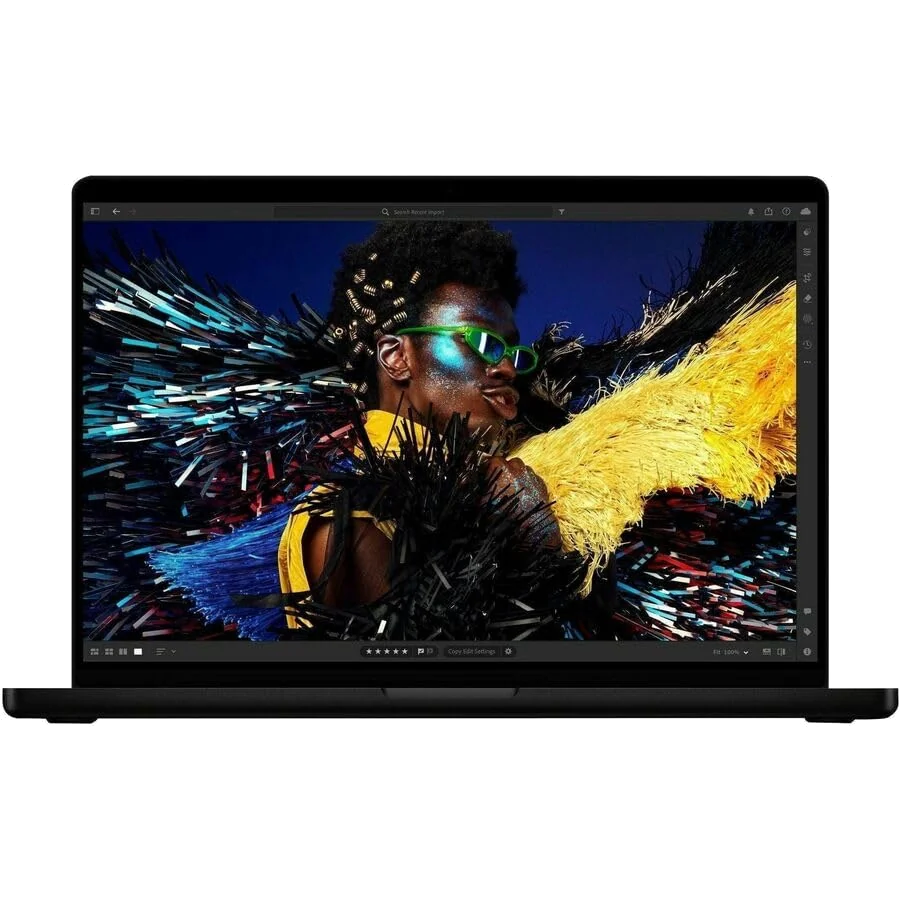
The 14.2-inch display combines a 3024 × 1964 resolution with mini-LED backlighting, wide color coverage and adaptive refresh up to 120Hz. It is bright, sharp and highly accurate, with excellent HDR highlights and deep blacks. Typical full-screen SDR measurements are well below the headline 1,600-nit figure because that number describes HDR peaks, while the advertised 1,000-nit SDR behavior depends on bright ambient conditions.
Mini-LED is not OLED. Bright objects can bloom against dark backgrounds, black levels do not quite reach OLED’s precision, and there is no touchscreen. Notebookcheck also detected constant 14.9kHz pulse-width modulation; the frequency is high enough that most people should not notice, but flicker-sensitive buyers should know it exists. The notch remains visible in the menu bar, too, although it rarely costs meaningful workspace.
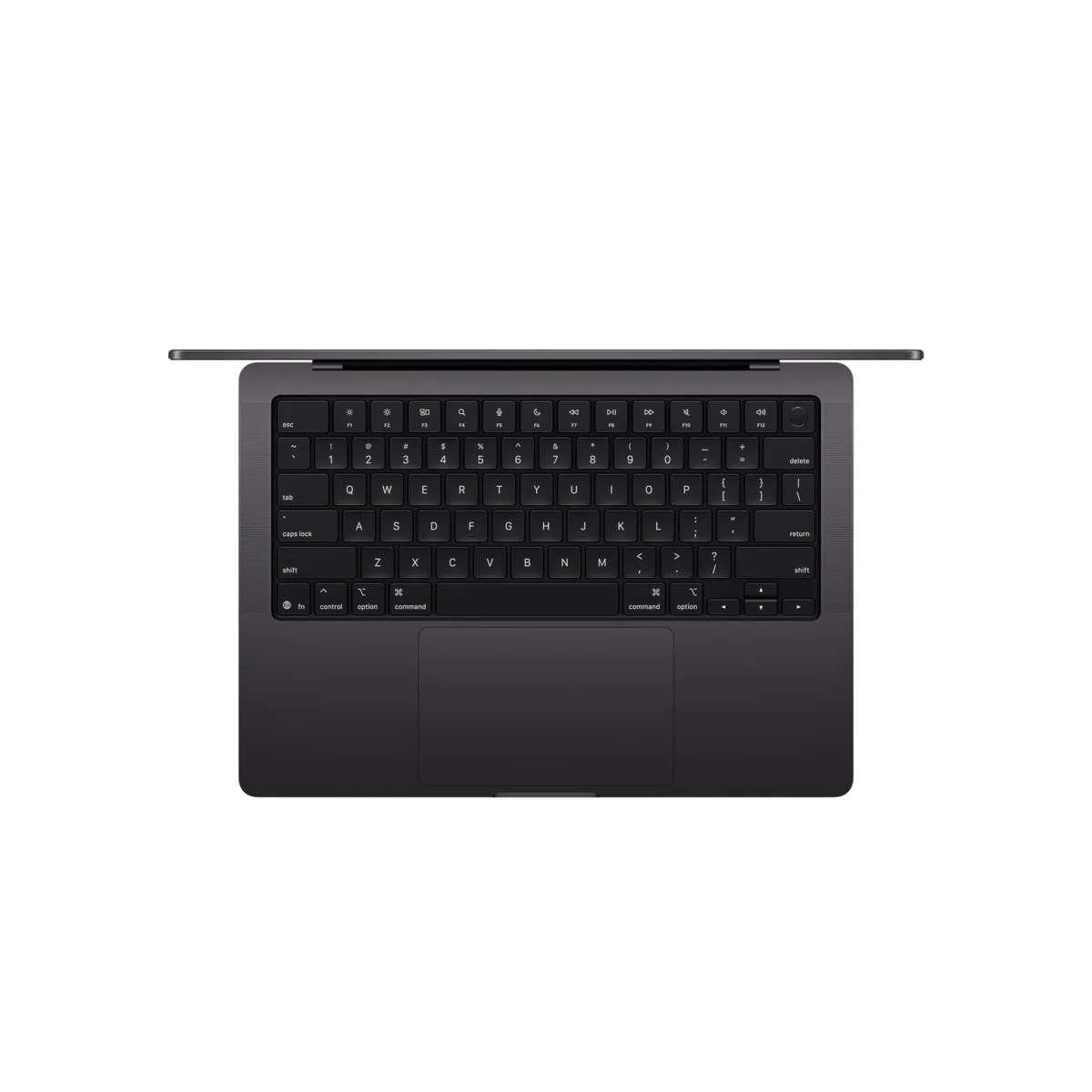
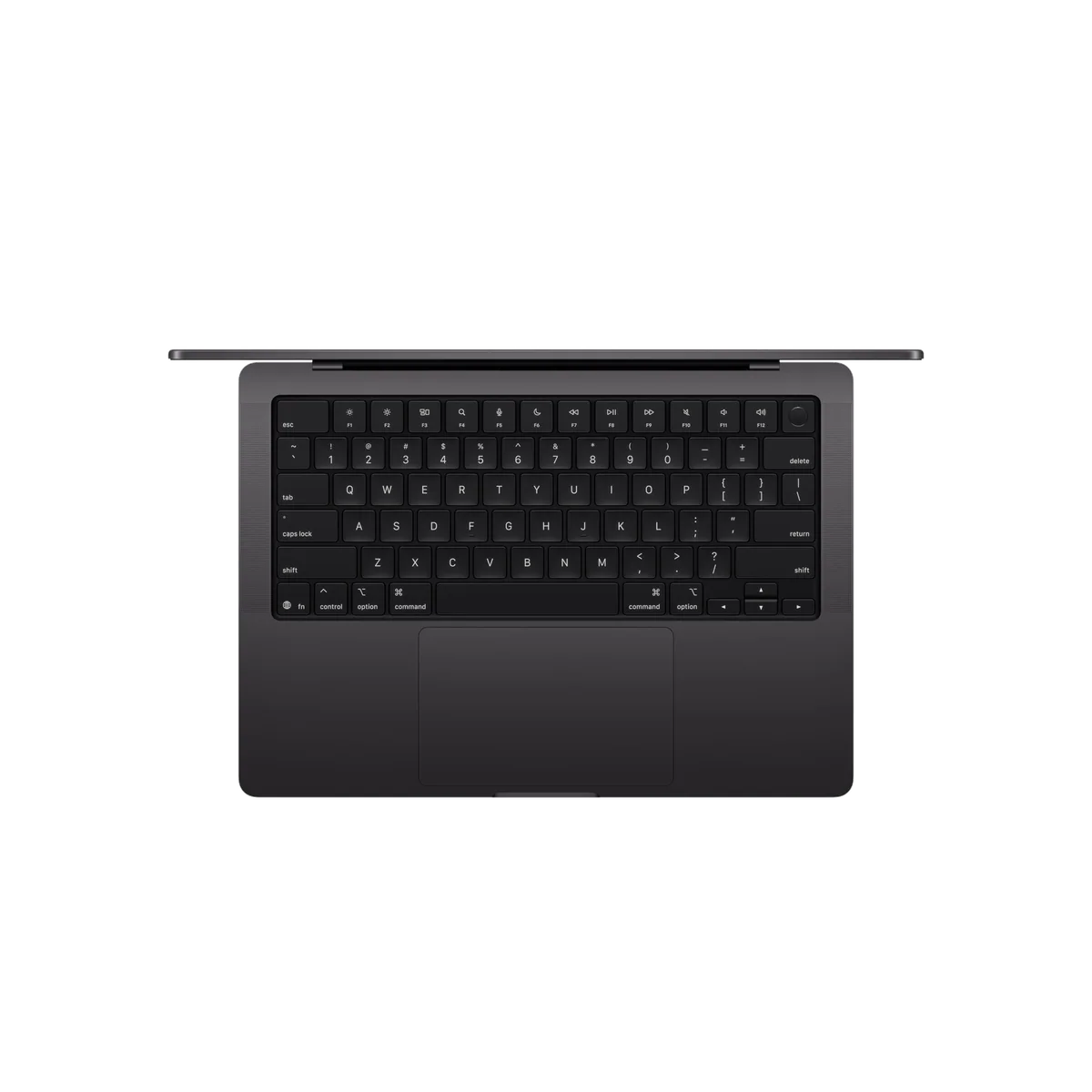
Around that screen sits familiar but excellent hardware. The chassis is rigid, the glass Force Touch trackpad clicks consistently across its surface, and the keyboard is responsive, though its short travel may tire heavy typists. The six-speaker system is unusually full and powerful for a compact laptop, while the 12MP Center Stage camera and three-microphone array are strong enough for serious calls and emergency voice recording.
There is still no Face ID and no physical camera shutter. Space Black looks understated when clean but collects fingerprints readily, so the finish demands more attention than its name suggests.
A useful port selection with aging standards underneath
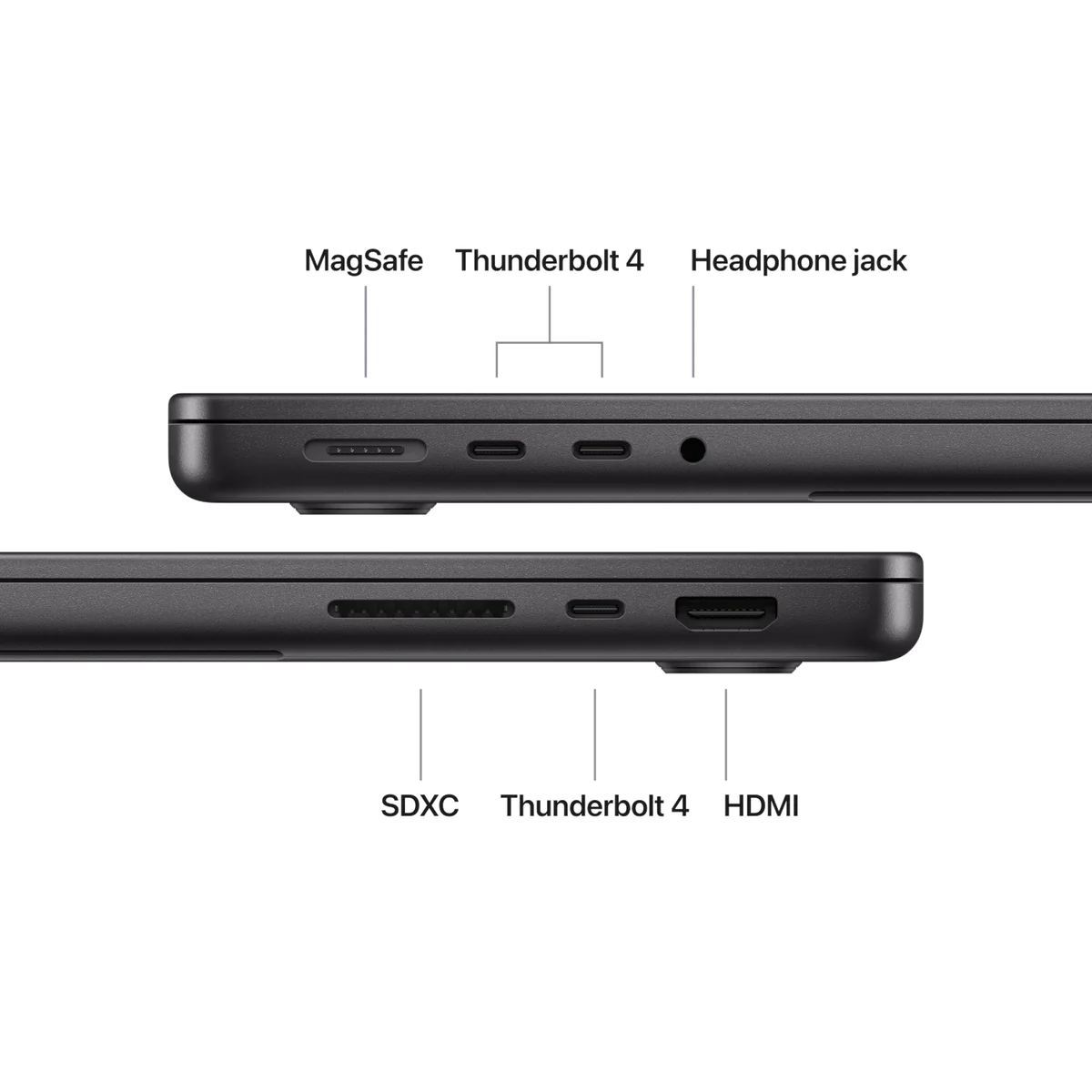
MagSafe 3, three Thunderbolt 4 ports, HDMI 2.1, an SDXC slot and a headphone jack cover many creative desks without a hub. The laptop can drive two external displays, and any Thunderbolt port can handle charging or DisplayPort output. That practical selection is one of the clearest reasons to choose it over an Air.
The standards are less forward-looking than the physical selection. Thunderbolt remains at 40Gbps rather than moving to Thunderbolt 5, networking is Wi-Fi 6E with Bluetooth 5.3, and there is no USB-A or Ethernet. Tested Wi-Fi 6E performance was fast, so the objection is longevity and premium positioning rather than a claim that today’s connection crawls.
The two-display ceiling also separates this base model from larger workstation configurations. A photographer docking one editing monitor and one secondary screen is covered; a trader, developer or editor expecting three or four external panels is not.
Strengths & Limitations
Strengths
- The base M5 delivers exceptional everyday responsiveness with meaningful CPU, GPU and local-AI gains over the base M4.
- The bright, accurate 120Hz mini-LED display is superb for photography, design, HDR video and long working days.
- Battery life comfortably covers normal all-day use without requiring reduced performance in standard battery mode.
- HDMI, SDXC, MagSafe and three Thunderbolt ports make the compact chassis unusually practical at a creative desk.
- The rigid build, precise trackpad, excellent speakers and strong camera form an unusually complete everyday package.
- The 1TB SSD is both sensibly sized for active projects and substantially faster than comparable base M4 storage.
Limitations
- The exact configuration’s 16GB memory and 1TB storage are soldered and cannot grow with a heavier future workload.
- The standard M5 occupies an awkward middle ground between cheaper Air models and faster Pro-tier configurations.
- The single fan can become loud under maximum combined load, and prolonged heavy work can make the underside hot.
- The mini-LED panel can bloom, responds slowly in fast motion and offers neither OLED blacks nor touch input.
- Thunderbolt 4, Wi-Fi 6E, Bluetooth 5.3 and support for only two external displays feel dated at this tier.
- Space Black attracts fingerprints, while the persistent notch, absent Face ID and missing camera shutter remain needless irritations.
- Gaming compatibility, ray-tracing performance and CUDA-dependent AI support remain decisive reasons to choose Windows.
- Internal repairability is extremely poor, and the standard warranty lasts only one year.


Fast where most work feels slow
The M5’s most dependable advantage is responsiveness. Independent results put its single-core improvement over the base M4 at roughly 10 to 15 percent, while multicore gains commonly land around 18 to 19 percent. Those are not revolutionary numbers, but they improve the interactions that shape a working day: opening applications, compiling code, applying edits, exporting media and moving between busy projects.
The GPU makes the more interesting leap. Tests found gains of roughly 25 to 33 percent over the base M4 in broad graphics benchmarks, with larger improvements in selected ray-tracing, rendering and AI workloads. Each GPU core now carries a Neural Accelerator, and memory bandwidth rises to 153GB/s, so local tools written to exploit that architecture can advance much more than a conventional CPU benchmark suggests.
“Built for AI” still needs translation. It means faster on-device work in compatible applications, including local inference, image generation, video masking and enhancement. It does not make a browser session with a cloud-hosted chatbot intrinsically faster, and it does not overturn Nvidia’s CUDA advantage for many training and engineering workflows. One independent test found the M5 considerably faster than an older M2 MacBook Air for a small local text-and-image task, yet an RTX 4070 Windows laptop completed the same work in roughly half the M5’s time.
Apple Intelligence is therefore a weak reason to buy by itself. The hardware acceleration is real, but the return depends on the applications you run locally, the size of the models involved and whether they fit in 16GB. If most of your AI use happens in a web browser, spend the decision on memory, display and ports instead.
It can play demanding games, but it is not a gaming laptop
Supported native titles can run surprisingly well. Independent testing placed several demanding games around the 40-to-60fps range at sensible 1080p-class settings, while Cyberpunk 2077 approached or exceeded 30fps at demanding presets when upscaling was used. That is a meaningful improvement over the base M4 and enough for occasional play.
The caveats are decisive. Ray tracing can crush performance on the 10-core GPU, aggressive scaling can make the picture visibly worse, macOS still offers a smaller game library, and Apple-silicon optimization varies by title. The display’s 120Hz refresh makes scrolling fluid, but its pixel response is slower than the number implies, so fast motion can show ghosting. Anyone buying primarily for games should choose a Windows gaming system instead.
Quiet until the single fan has nowhere left to hide
Normal work should be nearly silent, and performance remains strong on battery without an automatic plugged-in advantage. Under gaming and ordinary creative loads, measured fan noise remained restrained. Maximum combined stress is different: the single-fan cooling system reached 48dBA in one laboratory test, while sustained power settled after an initial burst.
The same distinction applies to heat. Browsing and routine productivity are not the problem; games, prolonged rendering and heavy local inference can make the underside uncomfortable on a lap, with measured exterior temperatures around 45°C at the hottest points. Buyers who expect hours of continuous full-load work should treat that as evidence for a higher-tier machine with more cooling, not as a reason to distrust every quiet hour on the base model.
The configuration decision matters more than the M5 badge
The reviewed listing is Apple model MDE14LL/A: a late-2025 Space Black machine with the standard 10-core CPU and 10-core GPU, 16GB of unified memory and a 1TB SSD. It is not an M5 Pro or M5 Max. That distinction matters because the shared MacBook Pro name hides meaningful differences in core counts, memory bandwidth, cooling, connectivity and external-display support.
One terabyte is a sensible internal capacity for photo libraries, audio projects and active video work, and independent testing found this generation’s 1TB drive substantially faster than the comparable M4-era storage. The SSD is not the concern here. Memory is. Both components are soldered, so the machine you order is the machine you keep; there is no inexpensive upgrade two years after purchase and almost nothing inside is realistically owner-serviceable.
Choose 16GB by workload, not optimism
Sixteen gigabytes is enough for office applications, large browser sessions, coding without an extreme container stack, photo editing and moderate creative projects. It becomes a poor long-term bet when several virtual machines, large sample libraries, complex multicamera timelines, high-resolution 3D scenes or local AI models must coexist. Apple’s unified-memory efficiency does not make capacity limits disappear.
If you are uncertain, open Activity Monitor on your current Mac during the heaviest normal working hour and inspect memory pressure and swap use. A current machine already living in yellow memory pressure is not evidence that 16GB will somehow become generous in its replacement. Our separate guide to choosing 16GB or 24GB in a MacBook explains the trade more fully.
| Route | Best fit | Reason to reject it |
|---|---|---|
| MacBook Air | Office work, study, travel and light creative use | You need the XDR display, SDXC, HDMI or active cooling |
| M5 Pro 16GB/1TB | Portable creative and development work that fits comfortably in 16GB | Your workload is ordinary enough for an Air or large enough to need more memory |
| Older Pro-tier chip | Discounted machines offering more cores or memory for sustained work | You prioritize the newer M5’s single-core, storage or local-AI improvements |
| M5 Pro or Max | Rendering, larger code builds, more displays and memory-heavy professional work | You would pay for performance and capacity that rarely leave idle |
An older Pro-tier chip can still beat this standard M5 in workloads that spread across many CPU or GPU cores. In one comparison, the M4 Pro scored far higher in both multicore CPU and GPU tests even though the M5 held the newer architecture and stronger single-core result. “M5” therefore does not automatically mean “faster than every M4.”
That leaves a narrow but legitimate value case: you want the compact Pro chassis, your work benefits from its display and ports, 16GB is demonstrably sufficient, and you do not need the sustained throughput or broader connectivity of a higher tier. Once those conditions are true, the product link belongs in the conversation; before they are true, it is merely an expensive shortcut around a decision.
Battery life is excellent; ownership flexibility is not
“All day” survives scrutiny, provided it is not mistaken for one universal number. Controlled independent tests ranged from roughly nine hours under a demanding network-video workload to more than 24 hours in a light local-playback test. Mixed browsing tests commonly landed around 16 to 18 hours, while running the bright display at maximum cut one Wi-Fi result to about five and a half hours.
That spread is more useful than a single heroic figure. Expect a full normal workday with room left over, often substantially more during light writing or video playback; expect games, rendering, local inference and maximum brightness to consume the battery much faster. Some M5 tests were slightly shorter than their M4 equivalents, so this is not evidence of a generational battery-life improvement.
Standard battery mode preserves performance impressively well, but Low Power Mode does not. One test saw large CPU and AI reductions after enabling it, which is a reasonable sacrifice when stretching the final charge but not the mode to use when timing exports.
Fast charging carries an easily missed condition: the 14-inch model needs a 96W USB-C adapter to reach its fastest advertised rate, while the base machine normally pairs with a 70W adapter in markets where one is included. Package contents vary by region, so check the exact retailer’s box rather than assuming every review unit represents yours.
The likely limit is capacity, not build quality
Retained owner reports consistently praise speed, battery life, display quality, speakers and the compact construction. Graphic-design and DJ users describe the base chip as enough for their work, and several buyers moved from older Macs because software support ended rather than because the hardware failed. Those reports are encouraging, but all ten retained reviews were five-star submissions, so they cannot establish a balanced defect rate.
A detailed developer report also describes strong sustained work with Docker, local databases and several IDEs, but that owner used 32GB rather than this listing’s 16GB. It supports the M5 platform’s capability, not the claim that the exact configuration will handle the same stack without memory pressure.
Older M1 Pro owners supply the most sobering longevity lesson: several remained satisfied with performance years later, while memory capacity became the reason to consider upgrading. That pattern argues for buying enough memory now, because the excellent enclosure cannot compensate for a workload that outgrows soldered RAM.
Repairability is the opposing side of Apple’s durable construction. The bottom cover can be removed, but ordinary service is largely limited to cleaning the fan; memory and storage cannot be replaced. The standard one-year limited warranty also feels thin for a machine intended to remain useful for many years.
Frequently Asked Questions
Is 16GB of memory enough in this M5 MacBook Pro?
Sixteen gigabytes is enough for mainstream productivity and moderate creative or development work, but heavy virtual machines, local AI, complex video, large code stacks and long ownership make a higher-memory configuration safer.
Should an M4 MacBook Pro owner upgrade to the M5?
Most M4 owners should skip it unless a measured GPU, local-AI or storage bottleneck is costing them meaningful time.
Is the base M5 faster than an M4 Pro?
The base M5 can lead in single-core work and newer specialized features, while an M4 Pro’s extra cores often win sustained multicore and GPU workloads.
Does the M5 chip make cloud AI services faster?
No, its AI advantage applies primarily to compatible processing performed locally on the Mac rather than computation completed on a remote server.
Can the 14-inch M5 MacBook Pro replace a gaming laptop?
No, supported Mac games can run surprisingly well at sensible settings, but the smaller catalog, uneven optimization and weak demanding ray tracing keep Windows gaming laptops ahead.
How long does its battery last?
Normal mixed use should comfortably cover a workday, while independent results span roughly five and a half hours at punishing display settings to more than 24 hours in controlled light video playback.
Can its memory or SSD be upgraded later?
No, both the unified memory and internal storage are soldered, so capacity must be chosen for the machine’s entire useful life.
How many external displays can the base M5 model run?
The standard M5 model supports up to two external displays, which is fewer than higher-end Max configurations can drive.
Should an Intel Mac owner consider this model?
Yes, an Intel Mac owner who needs the Pro display, ports and sustained performance will experience a much more meaningful upgrade than a recent M3 or M4 owner.
Should a buyer wait for the next MacBook Pro?
Wait if the purchase is optional because late-August 2026 guidance considered another base-model refresh possible before year-end, though Apple had not confirmed that timing in the supplied evidence.
Sources (10)
- Amazon listings and customer reviews — Apple Macbook Pro 14
- Owner reports across r/macbookpro threads
- Owner and reviewer video, 1 channel
- Macrumors — Article — www.macrumors.com
- Rtings — Article — www.rtings.com
- Notebookcheck — Article — www.notebookcheck.net
- Cnet — Article — www.cnet.com
- Expertreviews — Article — www.expertreviews.co.uk
- Tomshardware — Article — www.tomshardware.com
- Pcmag — Article — www.pcmag.com