The 15-inch MacBook Air M5 is the big-screen Mac most people should buy, but its display has fallen behind
Buy the 15-inch MacBook Air M5 if its screen will be your main workspace, but choose the 13-inch Air for frequent travel or a MacBook Pro for sustained heavy work and a genuinely premium display.
Based on published owner reports, 1 owner discussion and 7 other sources. We have not tested this machine ourselves.
We earn a commission if you buy through our links, which does not affect what we say.
Read how this site works →
The final call
The 15-inch MacBook Air M5 deserves to be the default big-screen Mac for people whose work arrives in tabs, documents, code, calls, photos and occasional creative projects. It is fast enough that ordinary use rarely exposes its limits, quiet enough to disappear acoustically and large enough to replace a monitor for many buyers. The 16GB/512GB configuration is the version to start with unless a known workload demands more memory or local storage.
Do not buy it merely because M5 is newer. Keep a healthy M3 or M4 Air unless a specific capability matters. Choose the 13-inch Air if the laptop regularly lives on planes, trains or a sofa. Choose a MacBook Pro if high-refresh HDR, more ports or sustained maximum performance is central to the job. Everyone else can buy this Air with clear eyes: its screen technology is behind the times, but the computer around it is exceptionally well judged.
The 15-inch MacBook Air M5 is an excellent laptop built around one unfashionable idea: a computer can be powerful without being noisy, thick or theatrical. It gives spreadsheets room to breathe, keeps document windows side by side, handles ordinary creative work without drama and remains silent because there is no fan. The exact Midnight configuration here also starts with 16GB of unified memory and a 512GB SSD, which is finally a sensible baseline rather than an invitation to begin upgrading before checkout.
It is not an automatic purchase. The 15.3-inch display is sharp, bright and colorful, yet it still refreshes at 60Hz and uses conventional IPS technology. Its blacks look gray beside OLED or Mini-LED, its motion is less fluid than a MacBook Pro’s, and Apple gives you only two Thunderbolt ports, both on the left. Memory and storage are soldered, so a mistaken configuration cannot be repaired with an afternoon upgrade.
Those drawbacks change who should buy it, not whether it is good. For browser work, Office, study, coding, photo editing, moderate video production and general multitasking, the Air is more computer than most people will exhaust. For recurring hour-long renders, large local AI models, complex 3D work or other jobs that pin the processor and graphics cores continuously, the fanless chassis becomes the wrong tool.
Buy it when the laptop is the workspace
Choose the 15-inch Air when you regularly place research beside a document, keep an IDE and browser visible together, work in wide spreadsheets or edit on a timeline without an external monitor. The larger canvas, six-speaker system and full 10-core GPU configuration make the size upgrade more than cosmetic.
Skip it when portability is the priority
A body can be thin and still occupy too much table. The 15-inch Air weighs about 3.33 pounds and has a broad footprint that suits a desk better than an airplane tray, a crowded café or a lap on the sofa. The 13-inch MacBook Air M5 review covers the more portable version of essentially the same idea.
Key Specifications
A superb working canvas with a stubbornly old ceiling
The 15.3-inch panel has a native resolution of 2,880 × 1,864 at 224 pixels per inch. Independent measurements put peak brightness a little above 500 nits and confirm broad Display P3 coverage. Text is crisp, photographs have convincing color and the effective anti-reflective treatment helps outside in shade, even though this remains a glossy screen.
The contradiction is that this is both a very good display and a dated premium display. Its 60Hz refresh rate makes scrolling and animation look less fluid than on a 120Hz screen. Ordinary IPS contrast cannot produce the deep blacks or high-impact HDR of OLED and Mini-LED rivals. Anyone moving from a basic office laptop may be delighted; anyone accustomed to a recent MacBook Pro, premium tablet or high-refresh monitor will notice what is missing.
Laboratory results disagree slightly about factory calibration. Expert Reviews measured excellent out-of-box accuracy, while Notebookcheck found a visible cool cast that improved after calibration. That is a reason for color-critical professionals to profile their own unit, not evidence that every Air leaves the factory badly tuned. Notebookcheck detected no pulse-width modulation, which is reassuring for readers concerned about flicker, although individual visual sensitivity still varies.
The size earns its keep in real layouts
Two extra diagonal inches sound modest until an application fills them with sidebars, formulas, inspectors or a video timeline. The 15-inch Air is especially persuasive as a sole computer with no permanent monitor. It is less compelling when it spends every workday docked to a large display, because the smaller Air can drive the same desk arrangement while taking less room in a bag.
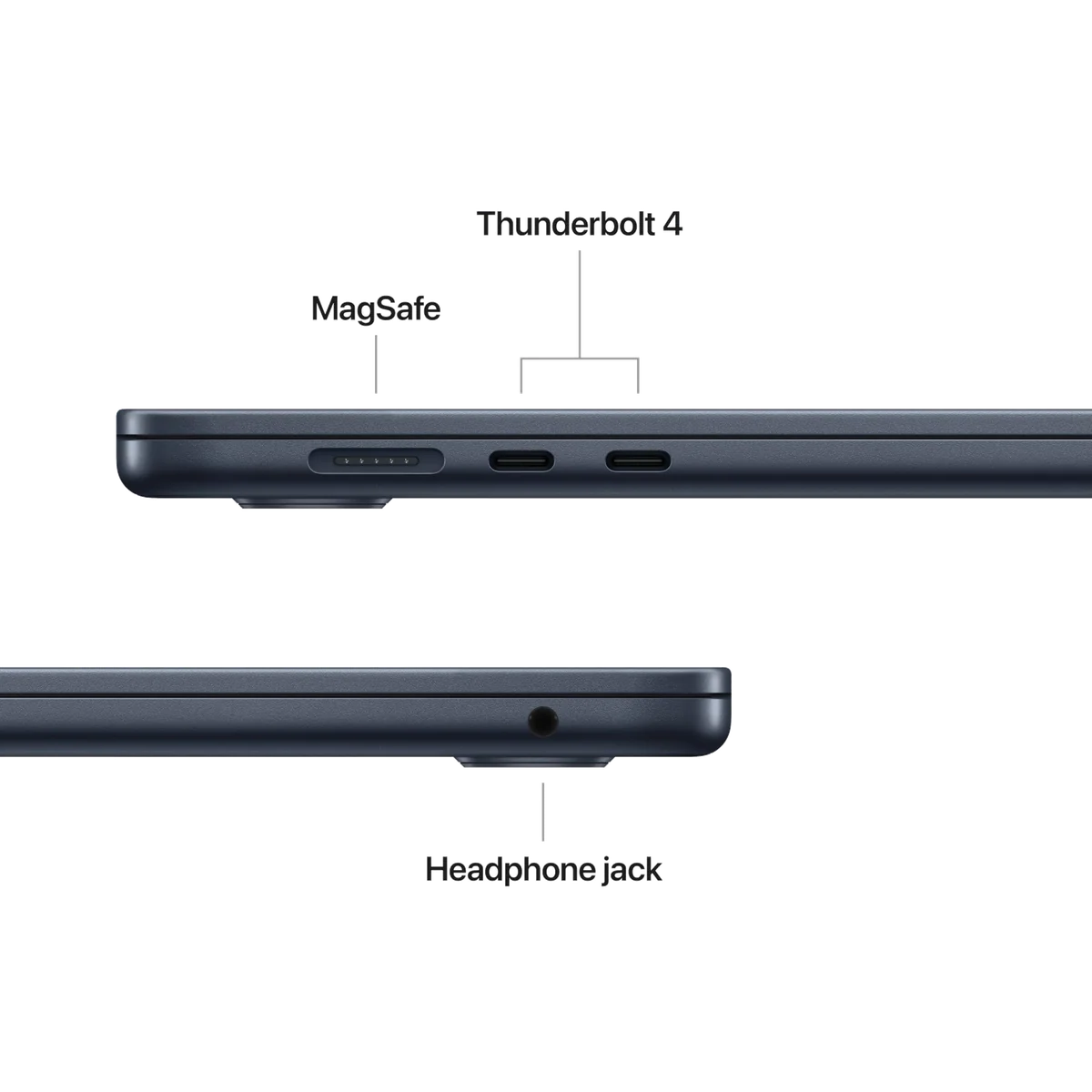
Apple now supports up to two external displays, correcting an important limitation of early Apple-silicon Air models. MagSafe charging leaves both Thunderbolt 4 ports available, and USB-C charging remains an option. The catch is that neither side offers a generous connection set: there is no HDMI, SD-card reader, USB-A or Ethernet, and both USB-C sockets sit together on the left. A dock is not mandatory, but many desk setups will eventually want one.
The keyboard, trackpad and speakers are quiet strengths
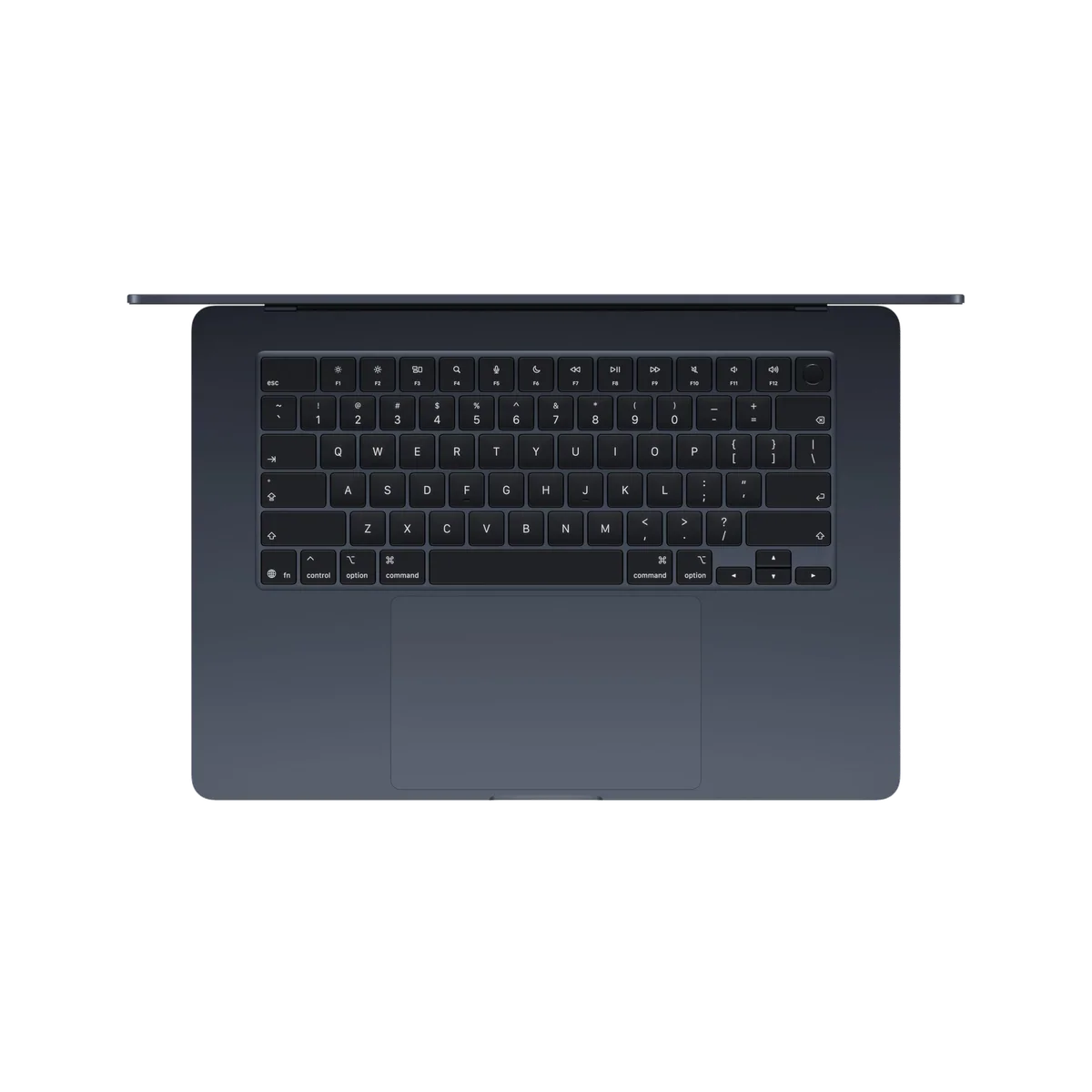
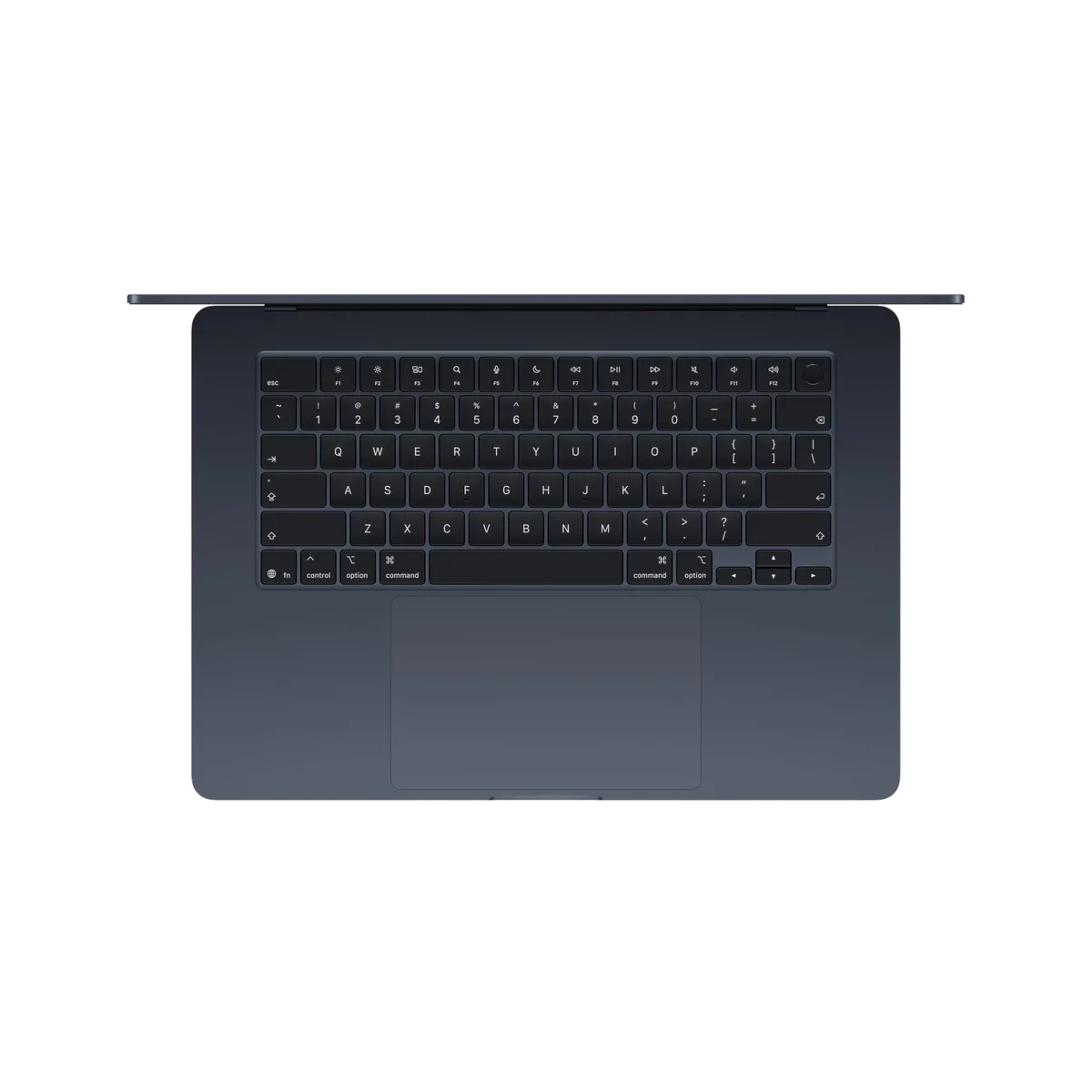
Apple’s backlit keyboard is comfortable, controlled and quiet enough for a shared room. The large Force Touch trackpad clicks consistently across its surface, gestures feel precise, and Touch ID in the power button is quick. The display notch still does not contain Face ID, so opening the lid does not provide the same glance-to-unlock experience as an iPhone.
The six-speaker system is one of the 15-inch model’s best reasons to exist. Measurements and owner reports support unusually clear, balanced audio for such a thin chassis. It will not replace good headphones, and the MacBook Pro still sounds fuller, but dialogue, music and calls need no apology. The 12MP Center Stage camera keeps a moving speaker framed, while Desk View can show a workspace from above; neither feature turns the webcam into a professional camera.
Midnight looks better before you touch it
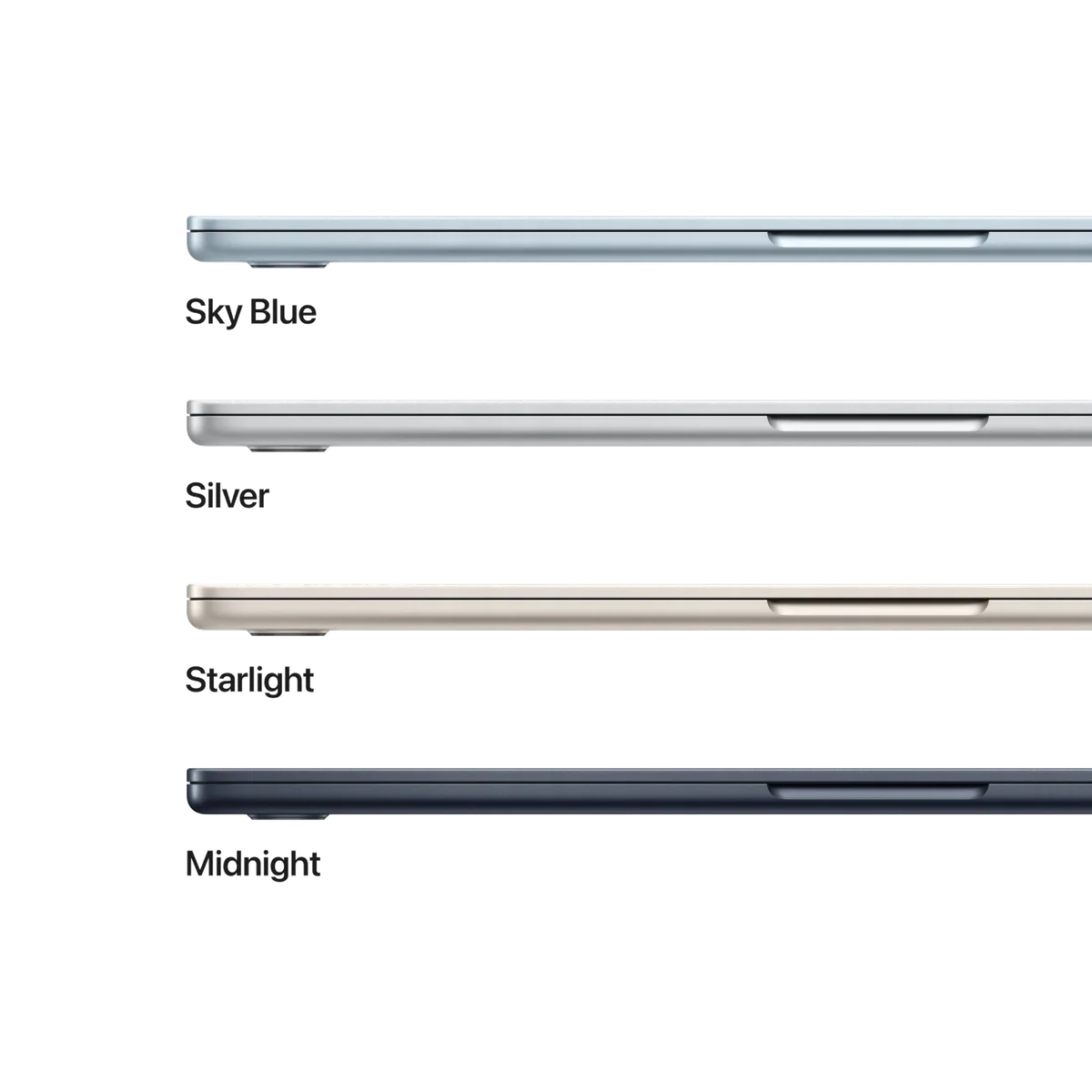
The dark blue finish is restrained and handsome, but it shows fingerprints readily. That is not a hidden durability crisis, just a recurring annoyance on the exact color sold here. Buy Midnight because you prefer it enough to keep a cloth nearby; lighter finishes are easier to live with if visible smudges bother you.
Strengths & Limitations
Strengths
- The 15.3-inch workspace makes split-screen documents, spreadsheets, coding and creative timelines substantially easier to manage.
- M5 performance, fast 512GB storage and 16GB of standard memory make the base configuration unusually complete.
- Fanless cooling keeps the laptop silent during every workload.
- The keyboard, Force Touch trackpad, six-speaker system and rigid aluminum chassis feel consistently premium.
- Battery testing supports dependable full-day use under moderate conditions.
- Wi-Fi 7, MagSafe and support for two external displays make the Air a capable desk computer.
Limitations
- The 60Hz IPS display has weak blacks and limited HDR impact beside OLED, Mini-LED and high-refresh alternatives.
- Two left-side Thunderbolt ports are restrictive, with no HDMI, card reader, USB-A, Ethernet or right-side charging.
- Sustained heavy CPU and GPU work triggers meaningful thermal throttling because there is no fan.
- The broad footprint is awkward on small tables, airplane trays and laps despite the thin body.
- Memory and storage are soldered, which prevents later upgrades and weakens repairability.
- The Midnight finish shows fingerprints readily.

Fast in a sprint, deliberately limited in a marathon
The M5’s everyday performance is almost boringly assured. Apps open quickly, large webpages stay responsive, code builds and creative tools have substantial headroom, and performance does not collapse when the charger is removed. Notebookcheck measured a Geekbench 6.7 score of 4,195 in single-core work and 16,995 in multi-core work, placing the chip well ahead of the preceding M4 Air in its comparison.
Storage is a less glamorous but more tangible generational improvement. The 512GB PCIe 4.0 SSD in the tested configuration reached roughly 6.5GB/s for reads and writes, a large improvement over slower previous-generation base storage. That helps application launches, file copies, project loading and swap activity, and it makes the standard 512GB capacity feel like part of the performance story rather than merely a bigger number.
| Test | Reported result | What it means |
|---|---|---|
| Geekbench 6.7 | 4,195 single-core; 16,995 multi-core | Exceptional short-task CPU speed |
| 512GB SSD | 6,473MB/s read; 6,559MB/s write | Fast project loads, copies and swap activity |
| Combined sustained load | About 28W initially; roughly 9W after 20 minutes | Fanless cooling cannot preserve peak CPU and GPU output indefinitely |
| 3DMark stress | About 23% performance loss | Repeated maximum graphics work exposes the thermal limit |
| Wi-Fi test | About 1.8Gbps transmit and receive | Wi-Fi 7 can matter on a compatible fast local network |
Silence has a cost, but most work never sends the invoice
The Air contains no fan, so it produces no fan noise during calls, recording, writing or rendering. Under a short heavy task, the chip can use a relatively high power budget and finish quickly. Under a prolonged combined CPU and GPU load, heat accumulates and the system reduces power substantially. Notebookcheck observed about a 23% graphics-performance drop in a stress loop, while a separate long-term assessment estimated throttling in the 15% to 20% range during prolonged 8K video work and gaming.
That does not mean every demanding application slows by one fixed percentage. Tested games could remain stable because their power demand sat below the worst combined-load scenario, and a half-hour CPU-only test lost less performance than the most punishing CPU-plus-GPU workload. The honest rule is workload-based: the Air is superb for tasks that spike, pause and finish, while the MacBook Air versus MacBook Pro comparison explains why active cooling matters when maximum throughput must continue for hours.
It can create and play, but those are not the same as specialization
Coding, photo editing, music projects and occasional video work fit comfortably within the Air’s brief. Modern compatible games can also run at reduced settings, and doing so without fan noise is genuinely pleasant. The 60Hz panel, relatively slow pixel response and smaller macOS game library still prevent this from being a gaming recommendation. For video professionals, the limit is not whether an export completes; it is how predictably the laptop sustains its fastest pace across a long working day.
The same caution applies to the “Built for AI” label. M5’s GPU includes Neural Accelerators, and measured AI and graphics performance improves materially over prior Air generations. The hardware claim has substance. The exact 16GB configuration is nevertheless intended for mainstream assistants, image tools and occasional local inference, not enormous local models that consume memory aggressively.
Wi-Fi 7 is real, but your network sets the speed
Notebookcheck measured average wireless transfer rates of roughly 1.8Gbps in each direction on its compatible test setup. That can improve transfers to a fast NAS or local server, but only when the router, network path and storage device can keep up. On an older router or an internet connection slower than the existing Wi-Fi link, the Wi-Fi 7 badge will not make ordinary browsing suddenly feel transformed.
The right configuration, inside a harder value argument
Apple doubled the base storage from 256GB to 512GB for this generation, and the exact model pairs it with 16GB of unified memory. That combination is enough for browser-heavy work, Office, university assignments, software development, ordinary photo libraries and occasional video or music production. It also avoids the old base-Air problem in which buyers had to defend both a small SSD and an 8GB memory ceiling.
More memory is worth paying for only when a workload can name it. Large local AI models, multiple virtual machines, heavy container use, substantial sample libraries and complex 3D scenes can justify 24GB or 32GB. Vague anxiety about “future-proofing” is not evidence that a browser-and-documents user needs more. The important warning is simpler: neither memory nor internal storage can be replaced later.
A 512GB SSD is a sensible floor, not infinite storage. Large photo catalogs, game libraries and video footage can fill it quickly. External drives and cloud storage are practical extensions, but anyone who requires a large internal library should decide at checkout rather than plan on surgery later. Our guide to choosing 16GB or 24GB of MacBook memory separates ordinary headroom from genuinely memory-bound work.
Worth buying, but not worth replacing every recent Air
M5 brings faster CPU and graphics performance, much faster base storage, Wi-Fi 7, Bluetooth 6 and higher configuration ceilings. The chassis, screen class, camera and basic input experience remain familiar. That makes this a major upgrade from an Intel-era Mac, an aging Windows laptop or an older 8GB machine, but a weak reason to retire a healthy M3 or M4 Air used for everyday work.
Benchmarks can show a meaningful lead while email, web browsing and document editing feel almost unchanged. Owners of a recent Air should upgrade only for a need they can identify, such as the larger screen, faster storage, Wi-Fi 7, stronger GPU work or additional memory capacity. The MacBook Air M5 versus M4 comparison is the better next stop for that decision.
The Air now sits between the cheap Mac and the professional one
The MacBook Air is no longer automatically the least expensive route into a new Mac. Its job is now clearer: it is the middle machine for someone who needs more than basic browsing and video calls but does not need a MacBook Pro’s cooling, display or ports. Compared with the cheaper MacBook Neo described in current reviews, the Air’s concrete advantages include 16GB of base memory, faster storage, a backlit keyboard, MagSafe, full Thunderbolt connectivity, a larger display option, stronger performance and support for two high-resolution external displays.
Windows competition complicates the value judgment. Some similarly positioned laptops offer OLED, touchscreens, more ports, easier repair or more memory and storage. The Air’s answer is not dominance in every column. It is the combined experience of silent operation, strong unplugged speed, excellent controls, very good speakers, fast storage and close integration with an iPhone or iPad.
No review written from a price snapshot should pretend the market stands still. The captured Amazon listing reflected the higher price introduced after launch, and Mashable documented that increase for the 15-inch model. Discounts on an outgoing M4 Air or changes in rival pricing can reverse a value comparison quickly, so judge the M5 against the actual alternatives available when you buy rather than treating any launch-day gap as permanent.
What ownership is likely to make clearer
The larger Air works best when it has a predictable physical home. Its 0.45-inch body is exceptionally thin, but thinness does not shrink a 13.4-by-9.35-inch footprint. On a desk, that footprint becomes productive space. On a plane, train, narrow café table or sofa, it becomes the reason the 13-inch model exists. The 13-inch versus 15-inch MacBook Air comparison should be decided by where the machine will actually open, not by which silhouette looks better in a shop.
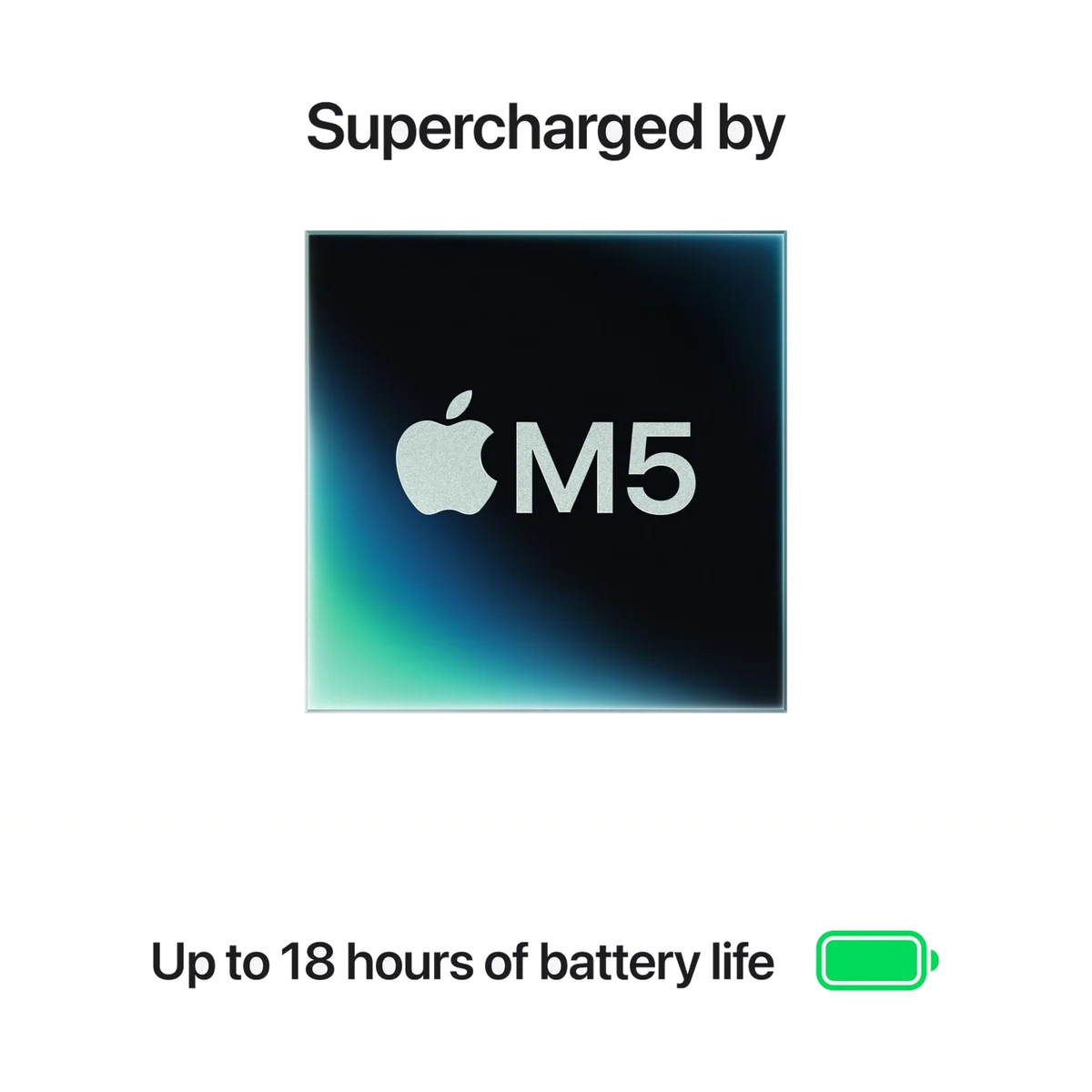
Battery life should comfortably cover a normal workday, but the “up to 18 hours” claim is a ceiling rather than a promise for every workload. Independent tests landed around 15 to 17 hours and 40 minutes under moderate controlled conditions. Notebookcheck recorded 17 hours and 12 minutes of light web browsing at 150 nits, then just 6 hours and 44 minutes at maximum brightness. Display brightness, video calls, compiling, games and connected devices all move the result.
Long ownership also magnifies repairability. The aluminum chassis feels rigid and carefully assembled, but pentalobe screws, adhesive and soldered components make internal service difficult. A damaged storage device is not a routine drive swap, and a memory shortage cannot be fixed after purchase. Apple’s one-year limited warranty is ordinary rather than generous for a machine designed to remain useful for many years.
Owner evidence is overwhelmingly positive but too small and selective to establish reliability. The retained set contains 13 written reviews, with repeated praise for speed, battery life, silence, build, speakers and the large screen. It also contains one serious setup failure in which the screen froze and the buyer reported receiving no help from Amazon or AppleCare. One incident is not a defect rate, but it is a reminder that a high aggregate rating does not guarantee a frictionless individual unit.
Frequently Asked Questions
Is the 2026 MacBook Air a good laptop?
Yes, it combines excellent mainstream performance, full-day battery life, silent operation and premium controls, although its 60Hz IPS display and limited ports prevent an unqualified recommendation.
Is the 15-inch MacBook Air worth buying instead of the 13-inch?
The 15-inch model is worth it when its larger workspace will replace an external monitor, while the 13-inch is the better choice for frequent travel, couch use and small tables.
Are 16GB of memory and 512GB of storage enough?
They are enough for most study, office, coding, photo and occasional video work, but large local AI models, virtual machines, complex 3D projects and substantial media libraries may justify a higher configuration.
Can the 15-inch MacBook Air M5 edit video?
It can edit and export regular video projects well, but repeated long renders expose fanless thermal throttling and make an actively cooled MacBook Pro the safer professional choice.
Is the MacBook Air M5 good for gaming?
Compatible modern games can be playable at reduced settings, but the 60Hz screen, slower pixel response and limited macOS game library make this a poor gaming-first purchase.
Does its battery really last 18 hours?
Eighteen hours is a favorable-condition ceiling, while controlled tests support roughly 15 to 17 hours for moderate use and show a much shorter result at maximum screen brightness.
Does Wi-Fi 7 make a noticeable difference?
Wi-Fi 7 can accelerate transfers on a compatible fast router and local network, but it offers little visible benefit when an older router, internet connection or storage device is the bottleneck.
Should an M3 or M4 MacBook Air owner upgrade?
Usually not, unless the owner specifically needs the larger screen, faster SSD, Wi-Fi 7, stronger graphics performance or a memory and storage configuration the existing machine lacks.
Is Midnight the best color for the MacBook Air?
Midnight is attractive but shows fingerprints easily, so a lighter finish is more practical for anyone who dislikes frequent wiping.
Sources (9)
- Amazon listings and customer reviews — Apple Macbook Air 15
- Owner reports across r/apple threads
- Owner and reviewer video, 2 channels
- Notebookcheck — Article — www.notebookcheck.net
- Expertreviews — Article — www.expertreviews.co.uk
- Wired — Article — www.wired.com
- Theverge — Article — www.theverge.com
- Bgr — Article — www.bgr.com
- Mashable — Article — mashable.com