Buy the MacBook Air M5, not the renewed MacBook Neo, unless your budget leaves no room for ambition.
Choose the 13-inch MacBook Air M5 for most work, move to the 15-inch Air when screen space matters more than mobility, and consider the renewed MacBook Neo only if its condition is documented and its much tighter limits genuinely fit your needs.
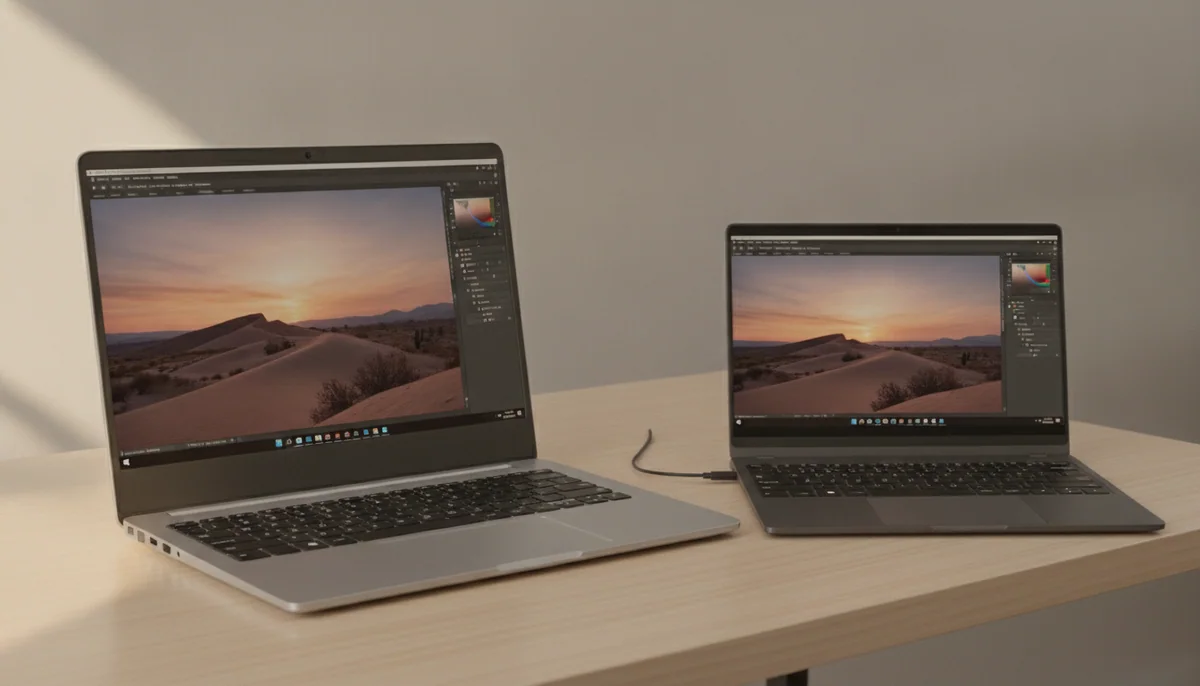

Apple MacBook Air 13-inch M5

Apple MacBook Neo 2026, A18
The MacBook Neo is designed to make the Air look optional. It is compact, silent, sharply screened and surprisingly responsive, and it runs the same full macOS applications rather than a reduced mobile operating system. For essays, email, research, streaming and modest office work, it is a real computer rather than a consolation prize.
The problem is not whether the Neo can open your applications today. The problem is how little room this exact renewed configuration gives them tomorrow. Its 8GB of unified memory and 256GB SSD cannot be upgraded, Touch ID and keyboard lighting are absent, only one USB-C port provides fast data, Thunderbolt is missing, and the machine supports one external monitor. Those are permanent limits, not accessories you can add later.
The 13-inch MacBook Air M5 starts from a much healthier proposition: 16GB of memory, 512GB of storage, two Thunderbolt 4 ports, MagSafe, Touch ID, a backlit keyboard, support for two external displays and far stronger performance when a job uses several processor cores. Its 13.6-inch display is also larger and supports P3 colour. The Air is the better long-term work machine before its faster chip even enters the argument.
Apple has not made the choice painless. Both Air sizes still use 60Hz IPS displays without the contrast, motion clarity or proper HDR presentation expected from a premium laptop. Both put their two Thunderbolt ports on the left, omit HDMI and an SD-card reader, and lose sustained speed under long heavy workloads because their fanless bodies cannot hold peak performance indefinitely.
The 15-inch Air changes the workspace rather than the basic capability. Its 15.3-inch panel gives spreadsheets, timelines and paired windows room to breathe, while its six-speaker system improves films, music and calls. It also weighs more and occupies enough table space to become awkward on a plane, a crowded café table or a lap. The smaller Air is the machine to carry; the larger Air is the machine to open and stay with.
The 13-inch Air combines the useful 16GB/512GB baseline with the least carrying burden.
The 15-inch Air earns its extra bulk when the built-in display regularly replaces a monitor.
The renewed Neo is defensible only for light work after its battery, accessories, lock status and return protection have been verified.
At a Glance
| Feature | Editor's Pick Apple MacBook Air 13-inch M5 | Apple MacBook Neo 2026, A18 |
|---|---|---|
| Price Range | — | $500–$1,000 |
| Finish | Sky Blue | — |
| Screen size | 13" | 13" |
| Check Price on Amazon | Check Price on Amazon |
The Air costs more because it removes the Neo’s sharpest ceilings
A processor name is the wrong place to begin this comparison. The Neo’s A18 Pro has excellent single-core responsiveness, so opening an application, loading a webpage or switching between a few ordinary tools can feel brisk. Its six-core CPU and five-core GPU fall much farther behind the M5 once an export, compile or render spreads work across more cores. Independent comparisons place its broader performance closer to the original M1 generation than to a current Air.
That still leaves ample speed for the Neo’s intended role. A student writing papers, a household managing documents or a traveller handling email does not need workstation throughput. The concern is that the base Neo combines its modest multi-core performance with only 8GB of shared memory. Browser tabs, communication apps, creative tools and background services all compete for that pool, and macOS must turn to SSD swap when it fills.
Swap helps the Neo remain usable, but it cannot turn 8GB into 16GB. Heavier multitasking can produce tab reloads, delayed application switching and pauses, while virtual machines, containers, large code builds and local AI models can exhaust the configuration quickly. The M5 Air’s 16GB baseline is not extravagant; it is the point at which a laptop can absorb changing work habits without making memory management part of the job.
Storage reinforces the difference. The Neo’s 256GB drive must hold macOS, applications, files and the swap data created under memory pressure. Cloud storage and an external SSD can relieve capacity, but the external drive needs the Neo’s one fast USB-C port, which may also be wanted for a monitor or hub. The Air doubles internal capacity and gives both USB-C connections full Thunderbolt 4 capability.
| Decision point | 13-inch Air M5 | 15-inch Air M5 | Renewed MacBook Neo |
|---|---|---|---|
| Memory and storage | 16GB and 512GB | 16GB and 512GB | 8GB and 256GB |
| Best use | Mobile study and professional work | Desk-based multitasking without a monitor | Light documents, research and streaming |
| Display trade-off | Portable, but still 60Hz IPS | Roomier, but still 60Hz IPS | Sharp and bright, but smaller and sRGB-focused |
| Connections | MagSafe and two Thunderbolt 4 ports | MagSafe and two Thunderbolt 4 ports | Two unequal USB-C ports without Thunderbolt |
| External displays | Up to two | Up to two | One |
| Convenience features | Touch ID and backlit keyboard | Touch ID and backlit keyboard | No Touch ID or keyboard backlight |
| Main risk | Premium price paired with an ordinary display | Broad footprint and an ordinary display | Fixed low capacity plus uncertain renewed condition |

The 13-inch Air is the actual default
The smaller Air wins because it asks for the fewest compromises across the widest range of work. It weighs about 2.7 pounds, remains silent, lasts through a normal working day under mainstream use and has enough processor headroom for coding, photo editing and occasional video projects. Its keyboard, Force Touch trackpad, Touch ID, camera and MagSafe connection also remove small daily frictions that accumulate over years.
Its screen is the reason the recommendation remains qualified. The 13.6-inch Liquid Retina panel is crisp, colour-accurate and bright enough for normal indoor work, but scrolling remains at 60Hz and black levels cannot match OLED or mini-LED. Buyers accustomed to a high-refresh phone, tablet or MacBook Pro may notice the downgrade every time they move through a page.
The fanless design creates the other boundary. Short bursts of demanding work are fast, but repeated renders, large compiles and long combined processor and graphics loads force performance downward as heat accumulates. If those jobs define the working day, the answer is not the Neo or a larger Air; it is the actively cooled machine discussed in our MacBook Air and MacBook Pro comparison.
The 15-inch Air earns its place one window at a time
The larger Air does not make email faster or give ordinary documents better ideas. It lets more of the work remain visible. That matters for a spreadsheet with many columns, a document beside its research, an editor beside a browser or a timeline surrounded by controls. Anyone who regularly works without an external monitor can recover the size premium through reduced window shuffling.
Independent testing supports the 15-inch model’s excellent short-task speed and fast internal storage, but it also shows meaningful throttling under sustained combined loads. The broader body does not transform the Air into a workstation because it still has no fan. Its display also preserves the same 60Hz IPS limitation on a larger canvas, where the absence of deep blacks and high-impact HDR is easier to notice.
Portability decides the tie. A thin laptop can still be physically large, and the 15-inch Air’s footprint is less forgiving on narrow desks, public transport and sofas. Readers still split between the two Air sizes should use our 13-inch and 15-inch MacBook Air guide to choose by workspace rather than performance.
The Neo is a condition report disguised as a specification choice
The underlying Neo deserves more respect than its cuts imply. Its aluminium chassis, comfortable keyboard, precise trackpad, sharp display and silent operation are unusually polished for an entry Mac. The A18 Pro is quick enough to make everyday macOS work feel immediate, and light photo or video projects are possible when expectations remain modest.
This page does not cover a known-new retail Neo. It covers a renewed listing whose captured material does not identify the refurbisher, battery health, cosmetic grade, included charger, AppleCare eligibility or exact guarantee terms. Amazon’s promise that renewed products should work and look like new is not a substitute for evidence about the particular unit delivered.
The retained customer sample is also too small to establish refurbishment quality. Four written reviews include three brief positive reports and one complaint that the machine was slow, but none documents battery capacity, accessories, cosmetic condition or support after a fault. A 3.9 aggregate rating from nine ratings is a reason for inspection, not a statistically useful failure rate.
Before keeping the Neo, verify that Activation Lock is clear, no school or company management remains, the battery has acceptable maximum capacity, the keyboard is the promised English QWERTY layout and a suitable charger is included. Test every key, both USB-C ports, monitor output, Wi-Fi, Bluetooth, camera, microphones, speakers, headphone jack and the full trackpad surface before the return window closes.
The condition check comes after the value check. Compare the renewed Neo with the actual total for a new Neo, an older 16GB Air and the current M5 Air on the day you shop. A small saving cannot compensate for unknown battery wear, half the memory, half the storage and capabilities that will never be upgradeable.

The 13-inch MacBook Air M5 is the best Mac here for most buyers.
Its 16GB memory, 512GB SSD, strong M5 performance and 2.7-pound body create the safest balance of capability, portability and useful life.
The 60Hz SDR display and two left-side ports feel stingy for a premium laptop, while long heavy workloads expose its fanless thermal ceiling.
The 15-inch MacBook Air M5 is the better choice when the laptop itself must be the desk.
Its larger canvas and stronger speaker system justify the extra size for spreadsheets, split-screen work, timelines and media without an external monitor.
The broad footprint travels poorly, and making the same 60Hz IPS display larger does not make it more modern.
The renewed MacBook Neo is a narrow bargain for disciplined light use.
It can be a satisfying compact Mac for writing, research, calls and streaming when the delivered unit is healthy and the saving over better-equipped alternatives is substantial.
Its fixed 8GB memory, 256GB SSD, missing Touch ID, unlit keyboard, unequal USB ports and undocumented renewed condition leave little margin for changing needs or a bad unit.
Buy for the work you will still be doing in three years
Choose the 13-inch Air for mobility without austerity
This is the right fit for students, writers, researchers, developers and travelling professionals who use many browser tabs, office applications, calls, code tools and intermittent creative software. It is also the sensible choice for someone replacing an Intel Mac or an older 8GB laptop and expecting the new machine to remain useful for several years.
Choose the 15-inch Air when visibility is productivity
Buy the larger Air when wide spreadsheets, side-by-side documents, editing timelines or eyesight make screen area central to the work. It is especially persuasive as a primary home or office computer without a permanent monitor, but less persuasive when it will spend every trip squeezed onto a narrow surface.
Choose the Neo only for a deliberately small workload
The renewed Neo suits essays, research, email, web applications, streaming, video calls, basic coding and light edits for a buyer willing to close unused applications and manage storage. It can also work as a secondary travel Mac, provided its battery and refurbishment condition pass inspection.
Walk away from all three when sustained speed is the job
Daily long renders, complex media production, large software builds, virtual machines, local AI models and demanding 3D work need more memory, active cooling or both. The Air can complete many of these jobs, but occasional capability is not the same as dependable production throughput.
Recent M3 and M4 Air owners should usually keep their laptops unless memory, storage, battery health or a specific performance limit is already obstructing the work. The M5 improves speed, storage and wireless connectivity without replacing the familiar display class, keyboard, trackpad or basic port arrangement; our M5 and M4 MacBook Air comparison isolates the changes that might justify an upgrade.
Buyers deciding whether 16GB is enough should resolve that question before choosing colour or screen size because unified memory cannot be added later. Our guide to MacBook memory capacity explains when 24GB protects a real workload and when it merely pays for unused headroom.
The final decision is simple. Buy the 13-inch Air when you want one broadly capable Mac that travels well. Buy the 15-inch Air when its larger screen will earn its space every day. Buy the renewed Neo only when the unit is verifiably sound, the workload is genuinely light and the discount is large enough to make its permanent constraints acceptable.
Frequently Asked Questions
Is the MacBook Neo as fast as the M5 MacBook Air?
No, the Neo feels responsive in light single-core work but falls well behind the M5 Air in multi-core, graphics and sustained demanding tasks.
Is 8GB of memory enough on the MacBook Neo?
Eight gigabytes is enough for disciplined document, browsing and streaming use, but heavier multitasking, development tools, creative applications and local AI can expose it quickly.
Which MacBook is better for students?
The 13-inch Air is the safer long-term student choice, while the Neo suits lighter coursework only when its lower cost is decisive and the renewed unit passes inspection.
Should I choose the 13-inch or 15-inch MacBook Air?
Choose the 13-inch model for frequent carrying and confined spaces, or the 15-inch model when a larger built-in workspace matters more than bag and table space.
Can the MacBook Neo use two external monitors?
No, the Neo supports one external display, while both M5 MacBook Air sizes support up to two.
Does the MacBook Neo have Touch ID or a backlit keyboard?
No, this 8GB/256GB configuration lacks both Touch ID and keyboard backlighting.
Can memory or storage be upgraded after purchase?
No, memory and internal storage are fixed in all three configurations, although external storage can add capacity later.
Is the M5 MacBook Air good for video editing?
Yes for moderate projects and occasional exports, but recurring long renders are better served by a MacBook Pro with active cooling.
What should I check when the renewed MacBook Neo arrives?
Check Activation Lock, device management, battery health, keyboard layout, charger, display, ports, camera, audio, wireless connections and the applicable return deadline.