The 13-inch MacBook Air M5 is the best MacBook for most students

A student laptop spends more time being carried, opened in bad places and asked to survive on battery than it spends winning benchmarks. That is why the smallest current MacBook Air beats the more impressive machines here. Its 2.7-pound fanless body is easier to move between classes, its 16GB of unified memory and 512GB SSD are credible starting capacities, and the M5 has ample speed for research, writing, presentations, coding and moderate creative work.
The recommendation has a visible flaw. Apple still gives the Air a 60Hz SDR IPS display, so scrolling looks less fluid and dark scenes look less convincing than they do on the 120Hz mini-LED MacBook Pro. The Air also has only two Thunderbolt ports, both on the left, and its fanless design loses speed during long, continuous processor or graphics workloads. Those are real compromises, not reasons to pretend most students need a workstation.
Choose the 13-inch Air if the MacBook will travel every day and your work consists mainly of documents, browser research, lectures, calls, programming assignments and occasional media projects.
Move up when you can identify the larger canvas, XDR display, professional ports, active cooling or additional memory as a requirement in your actual course rather than a precaution against imaginary future homework.
Before choosing macOS, check the software list for your major. Microsoft 365, common browsers, mainstream development tools and major creative applications run well on Apple silicon, but some engineering, statistics, examination, laboratory and specialist business programs remain Windows-only or depend on a particular plug-in. A beautiful laptop that cannot run the required application is an expensive notebook stand.
Students deciding between a keyboard-first computer and a touch device should read the site’s iPad versus MacBook guide. The MacBook remains the safer single-device choice for desktop applications, file management, long typing sessions and development work, while an iPad earns its place when handwriting and direct pen input are central.
Buy for the course you are taking, not the career in the brochure
Essays, online classes, research databases, presentations and large browser sessions do not require a MacBook Pro. Neither does introductory programming. The 13-inch Air’s standard 16GB of memory leaves room for ordinary multitasking, and 512GB of internal storage is enough for applications, coursework and a practical local library without forcing every file into the cloud.
Memory deserves more care than storage because neither can be upgraded after purchase. External drives can expand file capacity, but no accessory can turn a 16GB Mac into a 24GB one. Students who expect several virtual machines, large container stacks, substantial sample libraries, complex 3D scenes or local AI models should estimate the largest real project before ordering; the site’s guide to choosing 16GB or 24GB of MacBook memory separates useful headroom from expensive anxiety.
| Student workload | Best direction | Why | Warning |
|---|---|---|---|
| Writing, research, business and general study | 13-inch MacBook Air M5 | It supplies the needed speed in the easiest body to carry. | The 60Hz display and two-port layout are modest for a premium laptop. |
| Large spreadsheets, side-by-side reading and desk-heavy study | 15-inch MacBook Air M5 | The larger screen reduces window shuffling without adding workstation hardware. | Its broad footprint is awkward on small desks and transport trays. |
| Photography, design, audio and moderate video work | 14-inch MacBook Pro M5 | The XDR display, SDXC slot, HDMI and active cooling can improve the workflow. | The exact configuration stops at 16GB and costs weight as well as money. |
| Sustained rendering, large builds and demanding production | 16-inch MacBook Pro M5 Pro | Its larger chassis sustains heavy work and provides a substantial mobile workspace. | It is a 4.7-pound workstation whose 24GB memory remains permanently fixed. |
Thirteen inches is not automatically too small
The smaller Air works well when the screen usually holds one main document, browser window or editor at a time. It also fits lecture-hall desks and crowded bags more gracefully. The 15-inch model earns its extra size when two windows must remain readable together, when spreadsheets run wide or when the built-in display will serve as the student’s only monitor.
That choice is about workspace rather than processor speed. The two Airs cover essentially the same academic territory, so buying the larger one and then resenting it on every commute is not an upgrade. Our 13-inch versus 15-inch MacBook Air comparison goes deeper on the physical trade.
Battery claims need a timetable attached
Controlled tests support excellent endurance across these MacBooks, but no quoted maximum describes a day of video calls, code compilation, high brightness and creative exports. The sensible promise is simpler: an Air should cover a normal academic day under mainstream work, while heavy processing can shorten that result dramatically. Carrying a compact charger during an unusually long day is less painful than buying several years of unused workstation performance.
A Pro should solve a problem the Air cannot
The 14-inch Pro’s 120Hz mini-LED XDR display, HDMI output, SDXC reader, third Thunderbolt port and active cooling are valuable for visual courses and sustained creative jobs. Independent testing also supports strong performance, excellent battery endurance and a display far ahead of the Air’s conventional panel. The exact 16GB model nevertheless occupies an awkward middle ground: ordinary students do not need its Pro hardware, while heavier professional workloads may need more memory or a Pro-tier chip.
The 16-inch M5 Pro is different in kind rather than merely degree. It is built for people who repeatedly wait on exports, builds, simulations or local processing and can turn shorter waits into completed work. If your assignments rarely sustain a heavy load for more than a few minutes, the larger fans, 20-core GPU and workstation ports will mostly accompany you from room to room without earning their place.

The four MacBooks, ranked by how well they fit student life
The 13-inch MacBook Air M5 is the best choice for most students.
Its combination of 16GB memory, 512GB storage, strong everyday performance, long battery life and a 2.7-pound body serves the broadest range of coursework with the least carrying burden.
The 60Hz SDR display looks dated at this tier, both Thunderbolt ports sit on the left, and long heavy workloads expose the limits of fanless cooling.
This is the default because its compromises are easier for most students to live with than the alternatives’ extra mass and expense. The base configuration has enough capacity for serious mainstream work, the silent chassis is welcome in a library or shared room, and the compact footprint matters every time a class provides six inches of usable desk.
Do not mistake “best for most” for “best at everything.” Visual-media students accustomed to high-refresh displays may resent the panel, presenters and photographers may need a hub, and repeated long renders belong on a cooled machine. The full 13-inch MacBook Air M5 review examines those limits before they become ownership surprises.
The 15-inch MacBook Air M5 is the better Air for a student who works mainly at a desk.
Its 15.3-inch canvas makes split-screen research, wide spreadsheets, code and creative timelines easier to manage while preserving the Air’s silent operation and sensible 16GB/512GB baseline.
The broad chassis is less comfortable on small desks, laps and airplane trays, while the display remains a 60Hz IPS panel and the ports remain limited to two left-side Thunderbolt connections.
The larger Air is not faster in the way that justifies choosing it for a harder major. Its advantage appears in the arrangement of work. A source can remain open beside an essay, an IDE can share the screen with documentation, and a spreadsheet can reveal more columns before horizontal scrolling begins.
That benefit is substantial for a student without an external monitor. It matters less in a dorm or home setup where the laptop will connect to a larger display, because the 13-inch Air can drive the same kind of desk while travelling more easily. The 15-inch MacBook Air M5 review is the next read for anyone willing to trade bag space for workspace.
The 14-inch MacBook Pro M5 is the specialist pick for display and port-dependent courses.
Its bright 120Hz XDR display, active cooling, 1TB SSD, HDMI output, SDXC reader and three Thunderbolt ports make sense for moderate photography, design, audio, development and video work.
The fixed 16GB memory is an uncomfortable ceiling for a Pro intended to last through heavier projects, and students whose work fits an Air would carry and pay for hardware they rarely use.
Buy this model for the parts around the M5 badge. The screen offers much better motion, HDR and contrast than either Air, the card reader can remove a dongle from a photographer’s workflow, and the fan lets the machine sustain work that makes an Air retreat from peak speed. Those are concrete reasons.
“I might edit video someday” is not a concrete reason. Neither is a cloud chatbot, since computation performed on a remote service does not become faster because the laptop carries local AI accelerators. The 14-inch M5 MacBook Pro review explains why this excellent computer remains a conditional purchase.
The 16-inch MacBook Pro M5 Pro is the workstation for students already doing workstation work.
Its 18-core CPU, 20-core GPU, 24GB unified memory, expansive XDR display and active cooling suit sustained macOS production where faster exports, builds or local processing recover meaningful time.
The 4.7-pound body becomes burdensome with its charger, the 24GB memory cannot be expanded, and routine study will not come close to justifying its capability.
This is not the aspirational winner. It is the correct tool for the narrowest audience here: advanced film, animation, music, photography, engineering or development students whose existing projects already consume sustained CPU, GPU or memory resources. Its large internal display can replace a desktop monitor in temporary accommodation, and its performance remains available away from a socket.
Independent testing supports exceptional sustained CPU performance and excellent light-use endurance, but it also confirms the physical and configuration costs. The chassis is large, maximum workloads can become loud, and 24GB places a firm boundary around ambitious virtualized and local-model work. Read the full 16-inch MacBook Pro M5 Pro review before treating its specification sheet as an insurance policy.
What Specs & Screens would choose
Specs & Screens would put the 13-inch Air in the bag for a typical degree, choose the 15-inch Air only when its larger screen would be used every day, and require evidence from an existing workload before moving to either Pro. Compare the actual configurations available when buying, but do not let a temporary discount turn the wrong size or memory capacity into the right computer.
Students who want a wider survey can continue to the site’s best MacBooks guide, while readers considering non-Mac options should use the broader guide to computers and tablets for students. The winner here remains the 13-inch MacBook Air M5 because student life rewards the laptop that is present, charged and capable more often than the one with the most impressive ceiling.
Frequently Asked Questions
Which current MacBook is the best choice for most students?
The 13-inch MacBook Air M5 is the best choice for most students because it combines capable 16GB/512GB hardware with the lowest carrying burden in this group.
Is the 13-inch MacBook Air too small for university work?
No, it is comfortable for one primary window and portable study, although frequent split-screen work, wide spreadsheets and visual timelines make the 15-inch Air easier to use.
Are 16GB of memory and 512GB of storage enough for a student?
Yes for most writing, research, programming and moderate creative work, but virtual machines, large media projects, substantial sample libraries and local AI can justify more memory or storage.
Should a student buy a MacBook Pro instead of a MacBook Air?
Only when the course benefits materially from active cooling, the XDR display, HDMI, SDXC, additional ports or sustained professional performance.
Can a MacBook Air handle programming classes?
Yes for mainstream programming and many development courses, provided the required tools support macOS and the workload does not depend on large virtual-machine or container stacks.
Can a MacBook Air handle video editing?
Yes for occasional and moderate projects, but repeated long exports and complex timelines make an actively cooled MacBook Pro the safer tool.
Is the 15-inch MacBook Air worth choosing over the 13-inch model?
It is worth choosing when the built-in display will be the main workspace, while the 13-inch model is better for frequent commuting, travel and small desks.
Can MacBook memory or internal storage be upgraded later?
No, both are fixed at purchase, although external storage can add file capacity later.
Is a MacBook the right choice when a course requires Windows software?
No, students should choose hardware that supports every required application natively rather than assume a workaround will remain permitted or reliable.
Should a student replace a working M3 or M4 MacBook Air with an M5 model?
Usually not, unless the existing machine has a specific memory, storage, battery, wireless or performance constraint that interrupts real work.
Our Top Recommendation
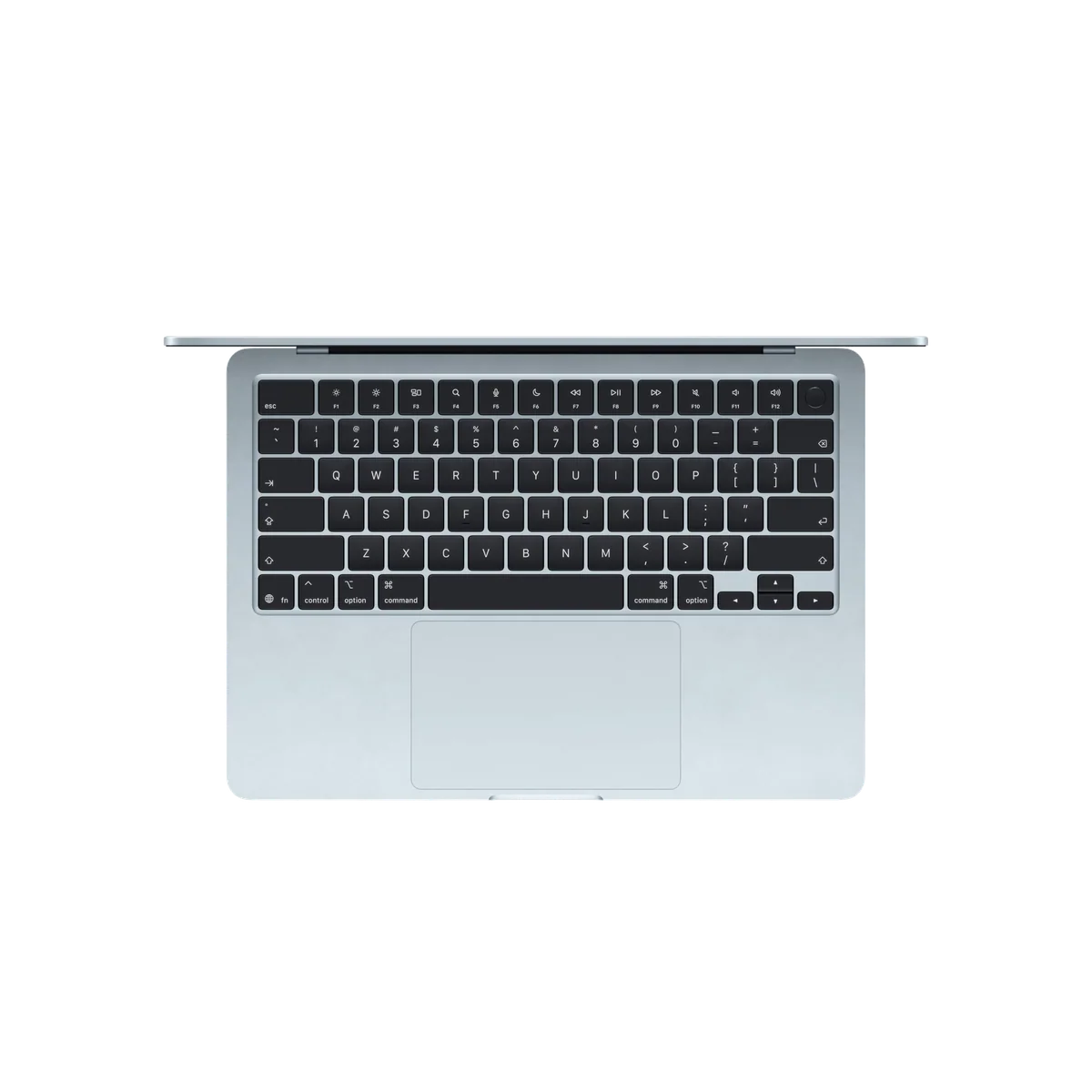
Based on our research, the Apple MacBook Air 13-inch M5 is our top pick — macbook for students.