The 512GB Mac mini M4 is the practical configuration, not the bargain one

Buy the 16GB/512GB Mac mini M4 for mainstream desk work if you already own a suitable display and peripherals, but choose something else if you need mobility, serious gaming, specialist Windows software or memory that can grow with your workload.
Based on published owner reports and 7 other sources. We have not tested this machine ourselves.
We earn a commission if you buy through our links, which does not affect what we say.
Read how this site works →
The final decision
The 16GB/512GB Mac mini M4 is an excellent mainstream desktop and a particularly satisfying purchase for someone whose monitor, keyboard and mouse are already in place. It combines serious everyday speed, low energy use, quiet cooling and a tiny footprint without demanding that ordinary users step up to an M4 Pro.
The 512GB SSD makes the machine more comfortable than Apple’s headline-grabbing entry configuration, but it also reveals the weakness in Apple’s value ladder. You pay heavily for internal capacity, receive no path to expand memory later and still have only moderate storage by creative-workstation standards.
Buy it when the desk is permanent, macOS fits the required software and 16GB matches the foreseeable workload. Walk away when the missing equipment makes the total setup unattractive, when portability matters, or when gaming, local AI, 10Gb networking and sustained GPU work are central rather than occasional.
A remarkable computer inside an incomplete package
The Mac mini M4 makes an unusually strong first case for itself. It is a five-inch-square desktop with a 10-core CPU, a 10-core integrated GPU, 16GB of unified memory and a 512GB SSD. It feels almost absurd that something this small can cover office work, software development, photo editing and moderate video projects without behaving like a compromised novelty.
This exact configuration is also where the simple value story becomes more complicated. At its US launch, it sat above the celebrated 256GB entry model because Apple charged a substantial premium for the extra internal storage. The 512GB drive is easier to live with, but buying it means paying steeply for capacity that cannot be upgraded internally later.
Then there is everything the box does not contain. You get the Mac mini and its power cord, not a monitor, keyboard, mouse, webcam, microphone or proper set of speakers. A buyer replacing an iMac must rebuild the parts of the computer that the iMac placed around its processor, while a buyer coming from a laptop loses the screen, battery, camera and input devices that made the old machine self-contained.
That distinction decides whether this is a superb purchase or merely the beginning of an expensive desk. If a good monitor, keyboard and mouse are already present, the Mac mini concentrates the spending on an excellent computer. If nothing is present, compare the entire setup rather than admiring the cost of the silver box in isolation.
Buy it for
A permanent desk used for office work, study, coding, photography, music and light-to-moderate video editing, especially when that desk already has a display and input devices.
Look elsewhere for
Regular travel, broad AAA gaming, large local AI models, sustained high-end GPU work, Windows-only applications or a computer whose memory and internal storage can be upgraded later.
Key Specifications
The little box still creates a whole desk
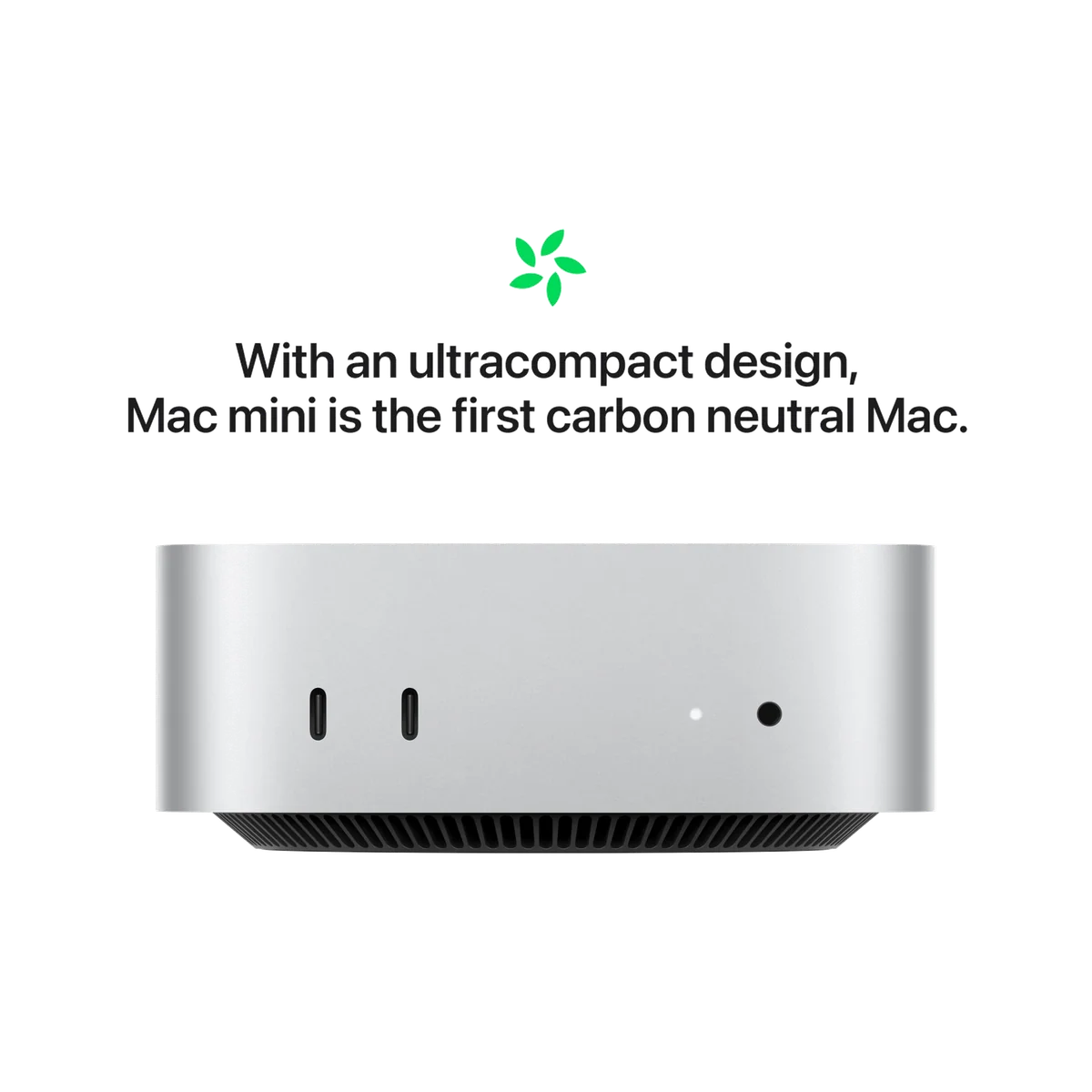
The redesigned enclosure measures roughly 5 by 5 by 2 inches and weighs about 1.5 pounds. It occupies dramatically less desk area than the previous Mac mini, and its aluminum body feels like a finished consumer product rather than a generic small-form-factor PC. It can sit beneath a monitor, beside a laptop or on a crowded shelf without becoming the visual center of the room.
It is transportable rather than mobile. Moving it between locations is easy enough, but using it at the destination still requires power, a display, a keyboard and a pointing device. Anyone who regularly works away from one desk should buy a laptop rather than trying to turn a tiny desktop into a laptop assembled from cables.
The ports favor modern equipment
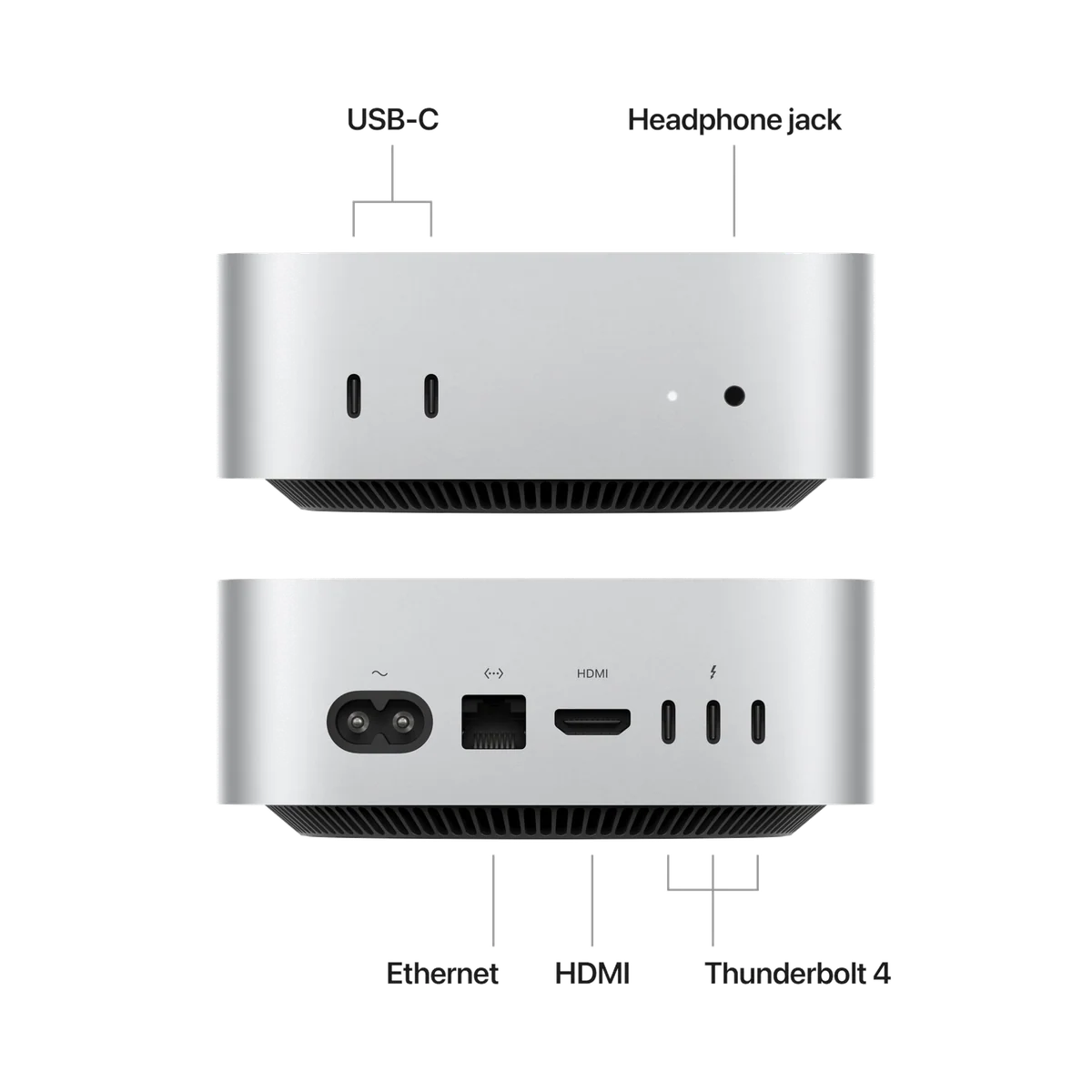
The front edge carries two USB-C ports running at up to 10Gbps and a 3.5mm headphone jack. On the rear are three Thunderbolt 4 ports running at up to 40Gbps, HDMI, Gigabit Ethernet and the power connection. Wi-Fi 6E and Bluetooth 5.3 handle wireless networking and accessories.
Front USB-C access is genuinely useful for temporary drives, charging cables and accessory pairing. Fast external SSDs and high-bandwidth displays belong on the rear Thunderbolt ports, which offer four times the maximum throughput of the front connections.
There is no USB-A port and no SD-card reader. An older wired keyboard, conventional flash drive, camera card reader or other legacy accessory may turn a clean setup into a hub-and-adapter setup immediately. The computer itself saves space, but external storage, a dock and several permanent cables can reclaim much of the visual simplicity promised by the product photographs.
Gigabit Ethernet is adequate for ordinary broadband and home networking, but this retail configuration does not include 10Gb Ethernet. Anyone moving large project files to and from a fast NAS should account for that ceiling before purchase, because the internal network hardware is not a later do-it-yourself upgrade.
Your monitor does not need an Apple logo
A standard monitor or television can connect over HDMI, while compatible USB-C and Thunderbolt displays can use the rear ports. Multiple-monitor setups are supported, although claims about three 6K displays often describe the more powerful M4 Pro sibling and should not be transferred casually to this standard M4 machine.
A separate display is both a cost and a long-term advantage. Choosing one adds work at the start, but a good monitor can remain on the desk through several computer upgrades. The Mac mini can then be replaced without discarding a still-useful panel.
The famous power button is awkward, not fatal
Apple placed the physical power button on the underside near the rear corner. Reaching it usually means sliding fingers beneath the case or tilting the computer slightly. That is silly industrial design, and it becomes a real nuisance if the Mini is mounted, buried in a television cabinet or used somewhere that makes its underside difficult to reach.
Most desk users can leave macOS sleeping and rarely touch the button. Software controls cover routine sleep, restart and shutdown, but they cannot help when a frozen system needs a forced power-off or a fully shut-down machine needs to start. The right conclusion is not that the button ruins the computer; it is that a supposedly tiny flaw deserves attention when the installation makes access difficult.
Strengths & Limitations
Strengths
- The standard M4 delivers exceptional responsiveness for mainstream office, coding and creative work.
- The five-inch-square aluminum enclosure saves substantial desk space without feeling cheaply built.
- Ordinary operation is nearly silent, and measured power consumption is remarkably low.
- The front USB-C ports make temporary accessories far easier to connect than on the previous design.
- The 512GB SSD is much less restrictive than the 256GB entry configuration.
- Integration with an iPhone or iPad can make file transfer, messaging, camera use and cross-device work noticeably smoother.
Limitations
- The box omits the display, keyboard, mouse, webcam and microphone required for a complete desktop setup.
- The 16GB memory and internal storage cannot be upgraded after purchase.
- There is no USB-A port or SD-card reader, so older accessories may require a hub.
- The underside power button is needlessly awkward when the computer is mounted or tucked away.
- The built-in speaker is weak, and its front headphone jack can leave permanent speaker wiring untidy.
- Mac game availability and integrated-GPU performance make this a poor replacement for a serious gaming PC.
- This configuration has Gigabit Ethernet rather than 10Gb Ethernet.

Fast enough to make 16GB feel sensible, not limitless
Testing of this exact M4, 16GB and 512GB configuration supports the central recommendation. Everyday writing, browsing and administration were fast and smooth, and Premiere Pro handled 4K footage and timeline scrubbing well. Another test loaded 60 Chrome tabs alongside web apps, several videos and a ten-minute DaVinci Resolve project without tripping the machine up.
The benchmark results reinforce that experience rather than replacing it. Two exact-configuration reviews recorded Geekbench 6 single-core results around 3,800 and multi-core scores around 14,600 to 14,800. Those numbers explain why normal interaction feels immediate, but workload fit matters more than winning a table of synthetic scores.
| Workload | Assessment | The important limit |
|---|---|---|
| Office work and browsing | Excellent | Peripheral and software compatibility matter more than processor speed. |
| Coding and app development | Excellent for mainstream projects | Large virtual-machine collections and memory-heavy toolchains can outgrow 16GB. |
| Photo editing | Strong | Large catalogues may consume the 512GB drive quickly. |
| Video editing | Good for light, moderate and some 4K work | Sustained professional projects may justify more memory and a stronger GPU. |
| Local AI | Suitable for smaller models and on-device features | Large models can demand far more unified memory than this configuration has. |
| Modern gaming | Mixed | Frame rates, Mac game availability and compatibility all impose limits. |
Gaming results need the name of the game attached
The standard M4 can produce genuinely playable results in selected games. Shadow of the Tomb Raider landed in the low-to-mid 40fps range at high settings in multiple tests, while one test of Resident Evil 4 stayed close to 60fps at 1080p and high settings for much of the session. Those are impressive results for an integrated GPU in such a small computer.
Other results expose the boundary quickly. Total War: Warhammer 3 managed only 22.1fps at Ultra settings, and a 4K Shadow of the Tomb Raider run fell to 27fps. Even acceptable performance does not solve the narrower macOS catalogue, missing Windows releases, mod support or the benefits of a discrete graphics card.
Treat gaming as a useful extra, not this machine’s job description. It can run compatible casual, older and selected modern games well enough to enjoy, but it should not replace a serious gaming PC.
Near-silent is accurate; silent forever is not
The Mac mini uses active cooling, drawing air through its underside and exhausting it toward the rear. In normal productivity work it is effectively inaudible, and exact-configuration reviewers also found it remarkably quiet during editing and gaming.
Measured power consumption was just 3W at idle, an average of 5.1W during 4K video playback, 0.35W in sleep and up to 56W at maximum load. The same testing recorded almost no meaningful noise during ordinary use and 2 sones at full load. That is excellent efficiency, but it also disproves the careless claim that the fan can never be heard.
A warm case under sustained work does not by itself establish overheating. The supplied evidence shows an actively cooled computer that remained stable through demanding tests, not a pattern of thermal failure or routine performance collapse.
Why 16GB and 512GB is easier to own than it is to celebrate
Sixteen gigabytes of unified memory is enough for the work this Mac mini does best: office applications, large browsing sessions, coding, photo work and moderate editing. It is not a universal promise for large local language models, numerous virtual machines, heavy compositing or sustained high-resolution professional video.
Memory is the irreversible decision. External storage can add terabytes later, but no external accessory can turn this 16GB machine into a 24GB or 48GB one. Buyers with a clearly memory-heavy workload should configure for it now or move to a machine designed for more demanding work.
The 512GB SSD is the practical part of this specification. It gives applications, documents, caches and a moderate media library more room than the 256GB entry model, reducing the chance that an external drive becomes compulsory on day one. It remains modest for games, virtual machines, raw video, large photo catalogues and local AI assets.
At launch, Apple priced this configuration one-third above the standard 16GB/256GB model. That historical difference is the central value problem: the better-balanced machine cost substantially more without gaining CPU or GPU performance. Extra storage buys capacity and convenience, not a faster M4.
An external USB-C or Thunderbolt SSD can offer more storage per dollar, but it consumes a port, adds a cable and creates another object to mount, carry or back up. The 512GB internal drive is therefore not the mathematical value choice; it is the tidier choice for buyers willing to pay to postpone storage management.
Calculate the desk, not just the computer
Before buying, list the monitor, video cable, keyboard, mouse or trackpad, webcam, microphone, speakers, USB-A adapter, card reader, hub, external storage and backup hardware the finished setup requires. Existing equipment can make several of those lines cost nothing. Starting from an empty desk can make the supposedly inexpensive computer the smallest item on a much larger bill.
The built-in speaker is good enough for alerts and basic speech, not a substitute for proper audio. There is no built-in microphone or webcam. An iPhone can serve as a Continuity Camera, while monitor speakers, headphones or separate speakers can solve the audio problem, but each solution depends on equipment outside the box.
Buyers who really need a portable, outage-resilient and complete computer should consider one of the site’s recommended MacBooks instead. Buyers comparing Apple’s desktop and mobile approaches can also use the MacBook Air and MacBook Pro comparison to identify how much sustained performance and connectivity their work actually requires.
The fixed specification is the long-term gamble
The enclosure has no user memory or internal-storage upgrade path, so longevity depends partly on choosing enough capacity at the beginning. Sixteen gigabytes is a sound mainstream allocation today, but nobody can promise that a future workload will remain mainstream. A move into large local AI models, several virtual machines or professional media work could expose the memory ceiling long before the processor feels slow.
Storage is less dangerous because external expansion is straightforward. It is still worth reserving a fast rear Thunderbolt port for demanding storage and keeping a separate backup rather than treating an attached SSD as protection against failure.
Software support is a different lifespan from physical survival. One owner reported that a previous Mac still worked after six years but could no longer receive operating-system upgrades. That anecdote does not establish an exact support period for the M4 model, but it is a useful reminder that a functioning computer and a fully supported computer are not always the same thing.
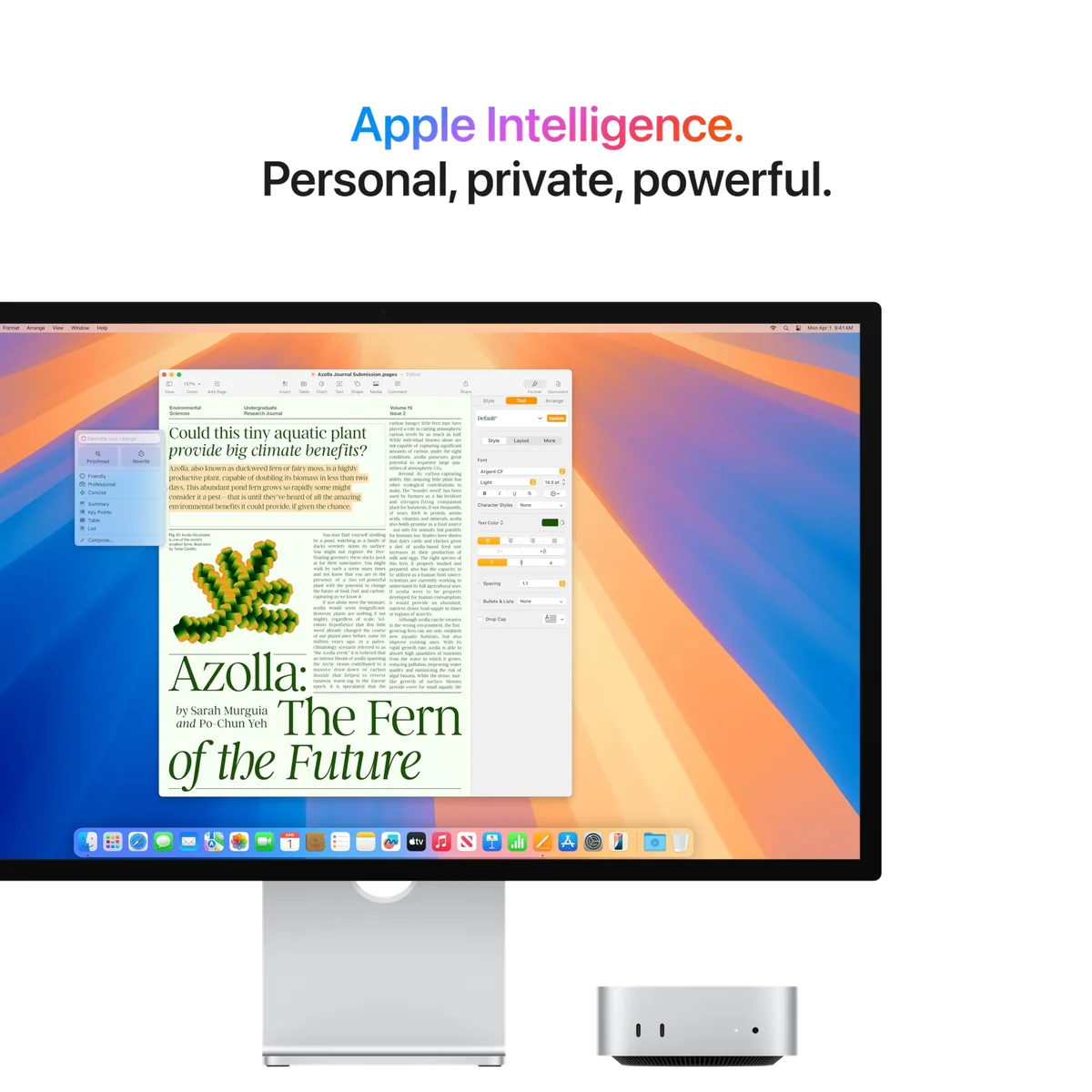
Apple Intelligence should not determine this purchase. The M4 contains the hardware required for Apple’s on-device features, and the listing promotes writing assistance, task help and privacy protections. Early reviews found some useful tools, but also visible image-editing errors, uneven rewriting and a Siri experience that often fell short of the larger promise.
Buy this Mac mini for the speed, efficiency, software and ecosystem that already make sense for your work. Treat its AI compatibility as a capability that may improve, not as compensation for the wrong memory configuration or the wrong operating system.
Frequently Asked Questions
Is this Mac mini suitable for everyday use?
Yes, its standard M4 chip and 16GB of unified memory are exceptionally capable for office work, browsing, study, coding, photo editing and moderate creative projects.
Is 16GB of memory enough?
Sixteen gigabytes is enough for mainstream work, but large local AI models, multiple virtual machines and heavy professional media projects justify buying more memory before checkout.
Is the 512GB version worth choosing over 256GB?
The 512GB version is easier to live with if you want applications and active files stored internally, although an external SSD usually provides more capacity per dollar.
Can the memory or internal SSD be upgraded later?
No, the internal configuration is not user-upgradable, although external USB-C or Thunderbolt storage can expand file capacity.
Do I need an Apple display, keyboard or mouse?
No, compatible HDMI or USB-C monitors and Mac-compatible Bluetooth or USB input devices work, although USB-A equipment requires an adapter or hub.
Can it run more than one monitor?
Yes, the standard M4 model supports multi-display setups through HDMI and Thunderbolt, but its limits should not be confused with the stronger display support advertised for M4 Pro configurations.
Is the Mac mini quiet?
It is virtually inaudible during ordinary work and often very quiet during moderate creative tasks, although its fan can become audible under sustained maximum load.
Is it good for video editing?
Yes, exact-configuration testing supports light-to-moderate work and some 4K editing, while regular complex projects may need more memory, storage and GPU performance.
Is it a good gaming computer?
It can play selected compatible games well at sensible settings, but the narrower macOS catalogue and integrated graphics make a gaming PC the better choice for serious players.
Can it replace an iMac?
It can replace an iMac’s computing role for many users, but the buyer must separately provide the display, webcam, microphone, speakers and input devices the iMac included.
Does it have a webcam or microphone?
No, it requires an external or monitor-integrated camera and microphone, although a compatible iPhone can serve as a Continuity Camera.
Does the small enclosure actually prevent overheating?
Supplied testing found effective active cooling and no pattern of thermal failure, although the case can become warm and the fan can be heard during sustained heavy work.