Dell Latitude 5420 renewed review: capable hardware trapped in a condition lottery
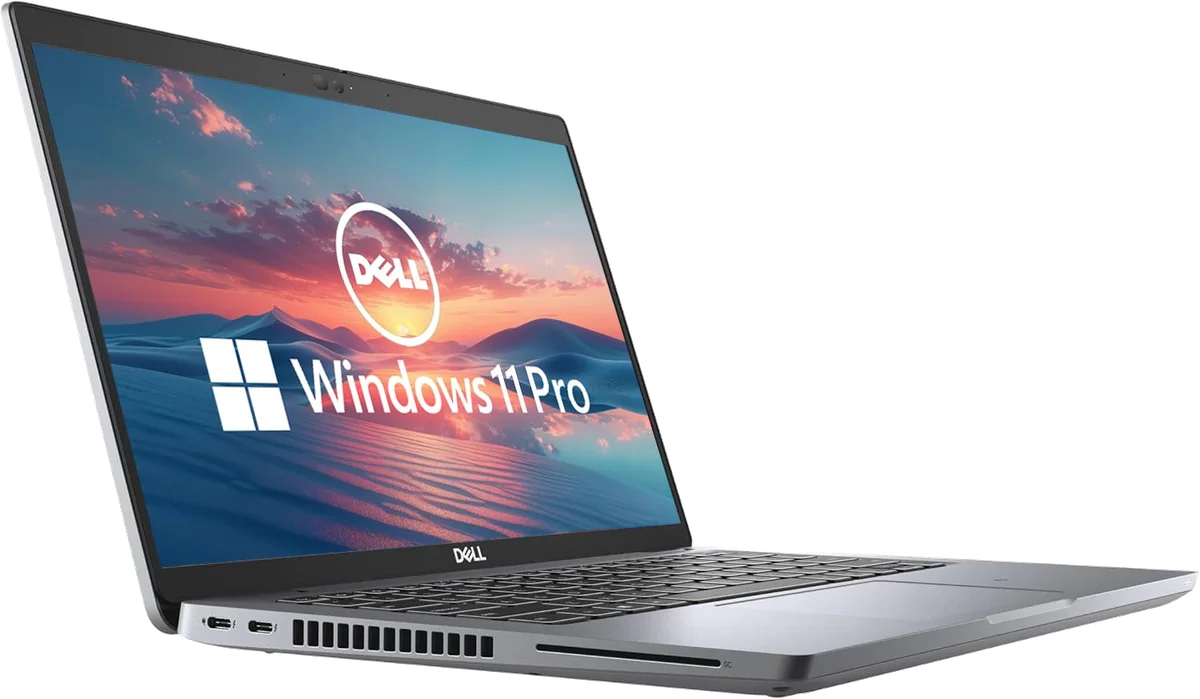
Do not buy this renewed Latitude at a premium unless the return policy gives you enough time to test it hard, because a healthy unit is a useful office laptop but battery collapse, poor refurbishment and later failures are credible risks.
Based on published owner reports, 2 owner discussions and 4 other sources. We have not tested this machine ourselves.
We earn a commission if you buy through our links, which does not affect what we say.
Read how this site works →
The final call
A healthy Dell Latitude 5420 is still a good everyday laptop. It can run the applications most office workers, students and mainstream programmers actually use, it connects to almost anything, and its replaceable parts give it a better path through old age than many newer consumer notebooks.
That is not enough to recommend this renewed listing without conditions. The thin protection period recorded for the offer, the uncertain battery, the small SSD and the spread from near-new arrivals to unusable machines place too much weight on the individual seller and unit. Buy only when the price reflects that risk and the return policy gives you time to expose it. Otherwise, spend the difference on a newer business laptop with a known battery and stronger warranty.
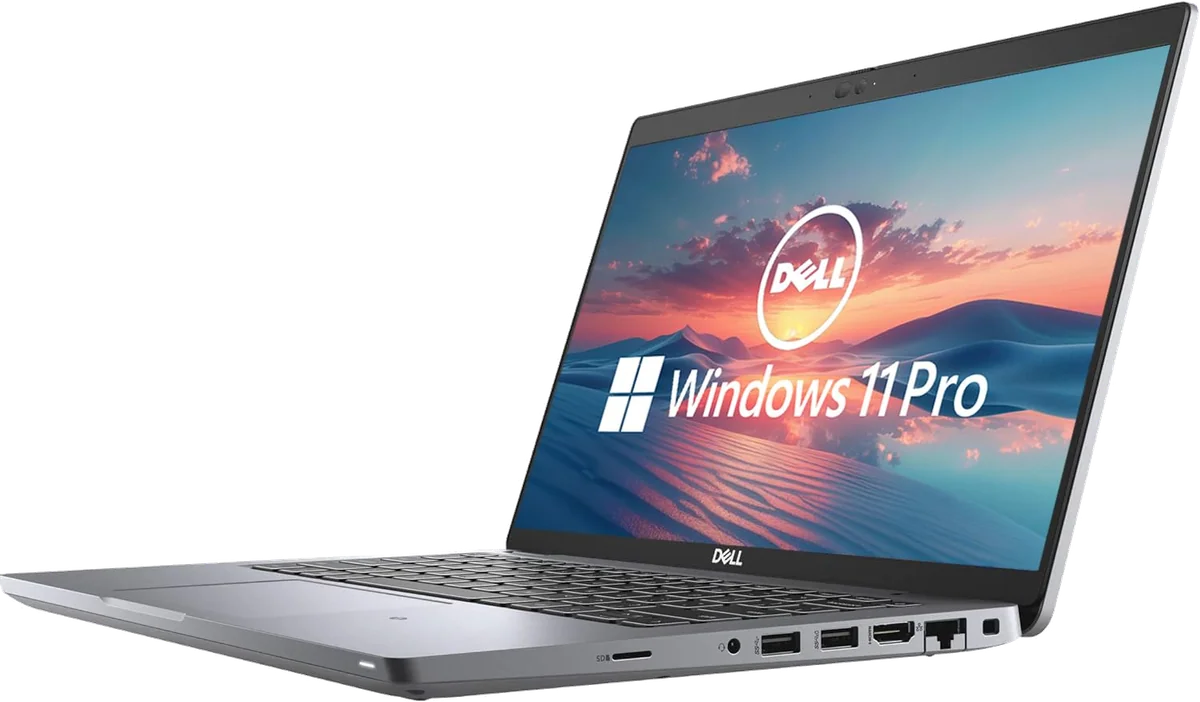
The Dell Latitude 5420 is the sort of laptop that makes an excellent spreadsheet argument. This listing combines a quad-core Core i5-1145G7, 16GB of replaceable memory, a 256GB SSD, a 14-inch Full HD display and Windows 11 Pro. Those are sensible foundations for office work, study, coding and browser-heavy jobs. The trouble is that a renewed laptop is not merely a specification sheet with a few scratches.
Every unit has already lived a life that the listing does not describe. Its battery may be healthy, tired or effectively finished. Its cooling system may be clean, or it may still contain years of dust and hardened thermal compound. The keyboard might be backlit, the replacement might not be, and a cosmetic skin can conceal rather more wear than a product photograph suggests. Even Windows can arrive clean, cluttered with unwanted software or restricted by an old organization.
Exact-listing owners reported both ends of that range. Some received machines that worked like new, with clean Windows installations and little visible wear. Others received units that froze, would not run away from the charger, failed to detect the drive, arrived with the wrong charger or died after a few months. Thirteen retained review texts cannot establish a failure rate, but they are more than enough to reject the comforting idea that all renewed 5420s are equivalent.
Buy it only if
You need an inexpensive Windows workhorse for documents, browser applications, video calls, mainstream programming or a desk-based setup, and you are willing to inspect the individual unit immediately. It makes most sense when the seller provides meaningful protection, the battery report is acceptable and the machine costs enough less than a newer Latitude to compensate for its age.
Walk away if
You need dependable all-day battery life, a bright color-accurate display, modern gaming performance or a laptop that must work without troubleshooting from the first morning. Buyers who depend on a touchpad should also take the repeated criticism of its click feel seriously.
This review concerns the ordinary 2021 Latitude 5420 business notebook. It is not the older, much heavier Latitude 5420 Rugged that shares the number, and specifications from that machine do not belong here. The ordinary model was released in January 2021, which makes it roughly five years old in 2026.
Key Specifications
A business laptop where the useful parts still come out
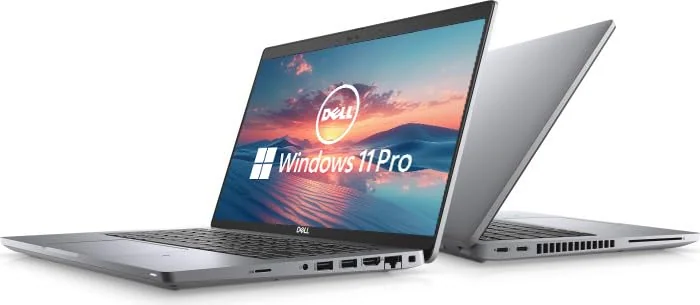
The 5420’s best modern argument is not glamour but access. Inside are two SODIMM memory slots, one replaceable M.2 PCIe SSD, an accessible battery and a replaceable Wi-Fi module. The cooling assembly is also reachable after removing the bottom cover. This is much friendlier to repair and upgrade than a thin consumer machine with memory and storage fixed to the board.
The 16GB configuration is already appropriate for ordinary productivity, and some units use only one memory slot, leaving the second available. Adding a matched module can enable dual-channel operation and may help integrated graphics. Storage is the more urgent limitation. A nominal 256GB drive commonly appears as roughly 238GB after formatting, before Windows, applications and personal files consume their share.
Do not buy it expecting to add a second conventional internal SSD. The machine has one storage slot, although other M.2-shaped connectors inside can make photographs misleading. Replacing the installed drive with a larger one is the clean route if local project files, virtual machines, games or media will outgrow 256GB.
| Item | Listing claim | Buying reality |
|---|---|---|
| Processor | Core i5-1145G7 | Capable for office, study and mainstream coding if cooling is healthy |
| Memory | 16GB DDR4 | Suitable for everyday multitasking and upgradeable through two SODIMM slots |
| Storage | 256GB SSD | Replaceable but small, with one conventional M.2 storage slot |
| Display | 14-inch Full HD | Confirm 1920×1080 because panel and replacement-part quality can vary |
| Operating system | Windows 11 Pro | Confirm activation, clean setup and freedom from organizational enrollment |
| Camera and HDMI | Included | Expect a basic webcam and test both functions during the return period |
The port selection remains excellent
Two Thunderbolt 4 capable USB-C ports, two USB-A ports, HDMI, compact Ethernet, a headset jack and microSD cover most desk and travel setups without a bag of adapters. USB-C charging is especially convenient, but the power supply still needs adequate USB Power Delivery output. A suitable 65W charger is the sensible target; a low-output phone charger is not equivalent.
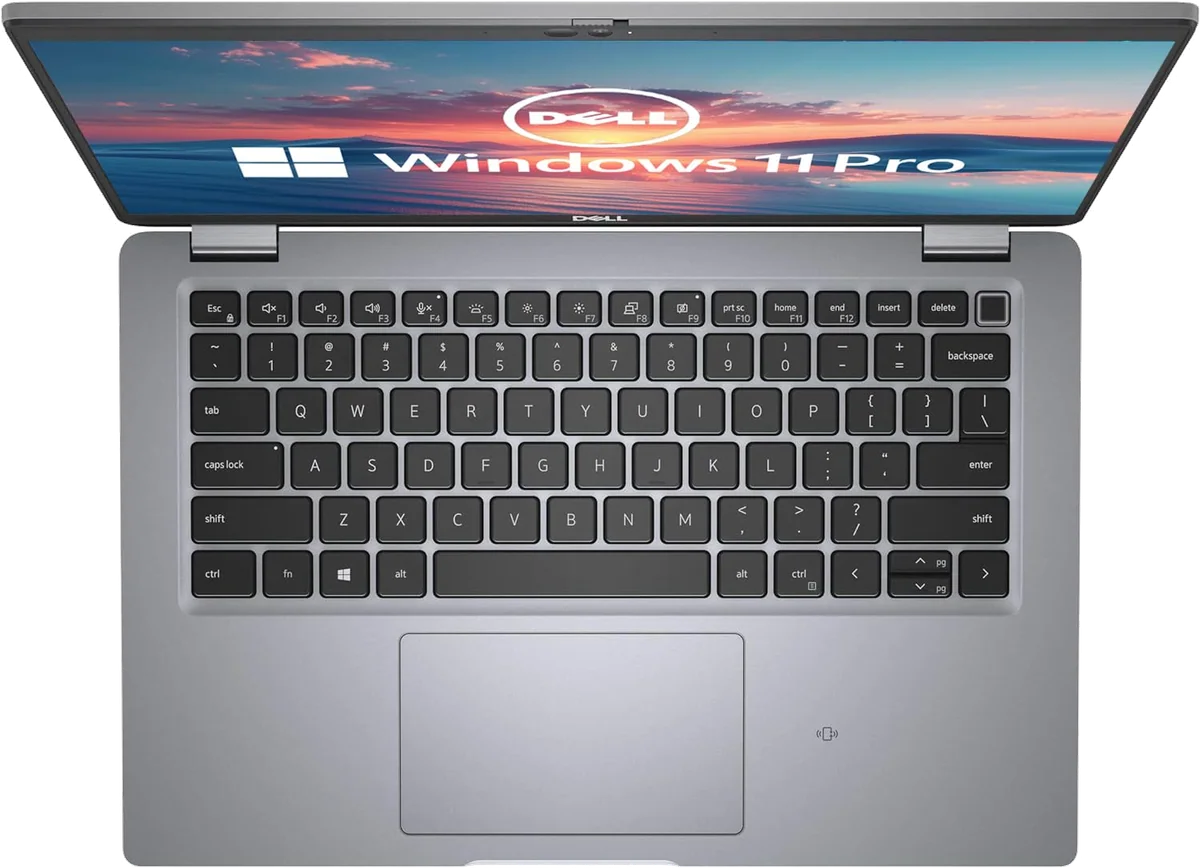
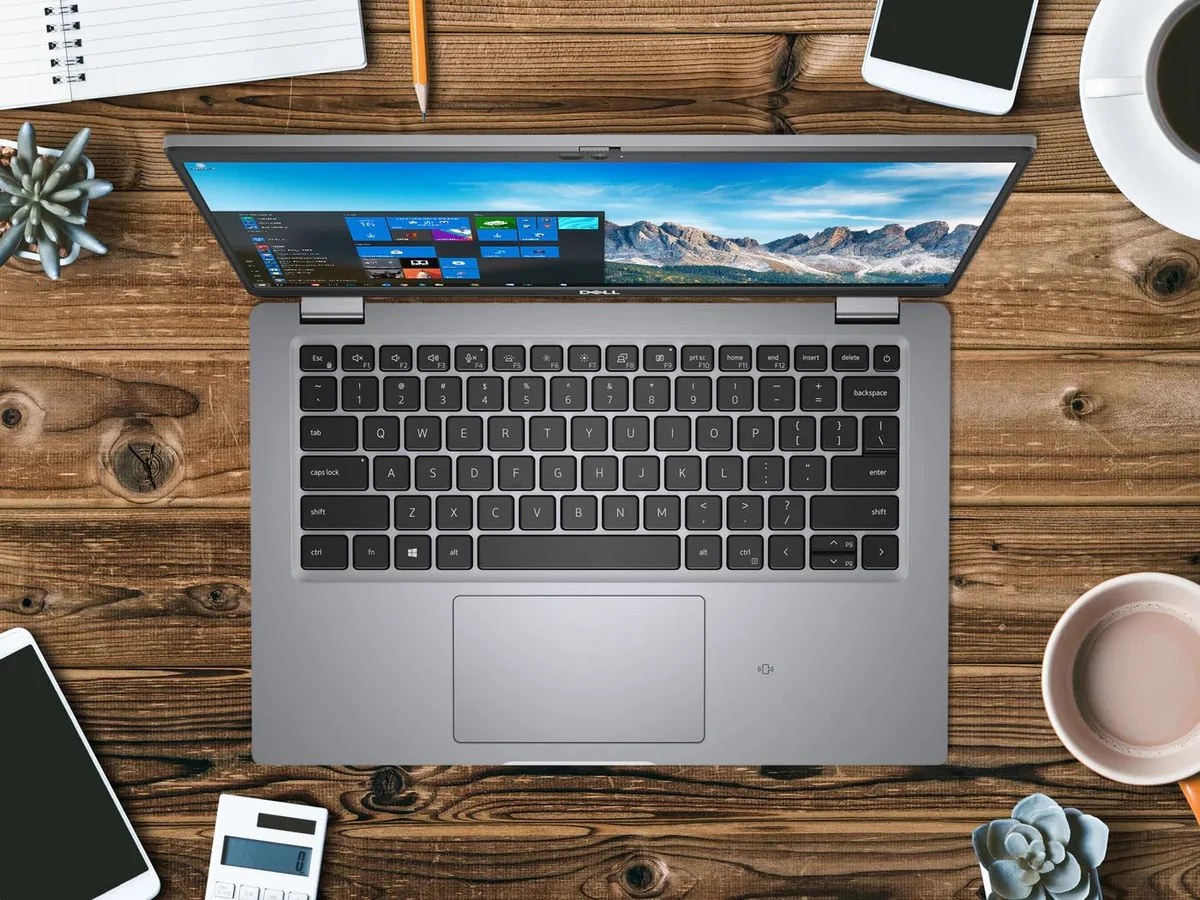
Optional hardware creates traps in renewed listings. A backlit keyboard, touchscreen, fingerprint reader, smart-card reader, infrared camera and LTE modem were not universal. A SIM tray or internal antenna wiring does not prove that mobile broadband is installed. If a feature is absent from the exact listing, treat it as absent until the seller confirms it for the individual unit.
The display and webcam are merely serviceable
Tested Full HD panels ranged from a dim 235 nits on one used example to an average 281 nits with a 311-nit peak in formal testing. The formal review’s panel covered only 54% of sRGB. That is acceptable for documents and indoor web work, especially with the matte finish, but weak for sunlight, bright rooms and color-sensitive design. Multiple panel suppliers and replacement screens make the individual unit more important than the model name.
The 720p webcam is enough to be seen in a meeting, not enough to look polished. Reports describe washed-out detail and visible artifacts, while speakers are better suited to speech than music. Anyone working from home can improve the experience more effectively with a modest external webcam or headset than by hoping this old integrated hardware behaves like a new premium laptop.
Strengths & Limitations
Strengths
- The 11th-generation quad-core Core i5 and 16GB RAM remain capable for office work, study, browser multitasking and mainstream programming.
- Two SODIMM slots, a replaceable SSD and an accessible battery give the machine unusually useful upgrade and repair options.
- Thunderbolt 4, USB-A, HDMI, Ethernet, microSD and USB-C charging make the port selection excellent for desk work.
- The matte 14-inch Full HD format is practical for documents and portable productivity when the installed panel is healthy.
Limitations
- Renewed units vary sharply in battery health, cosmetic condition, thermal servicing, charger correctness and Windows setup.
- The 256GB SSD is cramped for local media, virtual machines, games or large project libraries.
- Display brightness and color coverage can be poor, while the webcam is basic.
- The clickpad has attracted repeated criticism for its feel, sensitivity and lack of dedicated buttons.
- Freezing, sudden death and motherboard-failure reports make a short warranty difficult to accept.
The processor is not the part that has aged badly
For the work this laptop was built to do, the i5-1145G7 and 16GB of RAM remain credible. Expect comfortable document editing, spreadsheets, research with many browser tabs, email, online classes, video meetings, bookkeeping systems and mainstream development tools. Light image editing and simple design work are also reasonable. This is not current premium-laptop performance, but it is far removed from the low-end processors that make basic Windows laptops feel old on arrival.
Formal testing of a closely related i5-1135G7 configuration found unusually strong sustained CPU behavior for its class. That does not give this exact i5-1145G7 listing the same benchmark score, but it does show that the 5420 chassis can sustain useful processor performance when its cooling system is healthy. The same review found the integrated Iris Xe graphics weaker than expected in games, so the strong CPU result should not be mistaken for gaming ability.
A renewed example tells the more important half of the story. One B-grade unit reached 100°C and throttled under a sustained test because its fan was dusty and its thermal paste had hardened. Cleaning and repasting improved its score and allowed it to hold higher clocks for longer. That result does not mean every buyer must dismantle the laptop, but it proves that the quality of the refurbishment can decide how much of the original performance remains.
Programming, yes; demanding creative work, no
The combination of 16GB RAM, a quad-core processor, Ethernet, two Thunderbolt 4 ports and replaceable storage makes sense for web development, business software, coursework and many local coding environments. The practical objections are the cramped SSD, half-height arrow keys, subjective keyboard and widely criticized touchpad. If an external display, keyboard and mouse already live on your desk, most of those objections shrink.
Heavy 4K editing, After Effects work, large layered image files and serious 3D production are poor fits. The machine can complete light creative jobs, but there is too little graphics headroom to recommend it as a professional media workstation. For a more direct look at the platform against a current business alternative, our Latitude 5420 and ThinkPad T14 comparison weighs the trade between Dell’s expansion and the ThinkPad’s input hardware.
Retro games are not modern games
An exact-listing owner reported full-speed MAME emulation, and an older Star Wars Battlefront II ran well on a tested used unit. PUBG was not playable even at the lowest settings on that test machine. The honest gaming verdict is therefore narrow: emulation, older releases and light games can be enjoyable, while demanding contemporary 3D titles are not a reason to buy it.
A good old laptop can still be a bad deal
The exact listing was captured at a price materially above several ordinary used-market examples, but that historical observation is not a live valuation. Other used-market discussions placed ordinary 5420s lower, while buyers also considered nearby 5430, 5440 and 7430 models. Condition, battery health, SSD size and seller protection can easily be worth more than a small difference between two asking prices.
At a low enough cost, a clean 5420 with a healthy battery is persuasive. You get enough memory for useful multitasking, Windows 11 support, excellent wired connectivity and unusually accessible internals. At a premium renewed price, the proposition becomes weaker because 256GB is cramped, the battery is unknown and the machine is old enough for cooling neglect and component failures to matter.
The seller must therefore earn any premium over an ordinary used unit. A longer warranty, a meaningful return period, a verified battery report, the correct charger, a larger SSD or documented servicing can do that. A generic “renewed” label cannot. If the listing costs close to a newer business laptop with better protection, buy the newer machine rather than paying extra for reassurance the listing does not actually provide.
Buyers still deciding whether a conventional notebook suits their work can start with our laptop and tablet buying comparison, while students comparing wider options can use the Specs & Screens guide to computers and tablets for study.
The battery decides whether this is a laptop or a movable desktop
There is no honest single battery-life figure for a renewed Latitude 5420. The platform shipped with smaller 42Wh or 43Wh packs and a larger 63Wh option, and today’s remaining capacity depends on age, heat, charging history and whether the refurbisher replaced anything. A controlled test of a new large-battery machine approaching 13 hours does not predict the behavior of a five-year-old unit with the smaller pack.
The exact listing produced several much worse outcomes: roughly two or three hours, a steep collapse after reaching 50%, failure to work without the charger and a screen that sometimes woke only after external power was attached. Some owners did report long or nearly full-strength battery life, which reinforces the point. The model has a battery range; the unit has a battery condition.
Assume the battery is used unless replacement is stated clearly. After delivery, generate a Windows battery report and compare full-charge capacity with design capacity. Then run a real unplugged session rather than trusting the remaining-time estimate. Test cold boot, sleep, wake and operation below 50%, because a battery that looks plausible at the top of its charge can still fall apart near the bottom.
Repairable does not mean risk-free
Replaceable RAM, storage and battery make this machine easier to keep useful, but they cannot turn a motherboard failure into a cheap repair. Exact Amazon reviews include sudden death after a couple of months and two machines that repeatedly froze. A separate owner discussion contains several motherboard-failure reports, including a quoted replacement-board cost close to the value of another used machine.
These anecdotes do not prove that every 5420 has a systematic defect, and Latitude’s broader durability reputation should not be discarded. They do prove that a short seller warranty is poorly matched to faults that may emerge after weeks or months. Protection length, return rights and independent backups belong in the purchase decision, not in the fine print read after something dies.
The first-day inspection matters more than cosmetic grading
- Confirm the ordinary Latitude 5420 identity, Core i5-1145G7 processor, 16GB RAM and nominal 256GB SSD in Windows system information.
- Verify that the native display resolution is 1920×1080 and inspect the panel for damage, dimness, flicker and poor replacement fit.
- Check that the supplied charger is a suitable USB-C Power Delivery unit rather than an incompatible round-barrel adapter.
- Run Dell diagnostics, inspect Device Manager and check SSD health data before storing important files.
- Test both USB-C ports, both USB-A ports, HDMI, Ethernet, microSD, audio, Wi-Fi, webcam, microphone, speakers, every key and every touchpad gesture.
- Confirm any optional feature you expected, including keyboard backlight, fingerprint reader, touchscreen or mobile broadband.
- Inspect the BIOS for a password and make sure Windows is activated without a former employer or school controlling enrollment.
- Look beneath cosmetic assumptions by checking vents, hinges, corners, peeling vinyl, keyboard-deck flex and signs of careless repair.
- Apply a sustained processor load while watching temperature, throttling and fan behavior.
- Use the machine heavily while the return window remains open and keep important work backed up elsewhere.
Frequently Asked Questions
Is the Dell Latitude 5420 still a good laptop?
It is still good for office work, study, browser multitasking and mainstream coding when the renewed unit has a healthy battery, clean cooling system and reliable storage.
How old is the ordinary Dell Latitude 5420?
The ordinary Latitude 5420 was released in January 2021, so it is a 2021-generation business laptop rather than the older Rugged model with the same number.
How long should a renewed Latitude 5420 last?
No fixed lifespan is defensible because battery health, prior corporate use, cooling maintenance, SSD wear and motherboard condition differ between individual machines.
Is the Latitude 5420 suitable for programming?
Yes, its 16GB of RAM, quad-core processor, Full HD display and upgradeable storage suit mainstream coursework and development, although the 256GB drive and input hardware may frustrate some programmers.
Can the Latitude 5420 play games?
It can handle retro emulation and some old or light games, but its integrated graphics make it a poor choice for demanding modern titles.
Can its memory and SSD be upgraded?
Yes, it has two replaceable SODIMM memory slots and one replaceable M.2 SSD, but teardown evidence does not support adding a second conventional internal SSD.
Does every renewed Latitude 5420 have a backlit keyboard or touchscreen?
No, backlighting, touch input, fingerprint recognition and several other business options vary by configuration and are not promised by this exact listing.
Should Windows be reinstalled on a renewed unit?
A trusted clean installation is sensible when the seller image contains unfamiliar software, but first confirm Windows activation and return any machine still locked to an organization.
Sources (6)
- Amazon listings and customer reviews — Dell Latitude 5420 Renewed
- Owner reports across r/Dell, r/hardwareswap threads
- Owner and reviewer video, 2 channels
- Ifixit — Article — www.ifixit.com
- Notebookcheck — Article — www.notebookcheck.net
- Laptopmedia — Article — laptopmedia.com